

How to Build an MCP Server: A Developer Tutorial
MCP lets any AI agent call your code through one standard interface. This is the hands-on build: initialize the SDK, define a tool with a typed schema, pick a transport, and connect it to Claude Code, in TypeScript and Python.
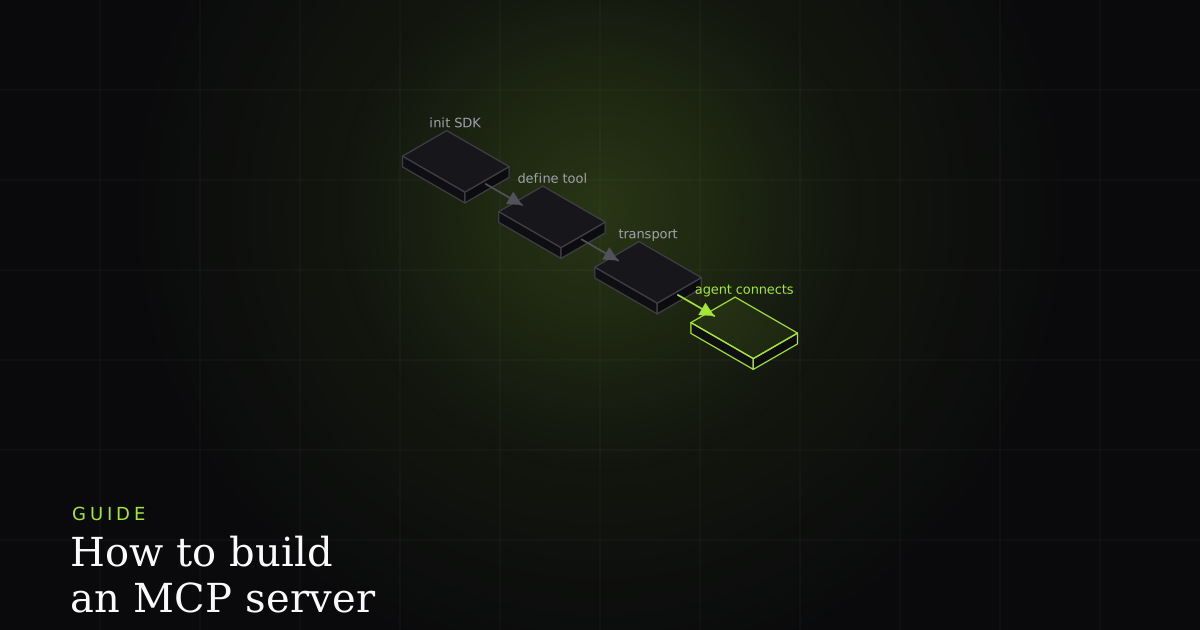
The Model Context Protocol is an open standard, introduced by Anthropic in late 2024, for exposing tools, resources, and prompts to AI agents through a single client-server interface. Before it, every integration between an assistant and an external system was bespoke glue; MCP replaces that with one connector shape, so a server you write once works with every client that speaks the protocol. If you want the conceptual grounding first (what the primitives are and why the standard exists), start with our developer's primer on MCP. This guide assumes you're past the what and want the how: an actual server, running, connected to your editor, in four steps.
We'll build the same trivial tool in both official SDKs so you can see the shape, then centre on the TypeScript path because it's the one most web teams will ship. Everything here is minimal on purpose. The point is the skeleton you'll reuse, not the business logic you'll fill in.
What an MCP server actually is
An MCP server is a program that exposes tools (typed, callable functions), resources (readable data), and optionally prompts to an AI agent over a standard client-server protocol. The client (an editor or agent runtime) connects, discovers what the server offers via a tools/list call, and invokes a capability with tools/call. The protocol standardizes discovery and transport; what any given server exposes is entirely your design.
Concretely, a server does three jobs: it declares a set of tools with typed input schemas, it runs a handler when the agent calls one, and it returns a result. The agent decides when to call (tools are model-controlled), so your job is to make each tool obvious enough that the model calls the right one with the right arguments. That framing matters for every decision below: you are writing an API whose primary consumer is a language model reading your descriptions and schemas, not a human reading your docs.
Step 1: Initialize the project and install the SDK
Start with an empty project and add the official SDK. For TypeScript you need Node 18 or newer; for Python, 3.10 or newer. Pick one. The two blocks below are the same starting point in each ecosystem.
# TypeScript
mkdir weather-mcp && cd weather-mcp
npm init -y
npm install @modelcontextprotocol/sdk zod
npm install -D typescript @types/node

# Python (uv recommended; pip works too)
uv init weather-mcp && cd weather-mcp
uv add "mcp[cli]"   # bundles FastMCP
Step 2: Create the server and define a tool
A tool is three things bound together: a name, an input schema, and a handler. The schema is not optional decoration. It's the contract the agent reads to know which arguments are valid, and it's the validation that rejects a bad call before your handler ever runs. In the TypeScript SDK you register it on an McpServer with registerTool, passing a zod shape as the inputSchema. The handler returns a content array; return structuredContent alongside it so the agent receives a typed object, not just a string it has to re-parse.
import { McpServer } from "@modelcontextprotocol/sdk/server/mcp.js";
import { StdioServerTransport } from "@modelcontextprotocol/sdk/server/stdio.js";
import { z } from "zod";

const server = new McpServer({ name: "weather", version: "1.0.0" });

server.registerTool(
  "get_forecast",
  {
    title: "Get forecast",
    description: "Return a short weather forecast for a city.",
    // The input schema — a zod shape. This is the contract the agent reads.
    inputSchema: {
      city: z.string().min(1).describe("City name, e.g. 'Berlin'"),
      days: z.number().int().min(1).max(7).default(3),
    },
  },
  async ({ city, days }) => {
    const forecast = await lookupForecast(city, days); // your logic
    return {
      // Structured data, not a prose blob — the agent gets a typed object.
      content: [{ type: "text", text: JSON.stringify(forecast) }],
      structuredContent: forecast,
    };
  },
);

const transport = new StdioServerTransport();
await server.connect(transport); // start listening on stdin/stdout
The Python SDK collapses almost all of that into a decorator. FastMCP ships inside the official mcp package, so there's nothing extra to install. You write an ordinary function, annotate it with @mcp.tool(), and FastMCP derives the input schema from your type hints and the tool description from the docstring. Return a dict and it becomes structured content automatically.
from mcp.server.fastmcp import FastMCP

mcp = FastMCP("weather")

@mcp.tool()
def get_forecast(city: str, days: int = 3) -> dict:
    """Return a short weather forecast for a city."""
    # Type hints become the input schema; the docstring becomes the
    # tool description the agent reads. Returning a dict yields
    # structured content, not a text blob.
    return lookup_forecast(city, days)

if __name__ == "__main__":
mcp.run() # stdio transport by defaultStep 3: Choose a transport (stdio vs Streamable HTTP)
The transport decides how the client reaches your server, and it's the one line at the bottom of the file that changes. There are two you'll actually use:
- stdio: the server runs as a local child process the client spawns, exchanging JSON-RPC over stdin and stdout. Nothing listens on a port, nothing is exposed to the network, and it starts on demand. This is the correct default for a server that runs on the same machine as the editor, which is most first servers. Both snippets above use it (
StdioServerTransportin TS, the default inmcp.run()). - Streamable HTTP: the server runs as a long-lived web service the client reaches over a URL. Use it when the server is remote, shared by multiple users, or deployed centrally rather than shipped to each developer's machine. In the TypeScript SDK you swap
StdioServerTransportfor the Streamable HTTP transport and mount it on an HTTP handler; in Python you passtransport="streamable-http"tomcp.run(). The tools and schemas you wrote don't change at all.
Rule of thumb: build and test locally over stdio, and only reach for HTTP when you have a concrete reason to run the server somewhere other than the user's laptop.
Step 4: Run it and connect from your editor
A stdio server isn't started by hand. The client launches it. You tell the client how to spawn it with a small JSON config that names a command and its arguments. This is the same shape across Claude Code, Cursor, and VS Code; here it is for a compiled TypeScript server and for the Python one:
{
  "mcpServers": {
    "weather-ts": {
      "command": "node",
      "args": ["build/server.js"]
    },
    "weather-py": {
      "command": "uv",
      "args": ["run", "server.py"]
    }
  }
}
Drop that into the client's MCP config (in Claude Code, claude mcp add or the project's .mcp.json; Cursor and VS Code have an equivalent settings file), restart the client, and it will connect, send tools/list, and show get_forecast as available. Ask the agent something that needs a forecast and you'll see it call the tool with arguments it inferred from your schema. For a full editor-by-editor walkthrough of the config files and the gotchas, see our guide on connecting an MCP server to VS Code and Windsurf.
Best practices: a good tool schema is good context
Getting a server running is the easy part. Getting an agent to use it well is a design problem, and it comes down to a handful of rules that all point the same direction: the model can only be as good as the surface you hand it.
- Scope tools tightly. A few well-designed tools beat many vague ones. The model chooses what to call by reading names and descriptions, so
get_forecastandsearch_locationsare easier to route than a single overloadedweathertool with a mode flag. Every ambiguous description is a chance for the wrong call. - Validate every input. The schema is your guardrail. When an argument is malformed, reject it with a clear message rather than letting the handler throw an opaque error. A good MCP client surfaces that message back to the model, which can then fix its own argument and retry without a human in the loop.
- Return structured data, not a text blob. This is the one that quietly decides fix quality downstream. Handing back a typed object (
structuredContentin TS, a returneddictin Python) lets the agent read fields directly; handing back a paragraph forces it to re-parse prose and guess. The schema on the way out matters as much as the one on the way in. - Handle errors as readable text. A recoverable failure should come back as a message the model can act on, not a stack trace. "Unknown city 'Xyz': check spelling or call search_locations first" is a tool doing its job; a 500 is not.
How BugMojo's MCP server applies this
This is the exact principle BugMojo's MCP server is built around. Its get_bug tool doesn't return a title and a free-text description, the thin context a human typed from memory. It returns the full reproduction the browser extension captured at the moment the bug happened: an rrweb session replay, the console log, the network waterfall, and the environment, as structured fields. An agent calling it isn't guessing what "checkout is broken" means; it's reading the actual failing request and the actual console error, the same inputs a senior engineer would ask for. That's the difference between a first-attempt fix and an "almost right" one, and it's a direct consequence of treating the tool's output schema as context design, not an afterthought. If you want to see that play out end to end, read how AI agents actually fix bugs with MCP, and for the server's own architecture (its tools, transport, and the polymorphic agent assignee), see how the BugMojo MCP server works. When you're choosing servers to connect rather than build, our roundup of the best MCP servers for developers is the companion piece.
BugMojo's MCP server hands get_bug calls back a full reproduction (session replay, console, and network) as structured context, so your AI agent's first fix attempt is more often the right one. Install the free extension and connect it in minutes.
Install the free extensionFrequently asked questions
Frequently asked questions
Sources
- The official MCP introduction: the client-server architecture and the tools, resources, and prompts primitives a server can expose, Model Context Protocol (2026)
- The official TypeScript SDK: McpServer, registerTool with a zod input schema, and StdioServerTransport, Model Context Protocol / GitHub (2026)
- The official Python SDK: FastMCP and the decorator-based @mcp.tool() API that ships in the mcp package, Model Context Protocol / GitHub (2026)
- Anthropic's original announcement introducing the Model Context Protocol as an open standard, Anthropic (2024)
Get bug-tracking insights, weekly.
Engineering deep-dives, QA playbooks, and honest tool comparisons. No spam. Unsubscribe in one click.