

What Is MCP (Model Context Protocol)? A Developer's Primer
An accessible primer on the Model Context Protocol: what it is, why Anthropic created it, and how it lets AI coding agents call real tools and read real data.
What is MCP?
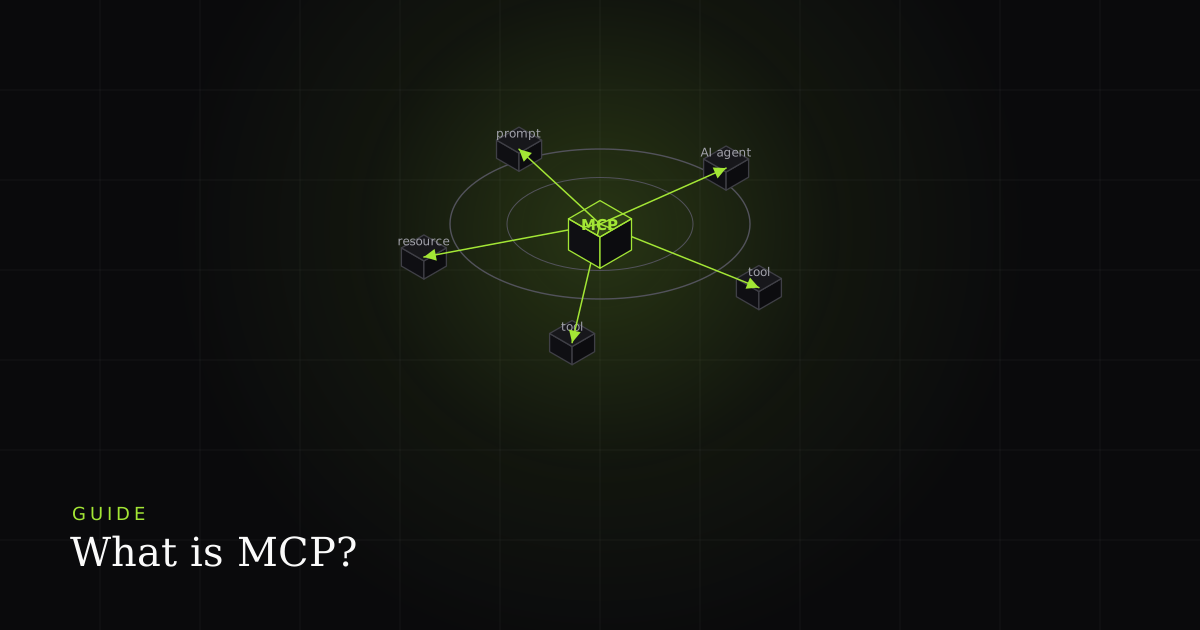
The Model Context Protocol is an open specification for connecting AI applications to external tools and data. An MCP server exposes a typed set of tools, resources, and prompts over JSON-RPC 2.0; an MCP-aware host (Claude Code, Cursor, Cody, Windsurf, Continue) connects to it and lets the model use those capabilities inside a conversation.
The shortest accurate description is the one Anthropic used at launch: MCP is the USB-C of AI tools. Before MCP, every IDE had to write its own integration with every data source: Cursor needed its own Slack connector, Cody needed its own GitHub connector, and none of that work transferred. After MCP, a data source ships one server and every MCP-capable host can use it. The model gains a standard way to discover what a tool does, what arguments it takes, and how to call it, without relearning a bespoke API each time the surrounding app changes.
The problem MCP solves: M×N to M+N
Before MCP, connecting AI tools to data was an M×N problem. With M agent runtimes and N data sources, you faced up to M×N custom integrations to build and maintain. MCP collapses that to M+N: each runtime ships one client, each source ships one server, and they all speak the same protocol.
The arithmetic is the whole pitch. As Anthropic framed it, ten AI tools that each need to reach a hundred data sources implies up to 1,000 hand-written, separately-maintained integrations: the classic combinatorial explosion. Standardise the interface and those same ten tools plus one hundred sources need only 110 pieces: ten clients and one hundred servers. Every new tool becomes usable by every existing source for free, and vice versa. That network effect is why an open protocol spread faster than any single vendor's plugin marketplace could.
The second forcing function was agentic reasoning. As models got better at multi-step planning, the bottleneck moved from can the model think? to can the model call the right tool at the right moment? MCP standardises that tool-calling surface so the capability, not the plumbing, is what varies between hosts.
The architecture: host, client, server
MCP has three roles. The host is the AI application (your IDE or agent). Inside it, one or more clients each hold a 1:1 connection to a server. The spec splits the stack into a data layer (JSON-RPC 2.0 messages, lifecycle, and primitives) and a transport layer that carries them.
Per the official architecture docs, the data layer is an inner JSON-RPC 2.0 exchange protocol that defines message structure, lifecycle management (an initialize handshake plus capability negotiation), and the core primitives. The transport layer is the outer shell that handles connection setup, message framing, and authorization, and it abstracts those details so the same JSON-RPC format works over any transport. A host can run many clients at once, but each client maintains a dedicated, one-to-one link to a single server, which keeps failures and permissions isolated per connection. IBM's explainer summarises the flow: the client converts a user request into the structured format the protocol understands, then relays the server's typed response back into the model's context.
Concretely, a session looks like this. On startup the client sends initialize; the server replies with its capabilities. The client calls tools/list and gets a typed catalogue. When the model decides to act, the client sends tools/call with arguments, the server executes and returns a result, and that result flows back into the conversation. Resources and prompts follow the same request/response shape with resources/read and prompts/get.
The three server primitives
An MCP server can expose three primitives, each with a different controller. Tools are model-controlled functions the LLM calls (list_bugs, create_pr). Resources are application-controlled read-only data the host pulls into context (a doc, a file, a row). Prompts are user-controlled templates a human triggers, often as slash commands.
The cleanest mental model, from WorkOS's feature guide, is to ask who decides when this is used? Tools are model-controlled: the LLM chooses to invoke run_tests or query_orders mid-conversation. Resources are application-controlled: the host decides when to pull a file, a schema, or a docs page into context, while the server supplies the content. Prompts are user-controlled: the human explicitly triggers a saved template such as "review this PR for security issues," which in Claude Desktop shows up as a slash command. In practice tools dominate: most servers ship a dozen tools and few or no resources, because a tools-first design is simpler to reason about. But resources shine when you want the agent to read authoritative data instead of guessing.
// Minimal MCP server with the TypeScript SDK
import { McpServer } from '@modelcontextprotocol/sdk/server/mcp.js';
import { z } from 'zod';

const server = new McpServer({ name: 'bugmojo', version: '1.0.0' });

server.registerTool(
  'list_bugs',
  {
    description: 'List bugs filed in the past N days',
    inputSchema: { days: z.number().min(1).max(30) },
  },
  async ({ days }) => {
    const bugs = await api.get(`/bugs?since=${days}d`);
    return { content: [{ type: 'text', text: JSON.stringify(bugs) }] };
  }
);Transports: local stdio vs remote streamable HTTP
MCP runs over two main transports, both carrying JSON-RPC 2.0. stdio spawns the server as a local subprocess and pipes messages over stdin/stdout: no network, no auth, ideal for local tools. Streamable HTTP (spec 2025-03-26, replacing HTTP+SSE) uses one endpoint: the client POSTs, the server returns a body or upgrades to an SSE stream for long calls.
Stdio is what most locally-installed servers use, because the OS process model handles isolation and there is nothing to authenticate. For remote and multi-user servers, the 2025-03-26 revision introduced Streamable HTTP to replace the older HTTP+SSE design, and it was retained through later revisions. The single-endpoint approach is friendlier to serverless platforms, load balancers, and API gateways, the exact environments where the old dual-endpoint SSE transport dropped connections and desynced sessions. The client POSTs JSON-RPC to one URL; the server answers with a single JSON body for quick calls, or upgrades to a Server-Sent Events stream when a call is long-running. It supports both stateless and stateful sessions.
{
  "mcpServers": {
    "filesystem": {
      "command": "npx",
      "args": ["-y", "@modelcontextprotocol/server-filesystem", "/Users/me/projects"]
    },
    "github": {
      "command": "npx",
      "args": ["-y", "@modelcontextprotocol/server-github"],
      "env": { "GITHUB_PERSONAL_ACCESS_TOKEN": "ghp_..." }
    }
  }
}
This config lives in a host-specific file: ~/.cursor/mcp.json for Cursor, the project or user MCP config for Claude Code, and so on. Both servers above use stdio: the host launches npx, speaks JSON-RPC over the pipe, and passes secrets via env. Adding a server is a config edit, not a code change.
The security model
MCP does not enforce security at the protocol level, so hosts and operators must. The 2025-06-18 authorization spec defines optional OAuth 2.1-based auth with dynamic client registration and protected-resource metadata. The main risks are tool poisoning (hidden instructions in tool descriptions), over-broad user approvals, and servers that aggregate many services' tokens into one point of failure.
Because a server can read files, run commands, and call external APIs, installing one carries the same trust profile as installing any third-party CLI. Three risks are worth naming. Tool poisoning is an indirect prompt-injection attack: malicious text embedded in a tool description or output steers the agent into calling restricted tools or leaking data. Broad approval is a UX trap: a single "connect this tool" click can implicitly authorise many future model-chosen actions, and users tend to approve invocations without reading them. Token aggregation concentrates risk: a server that stores OAuth credentials for several integrations becomes a single point of failure if compromised. The 2025-06-18 authorization specification standardises HTTP auth on OAuth 2.1 with dynamic client registration and protected-resource metadata, but authorization is optional in the protocol, so it is your job to turn it on.
MCP vs function calling vs bespoke API integration
| Feature | MCP server | Plain function calling | Bespoke API integration |
|---|---|---|---|
| Callable by third-party AI agents | ✓ | No | No |
| Reusable across many hosts / IDEs | ✓ | Per app | Per client |
| Standard discovery (tools/list) | ✓ | In-app only | No |
| Streaming for long-running calls | ✓ | Model-dependent | Custom |
| Runs out-of-process (isolation) | ✓ | No | No |
| Best when | An agent in someone else's tool calls you | An LLM inside your own app calls you | Code calls code, no LLM involved |
The three are layers, not rivals. A useful heuristic: if your capability is called by code your team controls, ship a REST or RPC API. If it's called by an LLM your team controls (say, a chatbot you built), use function calling. If it's called by an LLM inside someone else's IDE or agent, ship an MCP server. MCP typically wraps an API you already have, and uses function-calling semantics under the hood; it adds discovery, transport, isolation, and cross-host reuse on top.
The ecosystem in 2026
Anthropic shipped reference servers at launch for Google Drive, Slack, GitHub, Git, Postgres, and Puppeteer, with SDKs in TypeScript, Python, and more. Adoption became cross-vendor fast: OpenAI adopted MCP across its Agents SDK, Responses API, and ChatGPT desktop app in March 2025, and GitHub and Microsoft joined the steering committee at Build 2025.
Per Wikipedia's timeline, MCP moved from an Anthropic project to a cross-industry standard within months: OpenAI announced support across its Agents SDK and ChatGPT desktop app in March 2025, and at Microsoft Build on 19 May 2025, GitHub and Microsoft joined the steering committee while Windows 11 embraced the protocol. The official reference-server repo covers filesystem, Git, GitHub, Postgres, Slack, and Google Drive, and community servers now wrap Linear, Jira, Notion, Figma, Stripe, Sentry, Supabase, Cloudflare, and Playwright, most of them a few hundred lines of code around an existing REST API. The TypeScript SDK and its Python sibling give you a clean builder API for writing your own.
Honest caveats: where MCP isn't the right fit
MCP is young, and it shows. Maturity: the spec is still revising quickly: the transport story changed materially between the 2024 launch and the 2025-03-26 streamable-HTTP revision, so servers and clients occasionally disagree about which version they speak. Auth complexity: remote servers push you straight into OAuth 2.1, dynamic client registration, and token lifecycle management, which is real work that stdio servers sidestep entirely; if everything runs locally, HTTP transport may be overkill. Tool sprawl: every connected server adds tools to the model's menu, and a bloated menu measurably degrades tool selection: an agent with eighty tools picks worse than one with eight. Not always warranted: if no LLM is involved, or if a single app calls a single tool, a plain API or in-app function call is simpler and easier to secure. MCP earns its keep when the same capability must be reachable by many independent agents you don't control.
How BugMojo uses MCP
BugMojo is built to be consumed by agents, not just humans. Its browser extension captures bugs with rrweb DOM session recording, console logs, network requests, and screenshots (with PII redaction running client-side before anything leaves the browser), and its MCP server exposes that captured context to AI coding agents. A developer in Claude Code, Cursor, Windsurf, or Cody can ask their agent to pull real bug repros (the session replay, the failing request, the console trace) and reason about a fix without leaving the IDE. Because a BugMojo bug can be assigned to a human member or an AI agent, the same MCP surface that a person triages against is the one an agent works from.
BugMojo ships an MCP server so Claude Code, Cursor, Windsurf, and Cody can pull real bug repros (session replay, network, and console context) and triage without leaving the IDE.
Install the extensionFrequently asked questions
Frequently asked questions
Sources
- Model Context Protocol: Architecture overview, Anthropic / MCP (2025)
- Introducing the Model Context Protocol, Anthropic (2024)
- MCP reference servers, modelcontextprotocol (2026)
- MCP TypeScript SDK, modelcontextprotocol (2026)
- What is Model Context Protocol (MCP)?, IBM (2025)
- Model Context Protocol, Wikipedia (2025)
- Understanding MCP features: Tools, Resources, Prompts, Sampling, Roots, Elicitation, WorkOS (2025)
Get bug-tracking insights, weekly.
Engineering deep-dives, QA playbooks, and honest tool comparisons. No spam. Unsubscribe in one click.