

The Best MCP Servers for Developers in 2026
The official MCP Registry now lists nearly 2,000 servers, and community directories index tens of thousands more. Here's a curated, opinionated list of the ones worth connecting to your AI coding agent, by category, not by volume.
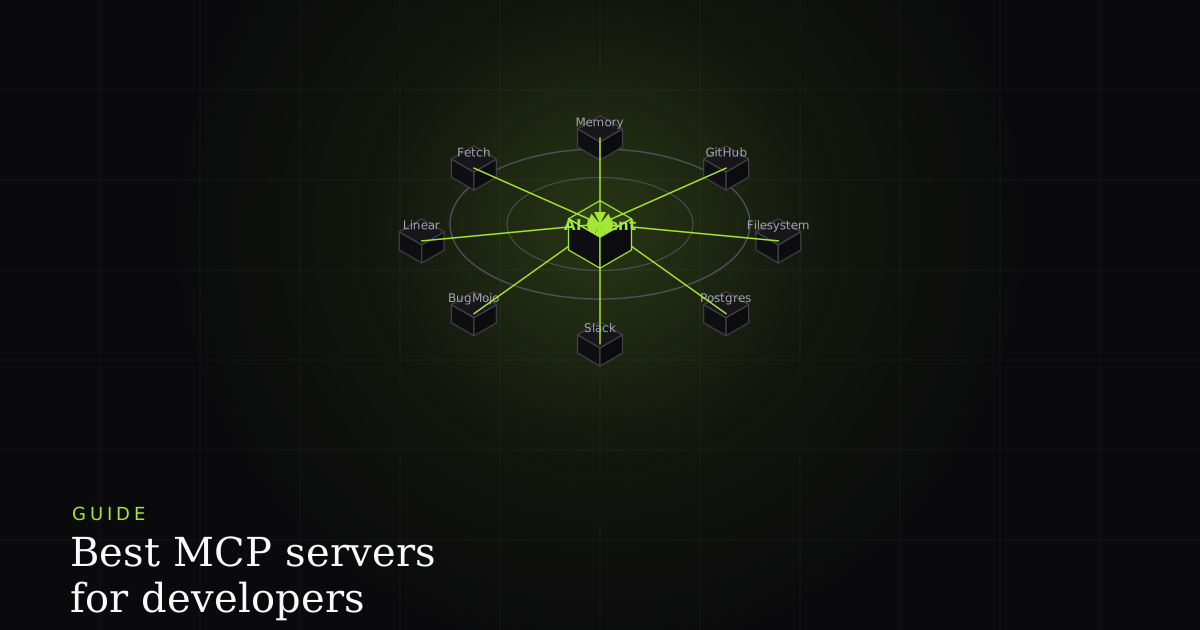
MCP servers are not scarce anymore. The official registry has grown to nearly 2,000 entries, and community directories that re-list from GitHub and npm push that number into the tens of thousands. That volume changes what 'best' means. A year ago it was reasonable to ask what exists. Today the useful question is narrower: out of thousands of options, which ones should a working developer actually spend their limited tool slots on?
This is that list: curated, not exhaustive. Eight to ten servers, grouped by what you're trying to get done, with the reasoning for why each one earns a place rather than just a name and a link.
How big is the MCP ecosystem, really
MCP's own one-year retrospective puts the official registry at nearly 2,000 listed servers, with unofficial community directories indexing many multiples of that from scrapes, forks, and re-listings. At that scale, "best" has to mean curated for a working developer, not a complete inventory. The same underlying integration often shows up under five different names across five different indexes.
What separates a genuinely useful MCP server from just another name in that list comes down to three things, and they apply whether it's an official integration or a weekend project with a good README:
- It's officially maintained. Built and shipped by the product itself, not a scraped or reverse-engineered wrapper that breaks the next time the underlying API changes.
- It's scoped, not sprawling. A handful of well-designed tools beats fifty vague ones: fewer decisions for the agent to get wrong, and a smaller surface for you to audit.
- It returns structured data. Fields, IDs, statuses an agent can act on directly, not a text dump it has to re-parse and guess at.
Every server below is on this list because it clears that bar.
Code and version control
Two servers cover the vast majority of code-related work, and both are maintained by the platforms they talk to rather than reverse-engineered from an API.
- GitHub's official MCP server gives an agent tools for issues, pull requests, code search, and Actions. That's enough to open a PR, comment on a review, or pull a failing workflow's logs without a human relaying text back and forth.
- Git, the local reference server, handles repository operations that don't need a network round trip: diffing, branching, committing, and inspecting history directly on disk.
Between the two, an agent can go from "read the issue" to "open the PR" without leaving the loop.
Project and issue tracking
This is the category most developers reach for first, and it's also where the quality gap between servers is widest. A title and a paragraph is not the same thing as something an agent can act on.
- Linear ships an official, hosted MCP server at
mcp.linear.appthat works with Claude, Cursor, Windsurf, and Zed out of the box: create and update issues, search by team or cycle, and keep an agent's ticket work inside the same system your team already triages from. - Atlassian Rovo is the equivalent for Jira and Confluence, now generally available. An agent can query and update Jira issues or pull context from a Confluence page as part of the same task.
- BugMojo is built for a narrower but sharper job. Most issue trackers hand an agent a title and a description. BugMojo's MCP server hands it the actual reproduction (an rrweb session replay, the console log, the network waterfall, and the environment), so the agent is debugging from what happened, not from a summary of what someone remembers happening.
Observability and errors
Sentry's official MCP server exposes roughly sixteen tools over a remote, OAuth-authenticated connection. That's enough to search errors, pull a stack trace, and, notably, hand a hard bug to Sentry's own Seer debugging agent instead of reasoning through it cold.
That last piece is the interesting design choice: instead of only returning data for your agent to interpret, the server can delegate to a specialist agent that already has deep context on the error. It's a preview of where the better MCP servers in this space are heading: from "fetch me the data" to "here's a tool that can also reason about the data."
Reference and utility servers
Anthropic maintains a small set of reference implementations in the modelcontextprotocol/servers repository. They're intentionally unglamorous, and worth knowing anyway, because they're the building blocks most other servers get compared against.
- Filesystem gives an agent scoped, permissioned read/write access to a local directory tree. It's the primitive nearly every coding agent needs, and the one most likely to be over-permissioned if you're not careful.
- Fetch retrieves and converts web content for an agent to reason over, without shelling out to a browser.
- Memory persists a knowledge graph across a session, so an agent can carry facts forward instead of re-deriving them every turn.
- Sequential Thinking is scaffolding rather than an integration. It structures an agent's reasoning into explicit, revisable steps for problems that don't fit a single pass.
None of these connect to a specific product. That's the point: they're general-purpose enough to sit underneath almost any agent workflow.
Data
Postgres, also from the reference set, gives an agent read-only schema and query access to a database, enough to answer "what does this table actually contain" without anyone pasting a schema dump into a prompt. It's deliberately conservative: read-only by default, because a database is exactly the kind of real system you don't want an agent writing to by accident.
That conservatism is worth noticing as a design pattern in its own right. The most trustworthy servers in every category above default to the narrowest permission that still gets the job done, and expand from there only if you explicitly configure it. A Postgres server that shipped with write access on by default would be more "capable" on paper and much harder to hand to an agent with confidence. The same logic applies to Filesystem scoping a directory instead of a whole disk, or a ticketing server that reads a project before it's trusted to close issues in it. Capability and default safety aren't in tension when a server is designed well. They're the same decision, made twice.
Where to find more, and how to vet them
Two starting points cover most of what's legitimate: the official MCP Registry, and the modelcontextprotocol/servers GitHub repository of reference implementations. Both are a better first stop than a general web search, which surfaces abandoned forks and thin wrappers alongside the real thing.
Vet anything you connect beyond that list. An MCP server isn't a sandboxed plugin. It's a set of tools your agent can call with real credentials against a real system: your repo, your ticket tracker, your database. Before granting one tool access, check who maintains it, whether it's the product's own team or a third party, and what scopes it actually requests. A server with fifty tools and vague permissions is a bigger attack surface than one with five well-defined ones, regardless of how good its README looks.
Where BugMojo fits in this list
Zoom out across the issue-tracking servers specifically and a pattern shows up: most of them expose a ticket as it's stored, meaning a title, a description, maybe a label. That's genuinely useful for triage and status updates, but it leaves the actual debugging work to the agent's imagination. BugMojo's MCP server applies the same "structured, not vague" standard this whole list is built on to the one category where a wall of text is least sufficient: reproducing a bug. An agent connected to it isn't reading about what broke. It's replaying it.
This is also the piece that's easiest to underrate until you've watched an agent fail without it. Handed a title and two sentences, a coding agent still tries to help. It reads the surrounding code, forms a hypothesis, and ships a fix that's plausible but wrong, because it never actually saw the failure. Handed the replay, console output, and network calls, the same agent is no longer guessing at the state the bug happened in; it's looking at it directly. That's the difference this whole roundup keeps circling back to: a server that returns structure an agent can act on, versus one that returns something the agent has to interpret and hope.
Connect BugMojo's MCP server and hand your coding agent the session replay, console log, and network waterfall for every bug, not just a title and a description.
Install the free extensionFrequently asked questions
Frequently asked questions
Sources
- The official reference-implementation repository (Filesystem, Fetch, Memory, Sequential Thinking, Git, and more), maintained by the MCP project, Model Context Protocol / GitHub (2026)
- MCP's one-year retrospective, noting the official MCP Registry has grown to nearly 2,000 listed servers, Model Context Protocol Blog (2025-11-25)
- Linear's official MCP server launch at mcp.linear.app, supporting Claude, Cursor, Windsurf, and Zed, Linear (2025-05-01)
- Atlassian's Rovo MCP Server reaching general availability for Jira and Confluence, Atlassian (2025)
- Sentry's official MCP server: roughly sixteen tools, remote OAuth, and the ability to invoke the Seer debugging agent, Sentry Blog (2025)
Get bug-tracking insights, weekly.
Engineering deep-dives, QA playbooks, and honest tool comparisons. No spam. Unsubscribe in one click.