

What Is CI/CD? (Continuous Integration & Delivery)
CI/CD is the practice of automating the path from a code change to production: continuous integration builds and tests every change as it lands, and continuous delivery or deployment ships the validated result. Here is what each means, the pipeline stages, and why it matters.
Definition
CI/CD is the practice of automating the path from a code change to production. Continuous Integration merges and automatically builds and tests every change frequently, so integration bugs surface at once. Continuous Delivery and Deployment automatically release those validated changes, with a manual gate or without one.
The acronym packs three ideas that people routinely blur together, so it is worth defining each one precisely. Continuous Integration (CI) is the practice, named and popularised by Martin Fowler, of having developers integrate their work into a shared branch often: many times a day rather than once a sprint. Every push triggers an automated build and an automated test suite, so if two people's changes conflict or a new commit breaks something, the failure shows up within minutes instead of festering until a dreaded end-of-sprint merge. The whole point is to make integration a non-event.
Continuous Delivery (CD) extends CI to the release itself. As Fowler describes it, every change that passes the pipeline is automatically kept in a releasable state: built, tested, and packaged so it could go to production at any moment with a single click. The software is always shippable; a human simply decides when to ship. Continuous Deployment is the more advanced sibling: it removes that human gate entirely, so every change that passes all automated checks is deployed to production automatically. The distinction between the two CDs is exactly one manual approval step, and that step is the difference between 'ready to ship' and 'already shipped.'
The pipeline stages
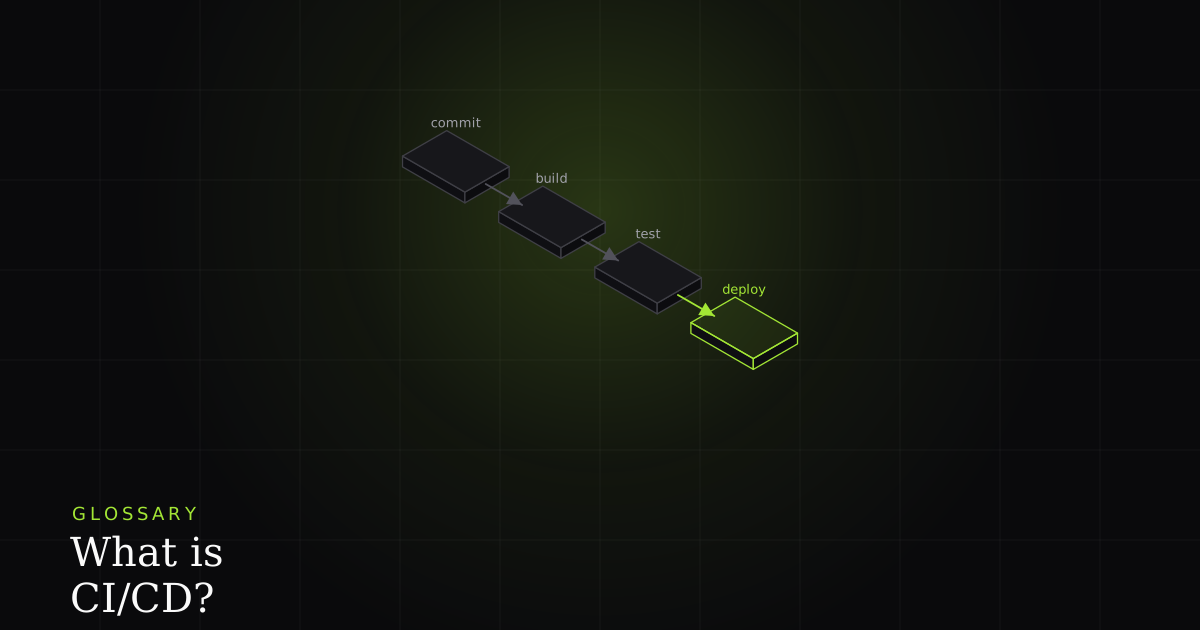
A CI/CD pipeline is just an ordered sequence of automated stages, each of which must pass before the next runs. A single commit sets the whole thing in motion. The typical stages are: commit (a developer pushes to the shared branch), build (compile the code and install dependencies to prove it assembles at all), automated tests (fast unit tests, then integration, then end-to-end tests that exercise the whole system), security and lint checks (dependency scans, static analysis, and style gates), and finally deploy, usually to staging first, then to production.
That final deploy step is rarely a single all-at-once switch in a mature pipeline. Teams shift traffic gradually to limit blast radius, typically with a canary or blue-green rollout: release to a small slice of users or a parallel environment first, watch the metrics, then promote to everyone. If a stage goes red, the pipeline stops and the change never reaches the next gate, let alone production. That fail-fast ordering is the whole design: cheap checks run first, expensive ones later, and nothing ships past a failure.
name: CI/CD
on: [push]

jobs:
  build-test-deploy:
    runs-on: ubuntu-latest
    steps:
      - uses: actions/checkout@v4
      - run: pnpm install --frozen-lockfile
      - run: pnpm build          # build stage
      - run: pnpm lint           # lint / static analysis gate
      - run: pnpm test:unit      # fast unit tests
      - run: pnpm test:e2e       # slower end-to-end tests
      - run: pnpm audit          # dependency security scan
      - name: Deploy (canary)
        if: github.ref == 'refs/heads/main'
        run: ./deploy.sh --canary   # promote only if every step above is green
Read that sketch top to bottom and the ordering tells the story: build, then lint, then the cheap unit tests, then the expensive end-to-end tests, then a security scan, and only then a deploy that is itself gated on being the main branch and on every prior step passing. There is no magic here. A pipeline is a list of commands with a rule that any non-zero exit halts the run.
Why it matters
CI/CD matters because it catches bugs early, when they are smallest and cheapest to fix. A defect found the minute a commit lands costs a fraction of the same defect found in production three weeks later, after it has been built on and forgotten. That is the core promise of shift-left testing: move quality checks as close to the moment of change as you can, and let automation run them on every push so nothing slips through on a busy day. As AWS frames it, the goal is to find and address bugs quicker, improve software quality, and shorten the time it takes to validate and release.
The second win is smaller, safer releases. When you ship many tiny changes instead of one quarterly monolith, each change is easier to review, easier to test, and (crucially) easier to roll back when something goes wrong. A ten-line diff has an obvious culprit; a three-month release does not. The third win is killing 'works on my machine': because the build and tests run in a clean, consistent environment every time, the pipeline is the source of truth, not one developer's laptop with its lucky combination of installed tools and stale caches.
There is a reliability angle too. Faster feedback and smaller changes shorten the loop when something does break in production: you have fewer suspects and a working rollback path, which directly helps your mean time to recovery and the error budget you spend on incidents. A team that deploys ten small changes a day recovers faster than one that deploys a giant release each quarter, precisely because the blast radius of any single change is tiny.
CI/CD vs DevOps
People often use 'CI/CD' and 'DevOps' interchangeably, but they are not the same size. DevOps is the broad culture and set of practices that unites development and operations around shipping and running software reliably; CI/CD is one core practice within it, arguably the most visible one, because it is the concrete automation that turns the DevOps philosophy of fast, safe, frequent delivery into a pipeline you can actually see run. You can adopt CI/CD without calling yourself a DevOps shop, and DevOps encompasses far more than pipelines (monitoring, infrastructure-as-code, on-call culture, and so on). But in practice, a functioning CI/CD pipeline is usually the first thing a team builds on the road to DevOps.
The tooling is generic and interchangeable. GitHub Actions, GitLab CI, Jenkins, CircleCI, and cloud-native services like AWS CodePipeline all do the same fundamental job: watch a repository, run stages on a trigger, and gate promotion on results. The specific tool matters far less than the discipline of what you put in the pipeline, which brings us back to the tests, because the pipeline only reports the verdict your checks decide.
Where BugMojo fits
A pipeline is good at telling you that something failed (a red test stage, a failing post-deploy smoke check), but a bare 'test failed' line in a CI log is often the start of the investigation, not the end. When a CI test or a post-deploy check goes red, the gap between the failure and a fix is a reproduction: the state, the console output, and the network traffic that made it break. BugMojo turns that red pipeline into an actionable bug by capturing the failing session (an rrweb replay, the console, and the network requests), so the failure arrives with everything an engineer or an AI agent needs to reproduce it, instead of just a stack trace and a shrug.
When a CI test or a post-deploy check fails, BugMojo captures the failing session with its rrweb replay, console, and network, then hands the whole bundle to Claude Code or Cursor over MCP, so the failure comes with a reproduction instead of just a red log.
Install the extensionFrequently asked questions
Frequently asked questions
Sources
- Continuous Integration: Martin Fowler on integrating to a shared mainline and building on every push, martinfowler.com (2026)
- Continuous integration explained: build, test and merge automation, Atlassian (2026)
- Continuous Delivery: keeping software releasable at all times, martinfowler.com (2026)
- What is Continuous Integration: automating build and test in the DevOps pipeline, AWS (2026)
Get bug-tracking insights, weekly.
Engineering deep-dives, QA playbooks, and honest tool comparisons. No spam. Unsubscribe in one click.