

What Is a Feature Flag? (Feature Toggles Explained)
A feature flag is a switch in your code that turns functionality on or off at runtime, without deploying new code. Here is how flags decouple deploy from release, the four kinds Martin Fowler names, and why every flag you add is also a new code path to test in both states.
Definition
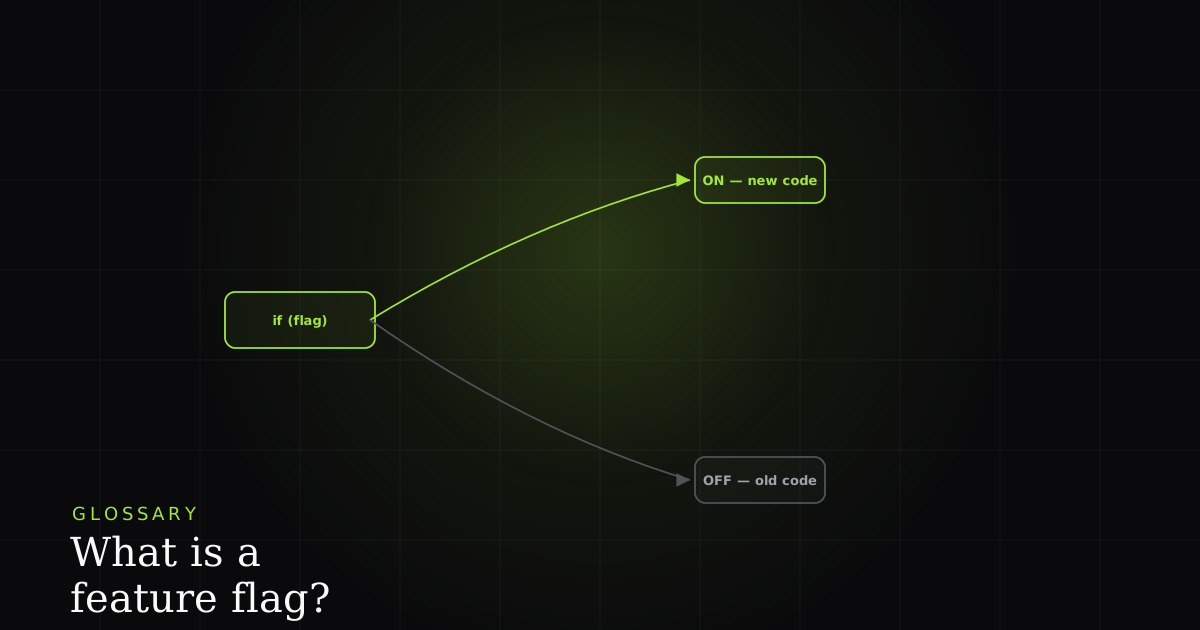
A feature flag, or feature toggle, is a conditional in your code that turns functionality on or off at runtime without deploying new code. It lets you decouple deployment from release: ship a feature dark, then enable it later by flipping a switch rather than shipping again.
The idea comes from the continuous-delivery world, and the canonical reference is Martin Fowler's Feature Toggles, a set of patterns that let a team change what a system does without changing the code that is already deployed. Wikipedia's feature toggle entry frames it the same way: a mechanism to enable or disable functionality without touching the source and redeploying. The switch is read at runtime (usually from a config service or a flag-management platform), so a single shipped binary can behave differently for different users, environments, or moments in time.
Mechanically, a flag is just a conditional. In its simplest form it is a boolean you read before deciding which path to run:
async function renderCheckout(user: User) {
  // The flag guards a NEW code path. Both branches must work.
  if (await flags.isEnabled('new-checkout', { userId: user.id })) {
    return newCheckout(user);   // shipped, but only 'released' when the flag says so
  }
  return legacyCheckout(user);  // the fallback path — still has to be correct
}
Nothing about new-checkout requires a deploy to turn on. The code for both branches is already running in production; the flag decides, per request, which one a given user gets. That single property, deciding behavior at runtime instead of at deploy time, is the whole game.
Deploy is not release
The most important distinction a flag buys you is the one between deploying and releasing. Deploying means the code is running on your servers. Releasing means users can actually reach the feature. Fowler's short definition puts decoupling deploy from release at the center: with a flag you can deploy code that is behind an off switch, verify it in the real production environment, and then release it later by flipping the flag, with no second deployment and no new build.
That decoupling is what makes trunk-based development practical. Instead of long-lived feature branches that drift and rot, everyone commits to trunk continuously, and unfinished work simply ships dark behind a release toggle. The branch that matters lives in an if statement, not in Git. Merge conflicts shrink, integration happens daily, and 'is it deployed?' stops being the same question as 'can customers use it?'
The four types of feature flag
Fowler's taxonomy sorts flags by two axes (how long they live and how dynamically they change) into four categories. Naming the category you are creating tells you how sophisticated the flag has to be and, crucially, when you are allowed to delete it.
- Release toggles let you ship incomplete or unproven features dark and enable them later. They are short-lived: the flag exists only to bridge the gap between deploy and release, and should be removed once the feature is fully out.
- Experiment toggles route different cohorts of users down different code paths so you can measure the difference. They are the machinery behind A/B tests and multivariate experiments. They live as long as the experiment.
- Ops toggles are operational controls: kill switches. They let you disable a risky or resource-hungry feature when the system is under load or misbehaving, buying you a way to shed functionality without a deploy.
- Permission toggles gate functionality by user, plan, or entitlement: the paid-tier feature, the beta cohort, the internal-only tool. These are the longest-lived; some effectively never get removed because they are the product's entitlement model.
Why teams use them
Beyond decoupling deploy from release, flags unlock a few release patterns you cannot safely do otherwise. Canary and percentage rollouts: turn a feature on for 1% of traffic, watch your error rates and key metrics, then ramp to 5%, 25%, 100%. The blast radius of a bad change scales with the percentage, not with the whole user base at once. Instant kill switch: when a released feature misbehaves, you flip the ops toggle off and the bad path is gone in seconds, with no rollback deploy and no waiting on CI. Trunk-based flow: continuous integration on a single branch, with dark features carried behind release toggles.
The catch: every flag is also a bug surface
Here is the on-brand truth about flags: the same mechanism that makes rollout safe is also a source of bugs. A flag creates a new code path, and both the on and off branches have to be correct. That means every flag at least doubles the states you are responsible for testing. The bug you ship is usually in the path you did not exercise. The new feature works beautifully with the flag on, but the fallback throws when it is off, or vice versa.
Then flags interact. Two independent booleans give you four combinations; ten give you over a thousand. Nobody tests a thousand combinations, so the real test surface is the handful of combinations that actually occur in production, and the bug lives in the combination no one anticipated. This is why a feature that passed QA can still fail for a specific user: their particular set of enabled flags put them on a path the suite never ran.
Best practices
- Name them clearly. A flag called
new-checkout-v2-finaltells a future reader nothing;checkout-address-autocompletetells them what it gates and when it can go. - Test both states. On and off are two code paths. Cover both in CI, and cover the flag combinations that actually ship together.
- Keep the logic simple. A flag should choose between two well-defined paths, not sprawl into nested toggles-within-toggles that no one can reason about.
- Clean up stale flags. Give release toggles an expiry, and treat deleting a fully rolled-out flag as the last step of shipping the feature, not optional debt to revisit.
How this shows up in a real BugMojo bug report
Flag-dependent bugs are notoriously hard to reproduce, and the reason is exactly the combinatorial surface above: 'it works for me' is often literally true, because your flags are set differently from the user who hit the bug. A defect that only appears when new-checkout is on and the user is in the beta permission cohort and a specific ops toggle is off is invisible until you know which flags were active when it broke.
That is where capturing the session matters. When a flagged feature misbehaves, the BugMojo browser extension records the failure with its surrounding state (an rrweb session replay, the console output, and the network requests), so the report shows not just that checkout crashed but which flags were on for the user who crashed it. A flag-dependent bug stops being 'cannot reproduce' and becomes a concrete state you can replay: this user, these flags, this path. Then BugMojo hands that whole bundle to an AI coding agent over MCP, so the agent can line the failing flag combination up against the branch in your code that only runs under it.
When a flagged feature breaks for some users, BugMojo captures the session (rrweb replay, console, network, and which flags were on) and hands the whole bundle to your AI agent over MCP, so a bug that only happens under one flag combination stops being 'cannot reproduce.'
Install the extensionFrequently asked questions
Frequently asked questions
Sources
- Feature Toggles (aka Feature Flags): the canonical taxonomy of release, experiment, ops, and permission toggles, martinfowler.com (2026)
- Feature toggle: overview of toggles, toggle categories, and lifecycle, Wikipedia (2026)
- FeatureFlag: the short definition and why flags decouple deploy from release, martinfowler.com (2026)
- Feature Flags: using flags to enable trunk-based development and continuous delivery, Trunk Based Development (2026)
Get bug-tracking insights, weekly.
Engineering deep-dives, QA playbooks, and honest tool comparisons. No spam. Unsubscribe in one click.