

How to Fix "Objects Are Not Valid as a React Child"
React renders strings, numbers, elements, and arrays of those, but never a plain object. Here is the one rule behind the error, plus the six things people accidentally hand to JSX and the exact fix for each.
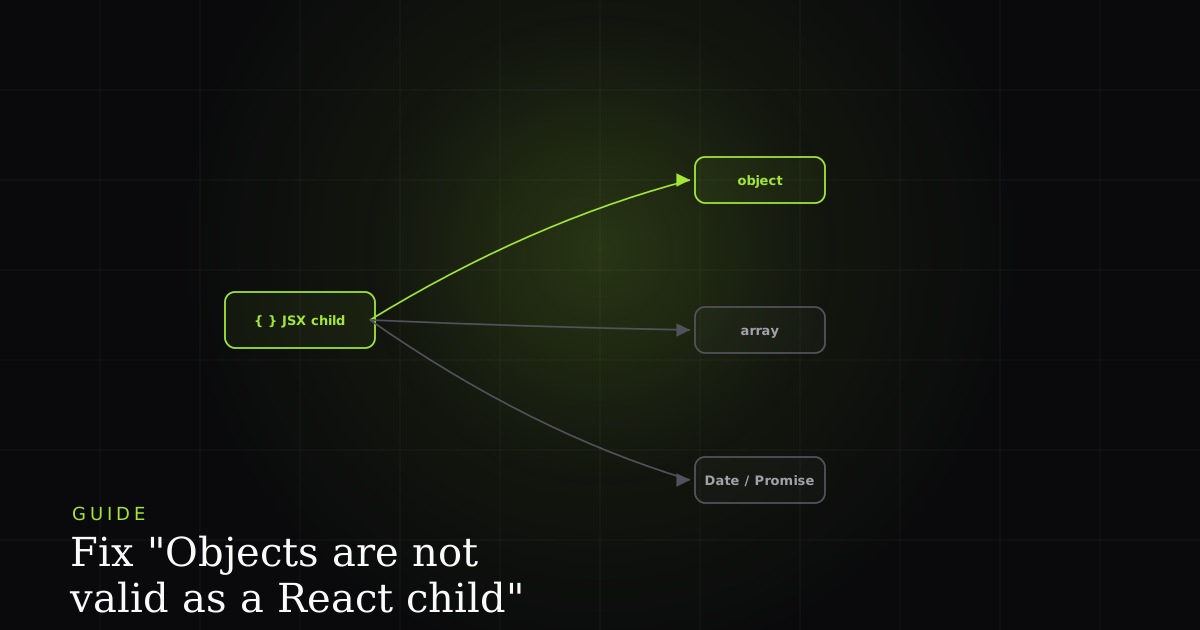
Objects are not valid as a React child (found: object with keys {…}) looks intimidating, but it comes from a single, simple rule that is worth memorising before you touch anything: React only knows how to render a fixed set of things. Strings and numbers become text. React elements (the output of JSX or createElement) become DOM. Booleans, null, and undefined render nothing. And arrays render as long as every item is one of those. That is the whole list. It is exactly what React's TypeScript types call a ReactNode: the broad union of everything renderable. Hand a JSX child slot anything outside that union (most commonly a plain object) and React refuses to guess how to display it and throws instead.
What the error actually means
"Objects are not valid as a React child" is thrown when a JSX expression tries to render a value React cannot turn into text or DOM, typically a plain object, a Date, a Promise, or an array containing them. React renders strings, numbers, elements, and arrays of those; a bare object has no defined display, so React throws rather than guess.
Notice the two helpful halves of the message. First, found: object with keys {name, email} tells you the shape of the thing you handed it. Those keys are your clue to which variable is the object and which property you actually meant to show. Second, the full message usually ends with "If you meant to render a collection of children, use an array instead": React nudging you toward .map() when the object you passed was really meant to be a list. Every version of this bug has the same shape: a {something} in your JSX where something evaluated to an object instead of a printable value.
It helps to know why the line is drawn there. A number like 42 is a valid React node but not a valid React element; an object is neither. React's renderable union (ReactNode) deliberately excludes plain objects because there is no one correct way to stringify them. { id: 3, name: 'Ada' } could reasonably display as its id, its name, or its JSON, and any choice React made would surprise half its users, so it makes none and throws. That single design decision, documented in React's own JSX-with-curly-braces guide, is the root of every case below.
The six things people accidentally render
Almost every occurrence is one of these six. Each fix is the same idea (tell React precisely what to display) applied to a different kind of value.
// Broken: `user` is an object, not text
function Greeting({ user }) {
  return <h1>Welcome, {user}</h1>;
  // Error: Objects are not valid as a React child
  //        (found: object with keys {id, name, email})
}

// Fixed: render the specific field you mean
function Greeting({ user }) {
  return <h1>Welcome, {user.name}</h1>;
}
This is the number-one cause and usually a plain typo: you wrote {user} when you meant {user.name}. The message's keys {id, name, email} hint points you straight at the property you forgot to reach into.
// Broken: {{ message }} is an OBJECT literal
function Banner({ message }) {
  return <h4>{{ message }}</h4>;
  // {{ message }} means { message: message }
  // Error: object with keys {message}
}

// Fixed: a single set of braces
function Banner({ message }) {
  return <h4>{message}</h4>;
}
The classic beginner slip. In JSX the outer braces open a JavaScript expression, so the inner braces build an object literal: {{ message }} evaluates to { message: message }, a whole object. As bobbyhadz's write-up puts it, React thinks you are trying to render an object, so it throws; the fix is a single set of braces. The one time double braces are correct is an inline style object (style={{ color: 'red' }}), because style genuinely expects an object, not a rendered child.
// Broken: a Date is an object, so JSX can't render it
function Order({ order }) {
  return <p>Placed on {order.createdAt}</p>;
  // Error if createdAt is a Date instance
}

// Fixed: convert the Date to a string first
function Order({ order }) {
  const date = new Date(order.createdAt);
  return <p>Placed on {date.toLocaleDateString()}</p>;
  //           machine-readable: date.toISOString()
}
Date catches people out because it feels primitive, but typeof new Date() is "object". Pick the string form you want: toLocaleDateString() for a human-readable local date, toLocaleString() for date and time, or toISOString() when you need a stable machine-readable stamp. Render the returned string, never the Date itself. If you format many dates in a list, MDN recommends building one Intl.DateTimeFormat instance and reusing its format(): every toLocaleDateString call searches a large localization database, so a reused formatter that caches its locale settings is measurably faster than calling the toLocale* methods per row.
// Broken: fetchName() returns a Promise, not the value
function Profile({ userId }) {
  return <h1>{fetchName(userId)}</h1>;
  // Error: a Promise is an object; JSX renders the
  //        pending promise, not its eventual result
}

// Fixed: resolve into state, then render the value
function Profile({ userId }) {
  const [name, setName] = useState('');
  useEffect(() => {
    let active = true;
    fetchName(userId).then((n) => active && setName(n));
    return () => { active = false; };
  }, [userId]);
  return <h1>{name}</h1>;
}
An async function or any .then() chain returns a Promise (an object) immediately, long before the data arrives. Rendering it hands JSX the promise, not the result. Resolve it outside render (in a useEffect or an event handler), store the resolved value in state, and render that value. At a different layer, the same fix has framework-native forms: an async Server Component in Next.js can await the data before it returns JSX, and you can even pass an unresolved promise down as a prop to be unwrapped by React 19's use hook inside a <Suspense> boundary. In every case the principle holds: never put the promise itself in a child slot. See uncaught (in promise) errors for the related failure mode where the promise rejects instead.
// Broken: React renders arrays, but not arrays of objects
function UserList({ users }) {
  return <ul>{users}</ul>;
  // Error: each item is an object with keys {id, name}
}

// Fixed: map each object to an element with a key
function UserList({ users }) {
  return (
    <ul>
      {users.map((user) => (
        <li key={user.id}>{user.name}</li>
      ))}
    </ul>
  );
}
An array is renderable only when every item is: an array of strings works, an array of objects does not. Map each object to a React element and render a specific field inside it. React's rendering-lists guide is explicit that JSX elements produced directly inside a map() always need a key, and that the key should be a stable id that uniquely identifies the item among its siblings, not the array index, which breaks re-render tracking as soon as items are sorted, inserted, or removed.
// Broken: an Error is an object
catch (error) {
  return <p>{error}</p>;
  // Error: object with keys {} (Error props aren't enumerable)
}

// Fixed: render a string, safely for unknown types
catch (error) {
  const msg = error instanceof Error ? error.message : String(error);
  return <p>{msg}</p>;
}
This one is sneaky because console.log(error) prints readable text, so it feels renderable. But an Error is still an object, and its message is not an own-enumerable key, so you often see the bare found: object with keys {}. Render error.message for the human text, or coerce with String(error). Because a caught value can technically be anything (someone may throw 'oops' or throw { code: 500 }), the error instanceof Error ? error.message : String(error) guard is the pattern that never throws a second error inside your error UI.
Cause → fix at a glance
| Feature | What hit the JSX slot | What to render instead |
|---|---|---|
| Whole object in {} | { id, name, email } | A field: {user.name} |
| Double braces {{ x }} | An object literal { x } | Single braces: {x} |
| Raw Date | Date object | date.toLocaleDateString() / Intl.DateTimeFormat |
| Promise / async call | Pending Promise | Resolve to state, use(), or async RSC |
| Array of objects | [{…}, {…}] | .map() to elements with a stable key |
| Caught Error | Error instance | error.message or String(error) |
The JSON.stringify escape hatch (debug only)
When you genuinely just want to see what an object contains, JSON.stringify(value, null, 2) turns it into an indented, printable string, which JSX will happily render:
// Fine while debugging — dumps the whole object as text
return <pre>{JSON.stringify(user, null, 2)}</pre>;Often you do not even need to render the object to inspect it. The console is better at it. Chrome DevTools' Console Utilities give you console.table(users), which lays an array of objects out as a sortable grid with a column per key, and console.dir(obj), which prints an expandable property tree instead of DOM markup. Reaching for those first keeps debugging output out of your component tree entirely, so you never accidentally ship a <pre> dump, and you sidestep this error while you investigate.
Usually it's an API shape mismatch
Here is the pattern worth internalising: this error rarely means your JSX is wrong in isolation. It usually means the data arrived in a different shape than your component assumed. You wrote {user.name} expecting name to be a string, but the API nested it under user.name.first, or returned user as { value: {...} }, or wrapped the whole payload in { data: [...] }. Your code accesses one level too shallow and hands an object to JSX. That is the same class of bug behind cannot read properties of undefined (one assumes a field exists, the other assumes it is a primitive), and both are really "the response wasn't the shape I coded for." It also overlaps with hydration errors when the server and client disagree on that shape.
Because the trigger lives in the data, reproducing it means seeing the actual response and props at the moment it threw, not the fixture your local dev server serves, which conveniently always has the right shape. The systematic way to close that gap is covered in React error tracking: catch, reproduce, fix.
Caveats: when the quick fix isn't the fix
Reaching for the nearest property that makes the error disappear can hide a real problem. A few honest caveats:
- Don't paper over the shape bug. If
{user}threw because the API returned{ data: { user } }, changing it to{user.data.user.name}works but leaves your types lying. Fix the access point (or the response contract) so the rest of the component reads correctly too. - Empty and partial data still bites.
{items.map(...)}is right, but ifitemscan beundefinedduring loading you'll trade this error for "cannot read properties of undefined." Guard with a default ((items ?? []).map) or a loading state. - Locale formatting is a product decision.
toLocaleDateString()renders differently per user locale and timezone, which can cause a server/client mismatch during hydration. If you need a fixed format, pass an explicit locale andtimeZone, or format on one side only. - Promises in render are a smell. If you keep hitting this with async data, the answer is a data-fetching pattern (state, a query library, Suspense, or a Server Component), not sprinkling
awaituntil it renders.
The one rule to remember
Whenever you see "objects are not valid as a React child," read it as: a JSX slot got an object; give it something printable instead. Reach into the property you meant (user.name), collapse double braces to single, format non-primitives into strings (date.toLocaleDateString()), resolve promises before rendering, map arrays of objects to elements with keys, and render error.message rather than the error. And when the value you're rendering came from the network, treat the error as a signal to check the response shape first. That is where the real fix almost always lives.
Install the free BugMojo extension and capture the replay, console logs, and API response for the session that threw, so you see the real shape that broke your render instead of guessing from the stack trace.
Install the free extensionFrequently asked questions
Frequently asked questions
Sources
- JavaScript in JSX with curly braces: what expressions JSX can and cannot render between braces, React (2026)
- Rendering lists: mapping arrays of data to arrays of elements with stable keys, React (2026)
- Using TypeScript: ReactNode is the union of everything React can render (elements, strings, numbers, arrays, null, undefined); ReactElement is narrower, React (2026)
- use: read the value of a resource such as a Promise inside render (React 19), React (2026)
- JSON.stringify() (MDN reference): serialize a JavaScript value to a JSON string (a debug-only way to make an object printable), MDN Web Docs (2026)
- Date.prototype.toLocaleDateString() (MDN reference): format a Date as a locale-aware date string, MDN Web Docs (2026)
- Intl.DateTimeFormat (MDN reference): reuse one formatter instead of repeatedly calling toLocale* for performance, MDN Web Docs (2026)
- Console Utilities API reference: console.table() and dir() for inspecting objects while debugging, Chrome for Developers (2026)
- Objects are not valid as a React child error [Solved]: double curly braces and rendering objects/arrays directly, bobbyhadz (2026)
- Fetching Data: async Server Components and passing an unresolved Promise as a prop, Next.js (2026)
Get bug-tracking insights, weekly.
Engineering deep-dives, QA playbooks, and honest tool comparisons. No spam. Unsubscribe in one click.