

React Error Tracking: Catch, Reproduce, and Fix Frontend Bugs
Error boundaries only catch a fraction of what breaks a React app: nothing in event handlers, nothing async, nothing during server rendering. Here's what React actually catches, what it doesn't, and how to close the gap.
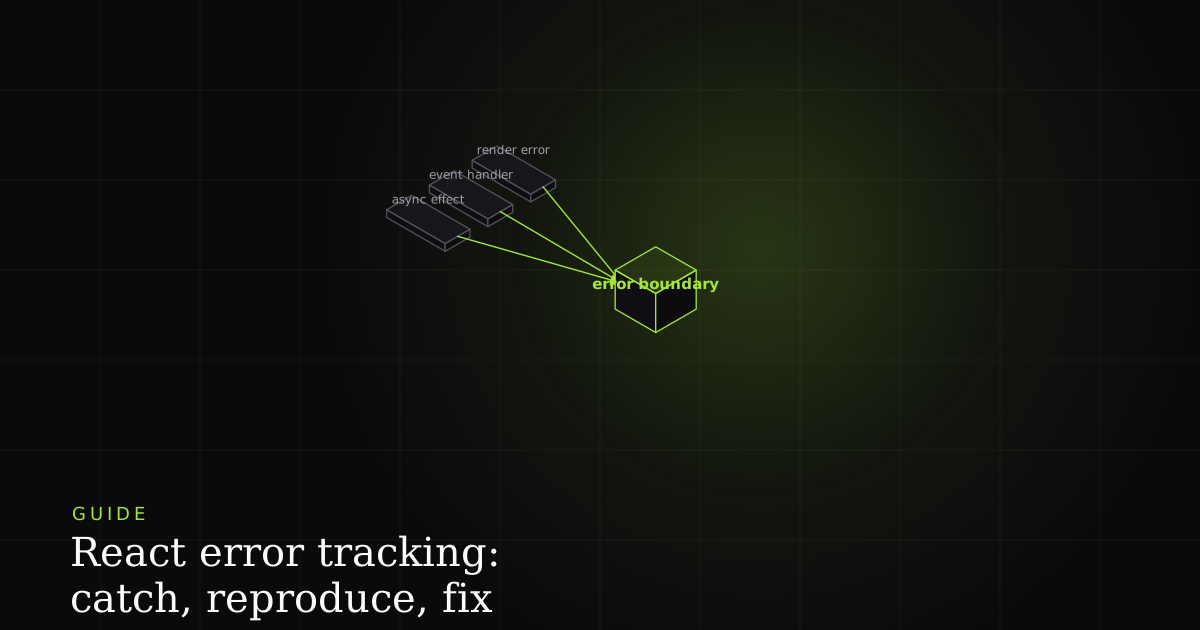
Most teams adopt React error boundaries, wrap the app in one, ship a nice fallback UI, and consider error tracking solved. Then a bug report comes in for something a boundary should have caught, and it didn't. This isn't a misconfiguration. It's React working exactly as documented. Error boundaries were built to solve one specific problem (a render-phase crash taking down the whole page), and the React team has been explicit from the start about everything else they don't touch.
This guide covers the full loop: catch (what boundaries and global listeners actually intercept), reproduce (turning a bare stack trace into a deterministic repro with source maps, breadcrumbs, and replay), and fix (getting to root cause from stack plus state). It ends with an honest matrix of what catches what, and where each layer falls down.
What an error boundary actually is
An error boundary is a class component that implements static getDerivedStateFromError() and/or componentDidCatch(). React calls these when a component below the boundary throws during rendering, letting you show a fallback UI and log the error instead of unmounting the whole tree. Only class components can be error boundaries; libraries like react-error-boundary wrap the pattern for function-component codebases.
The two methods do different jobs, and the react.dev Component reference is precise about the split. static getDerivedStateFromError(error) runs during the render phase and must be a pure function; its only job is to return the state update that flips the boundary into its fallback. componentDidCatch(error, info) runs during the commit phase, so it's the correct place for side effects like logging: it receives the same error plus an info object whose componentStack tells you where in the tree the throw originated. Implement both if you want to both render a fallback and report the error.
class ErrorBoundary extends React.Component {
  state = { hasError: false };

  static getDerivedStateFromError(error) {
    return { hasError: true }; // pure: render fallback on next pass
  }

  componentDidCatch(error, info) {
    // commit phase — safe place for side effects.
    // info.componentStack shows where in the tree it threw.
    reportError(error, info.componentStack);
  }

  render() {
    if (this.state.hasError) return <Fallback />;
    return this.props.children;
  }
}
If you'd rather not hand-write the class, react-error-boundary gives you a ready-made <ErrorBoundary> that accepts a FallbackComponent (rendered with the error and a resetErrorBoundary function to retry the failed render), an onError callback for logging, and the useErrorBoundary hook, the escape hatch for pushing event-handler and async errors into the nearest boundary, since React won't route them there on its own.
What it explicitly does not catch
React's documentation lists this directly, and it's worth internalizing because it's counter to how most people assume error boundaries work:
- Event handlers. A
throwinsideonClick,onSubmit, or any DOM event callback happens outside React's render phase, so it never reaches a boundary. React's position is that event handlers don't need this; a normaltry/catcharound the handler body is the correct tool. - Asynchronous code. A rejected promise inside
useEffect, a failedfetchwith no.catch(), or an error inside asetTimeoutcallback all run after React has already finished the render that triggered them, so nothing catches these automatically. - Server-side rendering. Errors thrown while rendering on the server are a different code path entirely; boundaries are a client-runtime mechanism.
- The boundary itself. If the error boundary's own render method throws, it can't catch its own failure; that propagates to the next boundary up, if one exists.
This isn't a corner case. In real-world telemetry across a thousand-plus projects, the most common JavaScript errors are things like undefined is not an object and cannot read property of undefined, failures that overwhelmingly surface in event handlers and async data flows, exactly where a boundary is blind.
Closing the gap: three layers
Layer 1 (render errors): an error boundary. Wrap route-level or feature-level sections (not just the whole app) so one broken widget doesn't take down the page around it.
// Layer 2 — event handlers: explicit try/catch
function SubmitButton() {
  const [error, setError] = useState(null);
  async function handleSubmit() {
    try {
      await saveForm();
    } catch (err) {
      setError(err);
      reportError(err); // send to your capture/tracking tool
    }
  }
  return <button onClick={handleSubmit}>Save</button>;
}// Layer 3 — the safety net: catch what everything else missed
window.addEventListener('error', (event) => {
// ErrorEvent: message, filename, lineno, colno, error
reportError(event.error);
});
window.addEventListener('unhandledrejection', (event) => {
reportError(event.reason); // a promise rejected with no .catch()
});The global listeners are the backstop, and the two DOM events they hook are worth understanding precisely. The window error event fires for uncaught runtime errors; its ErrorEvent carries message, filename, lineno, colno, and the actual error object. The unhandledrejection event fires specifically when a Promise rejects and no rejection handler deals with it, and event.reason holds whatever the promise rejected with. It's cancelable, so calling event.preventDefault() suppresses the browser's default console logging once you've reported it yourself. Together these three layers mean nothing throws silently: render errors show a graceful fallback, handler and async errors are caught where they happen with real context, and anything that still slips through gets picked up by the global listeners rather than vanishing into the console of a user you'll never hear from.
React 19 changed the defaults
If you're on React 19, two changes matter for tracking. First, createRoot and hydrateRoot now accept onCaughtError and onUncaughtError options: root-level callbacks that fire, respectively, when an Error Boundary catches an error and when an error is thrown that no boundary catches. Each receives the error plus an errorInfo object containing the componentStack, giving you a single place to funnel every render-phase error into your reporting pipeline without threading a callback through every boundary. Second, per the React 19 upgrade guide, errors caught by a boundary are now reported to console.error rather than re-thrown. If your production error reporting relied on those errors being re-thrown to reach a global handler, wire it into onCaughtError instead; otherwise those errors will quietly stop reaching your tracker.
What catches what
The four mechanisms overlap in confusing ways. This matrix is the cheat sheet: which layer fires for which kind of failure, and which give you a usable fallback or a component stack:
| Feature | Error boundary | window.onerror | unhandledrejection | try / catch |
|---|---|---|---|---|
| Render / lifecycle / constructor error | ✓ | No | No | No |
| Event handler throw (onClick, onSubmit) | No | ✓ | No | ✓ |
| Unhandled promise rejection (await, fetch) | No | No | ✓ | if awaited |
| setTimeout / async callback error | No | ✓ | No | inside cb |
| Server-side rendering error | No | No | No | ✓ |
| Shows a fallback UI automatically | ✓ | No | No | manual |
| Gives a React component stack | ✓ | No | No | No |
Reproduce: from stack trace to deterministic repro
Catching gets you a message and a stack. That's necessary, not sufficient: a minified production stack pointing at a.min.js:1:24680 tells you nothing. Reproducing a React bug is a three-part job.
1. Source maps. Upload them and the minified stack maps back to your authored code. Chrome DevTools does this natively: as its source-maps guide explains, DevTools runs your minified bundle but the Sources panel shows the code you wrote, so errors, logs, and breakpoints all map to real files and line numbers, so you debug as if the code were never minified. Error monitors do the same server-side so the grouped stack is readable. For async bugs, the Call Stack pane can even link async frames together, so you see the full history that led into a setTimeout or promise callback rather than a stack that starts at the callback.
2. Breadcrumbs. A stack tells you where it broke, not how the user got there. Breadcrumbs are the trail of events leading up to the error. As Sentry's docs describe, a browser SDK automatically records clicks and key presses on DOM elements, XHR/fetch requests, console API calls, and navigation changes, then attaches that buffered trail to the next error it sends. Reading the last ten breadcrumbs is usually how you go from "undefined is not an object" to "they clicked Save before the profile finished loading."
3. Session replay. The strongest signal is watching the session itself. Replay tools record incremental DOM changes (not video) in small batches with minimal overhead, so you can scrub the exact sequence of what rendered. It's the difference between reconstructing a bug from clues and simply watching it happen.
Fix: root cause from stack plus state
With a mapped stack, breadcrumbs, and a replay in hand, the fix usually falls out fast. The stack localizes the throw; the component stack from componentDidCatch (or React 19's errorInfo.componentStack) tells you which instance in the tree failed; the breadcrumbs and replay tell you the state that instance was in: which props it received, which API response it was rendering, what the user had just done. Most React runtime errors are a value being undefined when the code assumed an object, and the fix is a guard, a loading state, or correcting the data contract upstream. The hard part was never the code change; it was knowing which of a hundred possible inputs actually triggered it. Reproduction answers that.
Testing and scoping your boundaries
A common failure mode is shipping an error boundary that's never actually exercised until the first real production crash, at which point you discover the fallback UI itself has a bug, or that componentDidCatch was never wired up to your reporting tool at all. Treat the boundary as code that needs a test like any other: render a component that deliberately throws inside the boundary in a test environment, and assert both that the fallback renders and that your logging function was called with the error.
It's also worth manually triggering each layer at least once in a staging environment before you rely on it: click through a button wired to a handler you've temporarily made throw, force a rejected promise in an effect, and confirm all three (the boundary, the handler's catch, and the global listener) actually report where you expect. It's a fifteen-minute exercise that catches the embarrassing case of an error-tracking pipeline that silently stopped working months ago and nobody noticed because, well, nothing was reporting that it was broken.
Scope your boundaries deliberately, too. A single boundary wrapping the entire app means one broken widget takes down everything below it, usually the whole page. Placing boundaries around independent features (a sidebar, a chart, a comments section) means a crash in one doesn't cost you the rest of the page, and it also gives you a much more specific signal about which part of the app actually broke when the fallback fires. A reasonable default: one boundary per route, plus additional boundaries around any component that renders third-party or unpredictable data: a rich-text renderer, a chart fed by user-generated input, an embedded widget. Those are disproportionately likely to throw on data you don't fully control, and isolating them keeps a single bad payload from taking out a page that's otherwise working fine.
Caveats: where this isn't the whole answer
A few honest limits. Global listeners are noisy. window.onerror will happily report errors from browser extensions, third-party scripts, and cross-origin frames that have nothing to do with your code, and cross-origin script errors often arrive as an opaque "Script error." with no detail unless the script is served with proper CORS headers. Expect to filter. Session replay and breadcrumbs capture real user data, so PII handling isn't optional: recording DOM changes means recording whatever's in the DOM, and you need masking or redaction before that data leaves the browser, not after. Source maps only help if they're actually uploaded and kept private, since shipping them publicly hands your source to anyone. And none of this replaces good types and runtime validation: the cheapest React error is the one a schema check or a non-nullable type prevented from ever being thrown. Error tracking is the safety net, not the plan.
Catching an error is not the same as fixing it
All three catch layers get you to the same place: you now know that an error happened, with a message and a stack trace. componentDidCatch gives you the component stack; it doesn't give you the props that were passed in, the API response the user's session actually received, or the sequence of clicks that led there. The gap closes when the error report includes the session it happened in: a DOM replay showing exactly what rendered, the console output at that moment, and the network requests that fed it.
This is the part BugMojo is built for. Its browser extension records the session with rrweb DOM replay plus the console logs and network requests around the error, with PII redaction running client-side before anything leaves the browser. Wire your componentDidCatch, event-handler catches, and global listeners to capture that context, and "an error happened somewhere" becomes "here's exactly what the user saw and why." Because a bug can be assigned to an AI agent as easily as a human, you can hand that deterministic repro straight to a coding agent over MCP and let it work the fix from the same evidence you'd use.
Install the free BugMojo extension and capture the DOM replay, console, and network for the exact session an error happened in (render, handler, or async) and hand it to your AI agent over MCP.
Install the free extensionFrequently asked questions
Frequently asked questions
Sources
- Component (react.dev reference): getDerivedStateFromError and componentDidCatch (the two methods that make an error boundary), plus what boundaries catch and do not catch, React (2026)
- createRoot (react.dev reference): React 19 onCaughtError and onUncaughtError root options for handling caught and uncaught errors, React (2026)
- React 19 Upgrade Guide: errors caught by an Error Boundary are now reported to console.error rather than re-thrown, React (2024)
- Window: unhandledrejection event, MDN reference for catching promise rejections with no handler, event.reason, and preventDefault, MDN Web Docs (2026)
- Window: error event / ErrorEvent, MDN reference for the global error event and its message, filename, lineno, colno, and error properties, MDN Web Docs (2026)
- Debug your original code instead of deployed with source maps: Chrome DevTools guide to mapping minified production code back to authored source, Chrome for Developers (2026)
- Breadcrumbs (Sentry JavaScript docs): the trail of events (clicks, XHR/fetch, console calls, navigations) recorded before an issue, Sentry (2026)
- react-error-boundary: reusable error boundary with FallbackComponent, resetErrorBoundary, onError, and the useErrorBoundary hook for async/event-handler errors, GitHub (2026)
- Top 10 JavaScript errors from 1,000+ projects: real-world error frequency data showing how much originates outside the render phase, Rollbar (2026)
Get bug-tracking insights, weekly.
Engineering deep-dives, QA playbooks, and honest tool comparisons. No spam. Unsubscribe in one click.