

How to Fix Hydration Errors in Next.js and React
"Text content does not match server-rendered HTML" is Next.js's most infamous error. Here are the real causes, straight from the official React and Next.js docs, and how to fix each without reaching for suppressHydrationWarning.
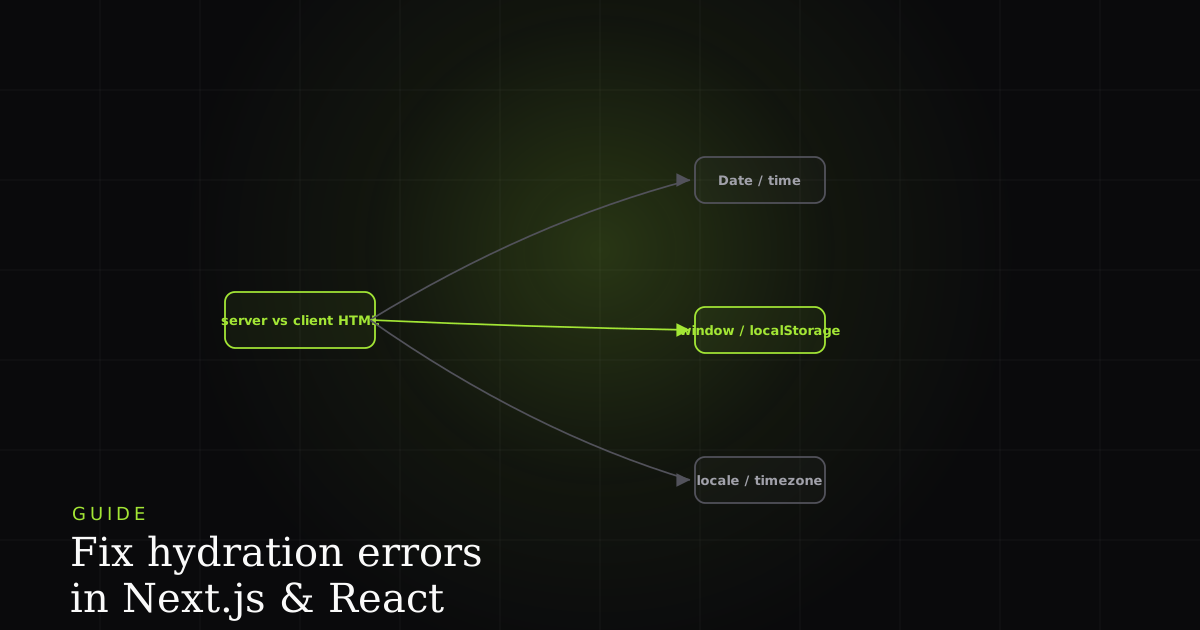
If you've shipped a Next.js app, you've seen it: a wall of red text starting with "Text content does not match server-rendered HTML," usually the first time real users touch a page that worked fine in development. Hydration errors are Next.js's most infamous error precisely because they often don't reproduce locally. They depend on exactly the kind of environment differences (timezone, locale, browser extensions) that your dev machine doesn't share with a real user's browser.
This guide covers the causes that account for almost every hydration error, straight from the official Next.js error reference and React's error #418, and the fix for each, plus a cause-to-fix matrix, an honest section on when these fixes don't apply, and when suppressHydrationWarning is genuinely the right call versus a bug you're hiding from yourself.
What hydration actually is
Hydration is the step where React attaches event listeners and internal state to server-rendered HTML already sitting in the DOM, instead of rendering from scratch. React assumes the first client render produces output identical to what the server sent, so it can reuse those existing nodes. When the client's render disagrees with the server's HTML, React discards and re-renders the mismatched subtree, and Next.js surfaces this as a hydration error.
Two facts from the docs explain everything below. First, React is explicit that "the React tree you pass to hydrateRoot needs to produce the same output as it did on the server": the server render and the initial client render must be byte-for-byte equal. Second, hydration is not free: per web.dev's Rendering on the Web, the browser must download the app's JavaScript and run hydration on the main thread before the page becomes interactive. A mismatch makes both worse: the user sees the server HTML, then React silently regenerates part of the tree, adding main-thread work during the most interaction-sensitive moment of load and potentially hurting Interaction to Next Paint (INP).
The reason this matters to users, in React's own framing: they spend time looking at the server-generated HTML before your JavaScript loads, and "suddenly showing different content breaks that illusion" of a fast load. So a hydration error is never purely cosmetic. It's a correctness bug with a performance tax attached.
Cause 1: dates, locale, and timezone
The single most common cause. new Date(), Date.now(), Math.random(), and Intl formatting can resolve differently on the server (running in UTC, in a data-center timezone) than on the client (running in the visitor's local timezone and locale). MDN notes that toLocaleTimeString() returns the time "in the local timezone" and delegates to Intl.DateTimeFormat, whose default locale and timeZone come from the host environment, so resolvedOptions() can legitimately return Europe/Brussels on one machine and something else on another. Two environments, two strings, one mismatch. React's #418 lists "variable input such as Date.now() or Math.random()" and "date formatting in a user's locale which doesn't match the server" as core triggers.
// Server renders in UTC; client renders in the visitor's timezone
export function Timestamp() {
  return <span>{new Date().toLocaleTimeString()}</span>; // mismatches
}'use client';
import { useState, useEffect } from 'react';
export function Timestamp() {
// Render nothing (or a stable placeholder) on the server + first client pass,
// then fill in the client-only value after hydration completes.
const [time, setTime] = useState(null);
useEffect(() => setTime(new Date().toLocaleTimeString()), []);
return <span>{time ?? '—'}</span>;
}Cause 2: browser-only APIs read during render
Anything that only exists in the browser (window, localStorage, matchMedia, navigator) is undefined on the server. Both the Next.js and React references call out that a typeof window !== 'undefined' check in your rendering logic is itself a common cause. The guard prevents a server crash, but the server still renders the "no window" branch while the client immediately renders the "has window" branch, which is exactly the mismatch.
export function ThemeAware() {
  const isDark = typeof window !== 'undefined' && window.matchMedia('(prefers-color-scheme: dark)').matches;
  return <div className={isDark ? 'dark' : 'light'}>...</div>; // mismatches
}'use client';
import { useState, useEffect } from 'react';
export function ThemeAware() {
// Server + first client render agree on a stable default.
const [isDark, setIsDark] = useState(false);
useEffect(() => {
setIsDark(window.matchMedia('(prefers-color-scheme: dark)').matches);
}, []);
return <div className={isDark ? 'dark' : 'light'}>...</div>;
}Cause 3: client-only state rendered too early
The subtler version: state the server genuinely cannot know, like a value read from a cookie the server doesn't check, or an A/B test bucket assigned client-side. React #418 phrases this as "external changing data without sending a snapshot with the HTML." The server renders a generic version; the client, on its very first pass, already knows the personalized answer and renders that instead, a guaranteed mismatch.
The fix pattern is always the same shape: render the server-safe default on both the server and the client's first pass, then swap to the client-only value inside useEffect, after hydration has already succeeded (React documents this as the two-pass isClient pattern). For heavier client-only widgets (a chart library that touches window internally, for example), skip the dilemma entirely with a dynamic import that disables SSR for just that component, a pattern the LogRocket guide to RSC mismatches recommends for genuinely client-bound UI.
import dynamic from 'next/dynamic';

// This component never renders on the server, so it can't mismatch.
const ClientOnlyWidget = dynamic(() => import('./Widget'), { ssr: false });
Cause 4: invalid HTML nesting
This one surprises people because the code "looks fine." React #418 explicitly lists "invalid HTML tag nesting" as a cause. When you write markup the HTML spec forbids (a <div> inside a <p>, a <p> inside another <p>, or a <td> that isn't inside a <tr>), the browser's parser silently "corrects" the server HTML by moving or closing tags. React then tries to hydrate against a DOM tree that no longer matches what it rendered, and reports a mismatch. The fix isn't a React trick; it's fixing the markup so the parser doesn't rewrite it.
// The browser auto-closes the <p> before the <div>, so the DOM the server
// produced no longer matches what React rendered → hydration mismatch.
<p>
  Summary:
  <div>{details}</div>
</p>
Cause 5: third-party scripts and browser extensions
Sometimes your code is correct and something else edits the DOM before React hydrates. React #418 notes the error "can also occur if the client has a browser extension that modifies the HTML before React loads." Grammarly, password managers, translation extensions, and dark-mode injectors all mutate attributes or inject nodes; the Next.js docs specifically mention that iOS Safari tries to auto-detect phone numbers and emails in text and convert them into links, silently altering the server HTML. Because these happen outside your control, this is the one legitimate place a narrowly scoped suppressHydrationWarning on the affected element can be the right answer: you cannot make an extension stop editing your <body>.
Cause-to-fix matrix
| Feature | useEffect two-pass | dynamic import ssr:false | Isomorphic data / snapshot | suppressHydrationWarning |
|---|---|---|---|---|
| Date / time / locale formatting | Best | ✓ | Pass one instant | Only if ±1s is fine |
| Browser-only API during render (window, matchMedia) | Best | ✓ | No | No |
| Client-only state (cookie, A/B bucket) | Best | ✓ | Send snapshot in HTML | No |
| Invalid HTML nesting | No | No | Fix the markup | No |
| Extension / third-party DOM mutation | No | No | No | Narrowly, that node |
| Genuinely unavoidable timestamp | Optional | No | ✓ | Correct use |
What about suppressHydrationWarning?
suppressHydrationWarning tells React to stop complaining about a mismatch on that specific element. It does not make the mismatch go away, it just hides the warning. React's docs describe it as an "escape hatch" that "only works one level deep," intended for cases where a single element's attribute or text content is unavoidably different, like a timestamp:
// React's own example: an unavoidable per-render difference, scoped to one node.
export default function App() {
  return (
    <h1 suppressHydrationWarning={true}>
      Current Date: {new Date().toLocaleDateString()}
    </h1>
  );
}
Next.js frames it the same way: use it "only when you have a specific, intentional reason for the mismatch, not as a general workaround for hydration errors." If you reach for it because you can't figure out the actual cause, that's a signal to keep digging through the causes above, not to suppress and move on. A suppressed mismatch still runs the discard-and-re-render on the client; you've hidden the warning, not the cost.
Caveats: when these fixes don't apply
Honesty first: the fixes above are not universal, and some come with trade-offs worth naming.
- Two-pass rendering costs a flash. Rendering a server-safe default and swapping it in
useEffectmeans the real value appears one paint later. For a theme or a personalized greeting that can be a visible flicker (FOUC). When the value is above the fold and user-visible, an inline blocking script that sets the DOM before hydration (withsuppressHydrationWarningon that node) is sometimes the better trade. Next.js documents this specifically for theme flashes. ssr:falsemeans no SSR benefit for that component. It won't appear in the initial HTML at all, so it's invisible to crawlers and adds nothing to first paint. Fine for a client-only chart; wrong for your main content or anything SEO-critical.- Suppression doesn't compose. It only works one level deep, so it can't cover a whole subtree of dynamic content. Reach past a single leaf node and you're back to fixing the cause.
- Some mismatches are upstream of you. Extension and iOS auto-linking mismatches originate outside your code; you can only scope-suppress the affected node, not prevent the mutation.
- RSC changes the shape of the problem. In the App Router, keep client-only logic behind a
'use client'boundary; pushing browser APIs up into a Server Component just moves the mismatch, it doesn't remove it.
A pre-ship checklist
Because hydration bugs so often survive local testing and only surface for real users, it's worth scanning new components against a short checklist before merging, rather than waiting for a bug report:
- Search for
new Date(),Date.now(),Math.random(), andIntlcalls in anything that renders during SSR. If the output is visible in the initial HTML, it's a hydration risk. - Search for
window,document,localStorage, andnavigatoroutside ofuseEffect. Atypeof window !== 'undefined'guard prevents a crash, not a mismatch. The two branches themselves are the bug. - Check anything that reads a cookie or a request header and renders different content based on it. If the client doesn't have the same information at hydration time, the first client render will disagree with the server.
- Validate your HTML nesting: no block elements inside
<p>, no stray table cells. The browser will "fix" invalid markup for you, and that fix is a mismatch. - Grep for
suppressHydrationWarningin code review. Every instance is either a deliberate, narrow exception with a comment explaining why, or a bug someone gave up debugging. The diff should make it obvious which.
This costs a few minutes per PR and catches the large majority of hydration bugs before they reach a user's browser, which is considerably cheaper than debugging one that only reproduces in a timezone you don't have.
Add one more item if your app is internationalized: audit anywhere the server infers locale differently than the client. A server that determines locale from an Accept-Language header can disagree with a client that later reads a locale cookie or a user preference from local storage, producing a mismatch that only appears for users whose browser and account settings differ, a group that's easy to miss entirely in a mono-lingual dev environment. Pick one source of truth for locale (server-derived or client-derived, not both racing each other) and make every component read from it consistently. The bug is rarely the locale logic itself; it's two parts of the app disagreeing about which locale is authoritative at the moment they render.
Install the free BugMojo extension and capture the DOM replay, console, and network for a hydration error a real user hit. No more guessing which cause it was.
Install the free extensionFrequently asked questions
Frequently asked questions
Sources
- "Text content does not match server-rendered HTML": official Next.js error reference explaining hydration mismatches and fixes, Next.js (Vercel) (2026)
- React docs, hydrateRoot: the server render output must match the initial client render exactly, or React patches the mismatched content, React (2026)
- Minified React error #418: 'Hydration failed because the server rendered HTML didn't match the client', with the canonical list of causes, React (2026)
- MDN, Date.prototype.toLocaleTimeString(): returns time in the local timezone and delegates to Intl.DateTimeFormat, whose defaults depend on the environment, MDN Web Docs (Mozilla) (2026)
- Rendering on the Web: how hydration attaches interactivity to server HTML on the main thread, and its cost to time-to-interactive, web.dev (Google) (2026)
- How to fix RSC hydration mismatches in Next.js: practical breakdown of Server/Client Component boundary pitfalls, LogRocket Blog (2026)
- rrweb: open-source DOM session replay that reconstructs the real, inspectable DOM rather than a video, useful for capturing exact hydration state, rrweb / GitHub (2026)
Get bug-tracking insights, weekly.
Engineering deep-dives, QA playbooks, and honest tool comparisons. No spam. Unsubscribe in one click.