

How to Fix a 504 Gateway Timeout Error
A 504 Gateway Timeout means a proxy waited for your upstream server and gave up before it answered. Here is what actually causes it, how to find the slow call, and how to fix it for real.
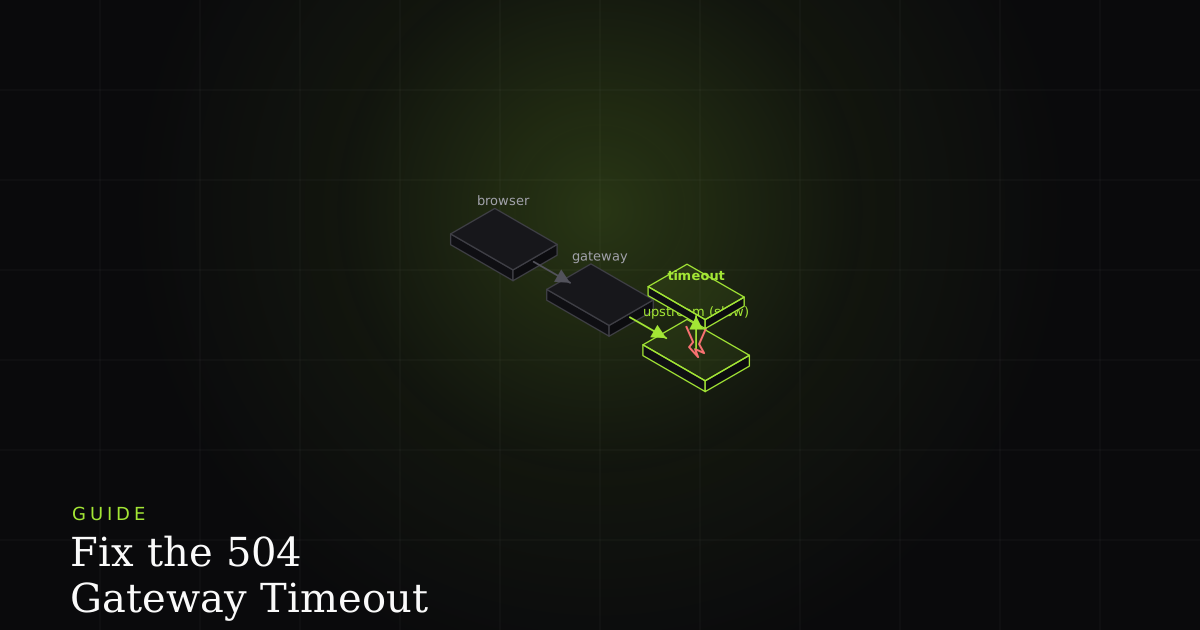
A 504 Gateway Timeout is one of the more misread errors on the web, because the machine that reports it is almost never the machine at fault. The status comes from a gateway sitting in front of your application (an Nginx reverse proxy, a load balancer, a CDN edge, an API gateway), and all it is really saying is: I asked the server behind me for a response, and I waited as long as I was configured to wait, and it never came. The proxy is fine. The path to it is fine. Something behind it is too slow.
That single fact changes how you debug it. You are not looking for a broken proxy; you are looking for a slow or hung upstream, or a timeout that was set shorter than the work honestly takes.
What the error actually means
A 504 Gateway Timeout is an HTTP 5xx status returned by a server acting as a gateway or proxy when it does not receive a timely response from the upstream server it needs to complete the request. The gateway is reachable and working; the upstream did not answer within the gateway's timeout window, so the gateway returns 504 on its behalf.
The key word is timely. A 504 is never about the content of the upstream's reply. It is about the reply not arriving before the clock ran out. That is what separates it from its neighbours in the 5xx family, and getting that distinction right is most of the battle.
504 vs 502 vs 503 vs 500
All four are server-side errors, but they fail in different places and for different reasons. Reading the exact code tells you where to look before you touch a single log line.
- 500 Internal Server Error: the origin application itself threw an unhandled error while processing the request. The app ran; its own code broke. (how to fix a 500.)
- 502 Bad Gateway: the proxy reached the upstream and got a response, but the response was invalid (a malformed reply, a reset connection, or the process dying mid-answer). A bad answer. (how to fix a 502.)
- 503 Service Unavailable: the server is up but deliberately refusing right now, because it is overloaded, in maintenance, or out of capacity. It answers quickly to say "not now."
- 504 Gateway Timeout: the proxy reached the upstream and got nothing back before its timeout. No answer in time.
If you remember one line: 502 is a bad answer, 504 is no answer in time. A 502 usually means something crashed; a 504 almost always means something is slow or hung.
The common causes
Because a 504 is fundamentally about time, every cause reduces to "the upstream needed longer than it was given." The usual suspects, in rough order of how often they show up:
- A slow database query the upstream runs to build the response: a missing index, a full table scan, or lock contention under load.
- A slow external API the upstream calls synchronously. If that third party is having a slow day, your request inherits its latency and eventually blows the proxy's timeout.
- An overloaded or under-provisioned app: every worker is busy, so the request sits in a queue and never gets picked up in time.
- A long-running request by design (a report, an export, an image transform) that legitimately takes longer than the proxy's read timeout allows.
- A deadlock or a blocked event loop: the process is alive but stuck, so it accepts the connection and then never writes a response.
- DNS or connection slowness between the proxy and the upstream, so even establishing the upstream connection eats the budget.
- Serverless cold starts: a function that has to boot a container, load dependencies, and warm a connection pool before it can answer, occasionally past the gateway's limit.
How to diagnose it
The goal of diagnosis is to answer one question: is the upstream slow, and if so, which part of its work is slow? Start by confirming the request really is slow rather than failing instantly. Time it from the outside with curl.
# -w prints a timing breakdown; -o discards the body, -s hides the progress meter
curl -s -o /dev/null -w \
  'dns:%{time_namelookup}s connect:%{time_connect}s ttfb:%{time_starttransfer}s total:%{time_total}s http:%{http_code}\n' \
  https://api.example.com/reports/monthly

# A 504 that takes ~60s of ttfb before returning http:504 tells you the
# proxy waited its full read timeout for the upstream and gave up.
# dns/connect near zero rules out network setup — the wait is the app thinking.
If ttfb (time to first byte) climbs right up to the proxy's timeout and then you get a 504, the upstream is the bottleneck. The proxy did exactly what it was told. Now open the upstream's side: read the proxy access log and the application logs for that request, and pull the APM trace. The trace almost always shows one span dominating (a single query, a single outbound call), and that span is your fix. If there is no trace, add timing around the suspect calls until one lights up.
How to fix it
There is a real fix and there is a stopgap, and it matters which one you reach for. The real fix is to stop the upstream from taking so long. The stopgap is to let it take longer. Do the stopgap only to buy time while you ship the real fix.
1. Make the upstream faster. This is the actual fix nine times out of ten. Add the missing database index, kill the N+1 query, put a cache in front of the slow read, or set an aggressive timeout on the external API call so one slow third party cannot stall the whole request. If the work is inherently expensive but repeated, cache the result.
2. Move long work off the request path. If a request genuinely needs 30 seconds (a report, an export, a bulk email), do not hold the HTTP connection open for it. Accept the job, return immediately with a job id, and let the client poll or receive a webhook when it is done. The request that used to time out now returns in milliseconds.
// BEFORE: the request holds the connection open for the whole slow job,
// and the proxy 504s long before this resolves.
app.post('/reports', async (req, res) => {
  const report = await buildMonthlyReport(req.body); // ~45s
  res.json(report);
});

// AFTER: enqueue the work, return right away, let the client poll.
app.post('/reports', async (req, res) => {
  const job = await queue.add('build-report', req.body);
  res.status(202).json({ jobId: job.id, status: 'processing' });
});

app.get('/reports/:jobId', async (req, res) => {
  const job = await queue.getJob(req.params.jobId);
  res.json({ status: await job.getState(), result: job.returnvalue ?? null });
});
3. Scale the upstream. If the app is simply out of workers under load, adding capacity (more processes, more instances, a bigger connection pool) stops requests from queuing past the timeout. This treats overload, not slowness. If a single request is slow in isolation, scaling won't save it.
4. Raise the proxy timeout, as a stopgap. If, and only if, the work is legitimately long and you cannot move it off the request path yet, you can give the proxy more patience. Understand the cost: you are making users wait longer and holding a worker and an upstream thread open the entire time, which lowers your concurrency ceiling.
location /api/ {
    proxy_pass http://upstream_app;

    # Stopgap only: give the upstream longer before returning 504.
    # The default is 60s. Raising this hides slowness — fix the upstream too.
    proxy_connect_timeout 5s;
    proxy_send_timeout    75s;
    proxy_read_timeout    75s;
}Closing the loop faster
A 504 is a latency problem wearing an error costume, which is what makes it slippery: it is often intermittent, load-dependent, and gone by the time you go looking. The teams that resolve them quickly are the ones who can see the timing of the exact failing request, not a reconstruction from scattered logs. Capturing the network waterfall of the slow request points straight at the bottleneck call, and shrinking the gap between "a 504 happened" and "here is the slow span" is most of what reducing MTTR is about.
Install the free BugMojo extension and capture the failing request's timing and network waterfall, so you see exactly which upstream call is holding the connection open instead of guessing from logs.
Install the free extensionFrequently asked questions
Frequently asked questions
Sources
- 504 Gateway Timeout (MDN reference): the server, acting as a gateway or proxy, did not get a response in time from the upstream server, MDN Web Docs (2026)
- 502 Bad Gateway (MDN reference): the server, while acting as a gateway, received an invalid response from the upstream, MDN Web Docs (2026)
- HTTP response status codes (MDN reference): the full list of 1xx to 5xx status codes and their meanings, MDN Web Docs (2026)
- RFC 9110: HTTP Semantics, the normative definition of 504 (Gateway Timeout) and the 5xx server error class, IETF RFC 9110 (2022)
Get bug-tracking insights, weekly.
Engineering deep-dives, QA playbooks, and honest tool comparisons. No spam. Unsubscribe in one click.