

What Is a Webhook? (Webhooks vs APIs Explained)
A webhook is an automated HTTP callback: instead of polling an API to ask if anything happened, the provider POSTs data to a URL you register the moment an event fires. Here is how webhooks work, how they differ from APIs and WebSockets, and why their bugs are hard to reproduce.
Definition
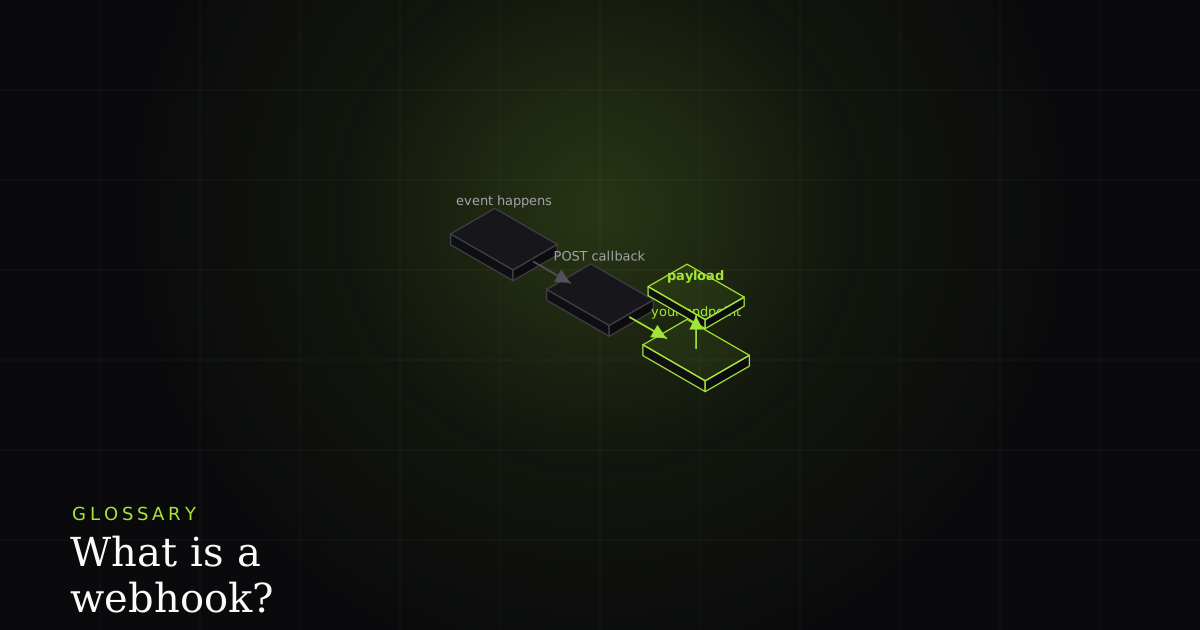
A webhook is an automated HTTP callback. Instead of you repeatedly asking an API whether anything has happened, the provider sends an HTTP POST with a JSON payload to a URL you registered, the instant an event occurs. It is a push, not a pull: 'don't call us, we'll call you.'
The name is the concept: a webhook is a hook into another system's events, delivered over the web. As Wikipedia puts it, a webhook is a user-defined HTTP callback triggered by an event in a source system. You tell a provider (Stripe, GitHub, Slack, your CI) 'here is my URL, and here are the events I care about.' From then on, whenever one of those events happens on their side, they make an HTTP request to your URL carrying the details. You wrote a piece of code; they call it. That is the whole idea, and everything else is mechanics.
Polling vs webhooks: the core contrast
To feel why webhooks exist, picture the alternative. Suppose you need to know when a payment succeeds. Without webhooks you poll: every few seconds your code asks the API 'done yet?' with GET /payments/123, and almost every answer is 'no, still pending.' You are burning requests, rate limit, and money to hear 'nothing changed' thousands of times, and when the payment finally does land you learn about it up to one polling-interval late. Poll faster and you waste more; poll slower and you are laggier. There is no good setting.
A webhook inverts the flow. You stop asking. The moment the payment succeeds, the provider pushes the event to your URL, once, immediately. No wasted checks, no polling interval, no lag. That is the trade at the heart of the pattern: polling is a client-driven pull on a schedule you set; a webhook is a server-driven push on the schedule reality sets. For anything event-shaped (payments, deploys, incoming messages, build results), the push wins on both latency and cost, which is why nearly every SaaS platform ships webhooks.
How a webhook works, step by step
The lifecycle has four steps. (1) Register. You give the provider a callback URL (usually in their dashboard or via their API) and subscribe to specific event types, so you only receive what you asked for. (2) An event happens. Something occurs on the provider's side: a payment succeeds, a pull request is opened, a message is sent, a CI job finishes. (3) The provider POSTs. It sends an HTTP POST request to your URL with a JSON payload describing the event. The POST method exists precisely to carry data in the request body. (4) You acknowledge fast. Your endpoint receives the request, does the minimum needed to accept it, and returns a 2xx status quickly so the provider records the delivery as successful.
That last step carries more weight than it looks. Per RFC 9110, a 2xx status means the request was received and accepted, and that is exactly what the provider is waiting to hear. If you instead do slow work inline (charge something, send an email, write to three tables) before responding, you risk exceeding the provider's timeout. The provider then sees no 2xx, concludes the delivery failed, and, critically, retries. Common providers wait only a few seconds. So the golden rule is: acknowledge first, do the heavy work afterwards, out of band. Read our guide to HTTP status codes for which code to return when.
Common examples
You have almost certainly relied on webhooks without seeing them. Stripe POSTs a payment_intent.succeeded event so your app can fulfil an order the moment money clears, rather than polling the charge. GitHub fires webhooks for pushes, opened pull requests, issues, and more. Its webhooks documentation spells out the payloads and, tellingly, the redelivery behaviour. Slack uses incoming webhooks to post messages into a channel and event subscriptions to notify your app of activity. CI systems POST build-finished events so a deploy step or a chat notification can kick off automatically. Different providers, identical shape: an event, a POST, your handler.
The gotchas developers actually hit
This is the part that turns a tidy definition into a 2 a.m. incident. Webhooks are simple to describe and easy to get subtly wrong, because the failure modes only show up under real traffic.
Return 2xx fast, or you invite retries. If your handler blocks on slow work, it times out, the provider retries, and now the same event is being processed twice concurrently. Do the acknowledgement synchronously and push the real work onto a queue or background job. Retries mean your handler must be idempotent. Because providers redeliver on any perceived failure (and networks occasionally duplicate even successful ones), the same event can arrive two, three, or more times. Key off the event's unique id and make reprocessing a no-op; this is important enough that we wrote a whole piece on idempotency. Verify authenticity. Your URL is public; anyone can POST to it. Providers sign the payload with a shared secret and send the signature in a header. Recompute it over the raw body and reject mismatches, or you will process forged events.
Handle out-of-order and duplicate deliveries. Webhooks are not guaranteed to arrive in the order the events occurred; an updated can land before the created it depends on. Use timestamps or sequence numbers in the payload and reconcile rather than assuming order. Your endpoint must be publicly reachable. A provider on the open internet cannot POST to localhost, so local development needs a tunnel that exposes your machine to a public URL. And because providers push regardless of your capacity, a burst of events can look a lot like the load you would otherwise manage with rate limiting, so queue and smooth, do not process inline.
A webhook receiver, sketched
The shape of a correct handler follows straight from the gotchas: verify the signature over the raw body, acknowledge immediately, then hand the event to a background worker keyed by its id.
import crypto from 'node:crypto';

app.post('/webhooks/provider', async (req, res) => {
  // 1. Verify authenticity against the RAW body, before parsing.
  const raw = req.rawBody; // exact bytes the provider signed
  const signature = req.header('X-Signature') ?? '';
  const expected = crypto
    .createHmac('sha256', process.env.WEBHOOK_SECRET!)
    .update(raw)
    .digest('hex');
  if (!crypto.timingSafeEqual(Buffer.from(signature), Buffer.from(expected))) {
    return res.status(401).send('bad signature');
  }

  const event = JSON.parse(raw.toString());

  // 2. Acknowledge FAST — return 2xx before doing heavy work.
  res.status(200).send('ok');

  // 3. Process asynchronously, idempotently (event.id dedupes retries).
  await queue.enqueue('process-webhook', { id: event.id, event });
});
Notice what the handler does not do: it does not charge a card, send an email, or write to your database inline. It verifies, acknowledges, and enqueues. The worker on the other end of that queue looks up event.id, and if it has seen it before it stops. That single check is what makes redelivery safe.
Webhooks vs API vs WebSockets
These three get muddled, but they occupy different roles. A webhook is a server-to-you event push over HTTP: one POST per event, no persistent connection, the provider is the client. A plain API call is the reverse: you-to-server, a request you initiate to read or write state on demand. WebSockets are a persistent, bidirectional connection kept open so either side can send messages at any time, the right tool for live, high-frequency, two-way streams like chat or collaborative cursors. If you need to be told about occasional events from a third party, use a webhook. If you need to pull data when it suits you, use the API. If you need a continuous two-way channel, use a WebSocket.
| Feature | Property | Webhook | REST API call | WebSocket |
|---|---|---|---|---|
| Who initiates | No | Provider → you | You → provider | Either side |
| Direction | No | Push | Pull | Two-way |
| Persistent connection | No | No | No | ✓ |
| Real-time on events | No | ✓ | Only if you poll | ✓ |
| Best for | No | Occasional 3rd-party events | On-demand read/write | Live high-frequency streams |
Why webhook bugs are so hard to reproduce
Here is the honest part. Webhook failures (a missed delivery, a duplicate that double-charged, a signature check that silently rejected a real event) are miserable to reproduce because the triggering request came from someone else's server and is already gone. You are staring at your logs trying to reconstruct a POST you never saw, guessing at the payload, the headers, and the exact status your handler returned. The bug lives in the interaction between their request and your response, and by the time you look, both have evaporated.
That is exactly the gap BugMojo closes. When a webhook-driven flow misbehaves in the browser, the extension captures the actual network request and response alongside the console and a session replay, so the incoming shape, your handler's status code, and the resulting UI failure sit together as one concrete artifact instead of three things you are inferring. A missed or duplicate delivery stops being a story you tell from logs and becomes a bug you can hand, verbatim, to whoever (or whatever) is going to fix it.
BugMojo records the real incoming request and your handler's response next to the console and a session replay, so missed, duplicated, and failed webhook deliveries become a concrete, reproducible bug report you can hand to Claude Code or Cursor.
Install the extensionFrequently asked questions
Frequently asked questions
Sources
- Webhook: user-defined HTTP callbacks triggered by events (Wikipedia), Wikipedia (2026)
- About webhooks: event delivery, payloads, and redelivery (GitHub Docs), GitHub Docs (2026)
- HTTP POST method: sending data in the request body (MDN Web Docs), MDN Web Docs (2026)
- RFC 9110: HTTP Semantics, status codes and method definitions, IETF RFC 9110 (2022)
Get bug-tracking insights, weekly.
Engineering deep-dives, QA playbooks, and honest tool comparisons. No spam. Unsubscribe in one click.