

What Is Rate Limiting? (429, Algorithms, and Retry)
Rate limiting caps how many requests a client can make in a time window, protecting a service from overload, abuse, and runaway cost. Here is what a 429 means, the algorithms behind the limit, and how a well-behaved client should back off.
Definition
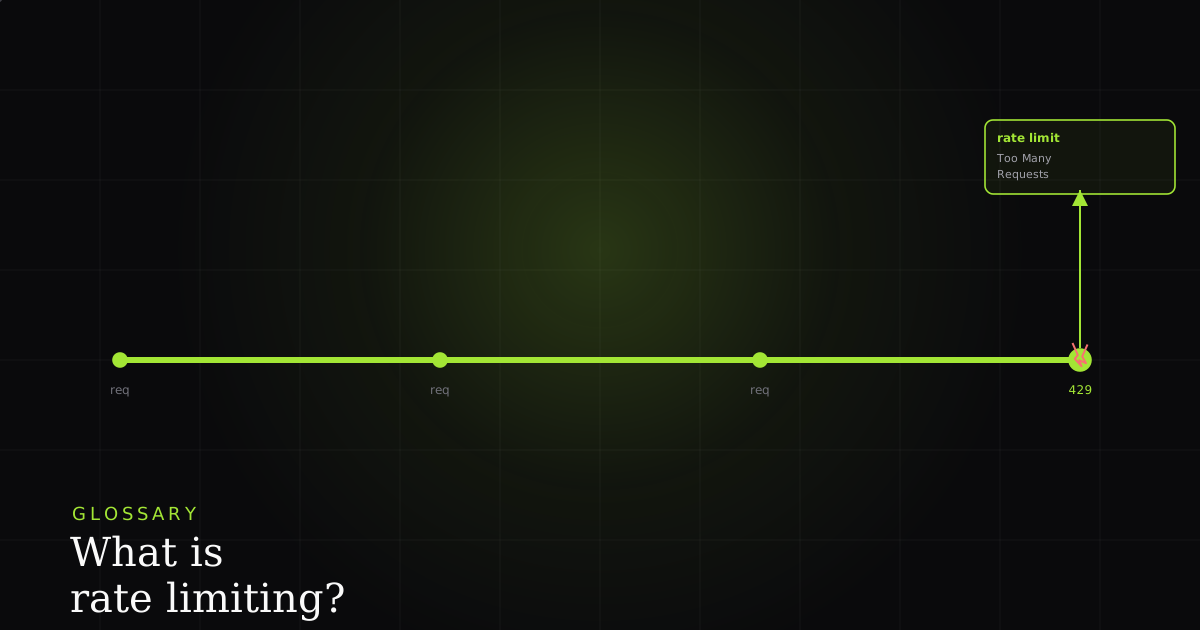
Rate limiting caps how many requests a client can make in a time window, protecting a service from overload, abuse, and runaway cost. Requests over the limit are rejected, typically with HTTP 429 Too Many Requests and a Retry-After header telling the client how long to wait before trying again.
Every shared service has a ceiling: a finite number of requests it can serve per second before latency climbs and things fall over. Rate limiting is the guardrail that keeps traffic under that ceiling by counting each client's requests and refusing the ones that exceed an agreed quota, say, 100 requests per minute per API key. The refused request is not queued or silently dropped; the server answers it immediately with a status code that means “you are going too fast.” On the web that code is HTTP 429 Too Many Requests.
The key word is window. A limit is always “N requests per unit of time,” and both halves matter: 100/minute and 6000/hour are very different constraints even though they average the same. When you hit the cap, you are not blocked forever; you are blocked until the window resets or refills. That is why a 429 is a temporary, recoverable condition, unlike a 403 that says you may never do this. Understanding rate limiting is really about understanding two things: how the server decides you are over the line (the algorithm) and how it tells you to wait (the response).
Why it exists
Rate limiting exists for four overlapping reasons. Fair usage: a shared API has many callers, and without a cap one aggressive client can consume all the capacity and starve everyone else. Abuse and DoS protection: limits blunt brute-force login attempts, scraping, and denial-of-service floods by making high-volume attacks hit a wall. Cost control: when each request costs money (compute, a downstream paid API, an LLM token bill), an unbounded client is an unbounded invoice, and a limit is a budget. Stability under spikes: traffic is bursty, and a limit smooths the peaks so a sudden surge degrades gracefully into 429s instead of taking the whole service down for everyone.
Put simply, rate limiting trades a little availability for a lot of reliability. A caller who gets a 429 and retries a moment later has a worse experience than instant success, but a far better one than a total outage caused by an overloaded server. That is the same tradeoff that shows up in an error budget: you accept a bounded amount of controlled failure to protect the system's overall health.
The 429 response and Retry-After
A 429 is part of the 4xx client-error family: the request was well-formed, but you exceeded your quota, so the fault is on the caller's side, not a server crash. It was standardised in RFC 6585, which added 429 precisely so servers had a clear, machine-readable way to say “slow down” instead of overloading a generic 400 or 503.
The most important thing a good 429 carries is the Retry-After header. It tells the client exactly how long to wait, either a number of seconds (Retry-After: 30) or an absolute HTTP date. A well-behaved client reads that value and waits at least that long before retrying; ignoring it and re-sending immediately is what turns a brief throttle into a self-inflicted outage. Alongside it, many APIs advertise the current state with a trio of headers so you never have to guess: X-RateLimit-Limit (your ceiling), X-RateLimit-Remaining (how much you have left in this window), and X-RateLimit-Reset (when the window refills). Reading those proactively lets you slow down before you get a 429 at all.
The algorithms, explained simply
Servers enforce limits with one of a handful of counting strategies, and the choice shapes how bursty traffic is treated.
- Fixed window: count requests in each clock-aligned window (e.g. per calendar minute) and reject once the counter passes the limit; the counter resets to zero at the boundary. Simple, but it allows a double-rate burst straddling the boundary: 100 requests at 0:59 and another 100 at 1:00.
- Sliding window: the same idea, but the window moves continuously with time (or weights the previous window) so there is no hard reset edge to exploit. Smoother and fairer, slightly more state to track.
- Token bucket: the common one. A bucket holds up to N tokens; tokens refill at a steady rate, and each request spends one token. Requests are served while tokens remain and rejected when the bucket is empty. It permits a short burst up to the bucket size while capping the sustained average at the refill rate.
- Leaky bucket: requests enter a queue that drains (“leaks”) at a constant rate; if the queue is full, new requests overflow and are rejected. It enforces a perfectly smooth output rate, which is ideal when the thing downstream cannot tolerate bursts at all.
These limits are also applied at different scopes, and often several at once. A limit can be per API key (the paying account), per IP address (blunt but effective against anonymous abuse), per user, or per endpoint (an expensive search route gets a tighter cap than a cheap health check). It is common to hit a per-key limit and a per-endpoint limit independently, which is one reason 429s can feel inconsistent from the outside.
How clients should handle a 429
The golden rule is: do not hammer. When you get a 429, respect the Retry-After value if present. If it is absent, fall back to exponential backoff with jitter: start with a short base delay and double it on each successive failure, then add a small random offset so a fleet of clients that all failed at the same instant do not retry in lockstep and cause a second thundering herd. Cap the retries so you eventually surface a real error instead of looping forever.
Retries interact with correctness. Retrying a read is naturally safe, but retrying a write can create a duplicate (a second charge, a double-posted order) if the first request actually succeeded and only its response was lost. That is why safe retries lean on idempotency: attach an idempotency key so the server can recognise a repeat and return the original result instead of performing the action twice. Backoff decides when to retry; idempotency decides whether retrying is safe at all.
async function fetchWithBackoff(url, options = {}, maxRetries = 5) {
  let attempt = 0;
  while (true) {
    const res = await fetch(url, options);
    if (res.status !== 429) return res; // success or a non-rate-limit error

    // 1. Respect Retry-After if the server sent it.
    const retryAfter = res.headers.get('Retry-After');
    let waitMs = retryAfter
      ? Number(retryAfter) * 1000
      : null;

    // 2. Otherwise, exponential backoff with jitter.
    if (waitMs == null) {
      const base = 500 * 2 ** attempt;        // 500ms, 1s, 2s, 4s...
      const jitter = Math.random() * 250;     // spread out synced clients
      waitMs = base + jitter;
    }

    if (++attempt > maxRetries) return res;   // give up: surface the 429
    await new Promise((r) => setTimeout(r, waitMs));
    // Only loop on idempotent requests, or send an idempotency key.
  }
}How this shows up in a BugMojo report
This is exactly where the captured state earns its keep. When a user reports “the dashboard sometimes fails to load,” a stack trace alone is nearly useless. The code is fine, the timing is not. A BugMojo capture includes the full network request log, so a burst of calls followed by a red 429 is right there in the timeline. What looked like a random, unreproducible glitch becomes an obvious pattern: the client fired twelve requests in a second, the API returned 429 with Retry-After: 5, and the front-end never backed off. It just showed an error. The same capture pairs that trace with a related failure class, the failed-to-fetch family, so you can tell a throttle apart from a genuine network drop at a glance.
BugMojo records the full network trace behind a bug, so an intermittent burst-then-429 shows up as an obvious pattern in the timeline, not a ghost you can never reproduce. It then hands the whole bundle to your AI agent over MCP.
Install the extensionFrequently asked questions
Frequently asked questions
Sources
- 429 Too Many Requests: the status returned when a user has sent too many requests in a given time, MDN Web Docs (2026)
- Retry-After: response header indicating how long to wait before making a follow-up request, MDN Web Docs (2026)
- RFC 6585: Additional HTTP Status Codes, which defines 429 Too Many Requests, IETF RFC 6585 (2012)
- Rate limiting: strategies for controlling the rate of requests to a network or service, Wikipedia (2026)
Get bug-tracking insights, weekly.
Engineering deep-dives, QA playbooks, and honest tool comparisons. No spam. Unsubscribe in one click.