

HTTP Status Codes Explained (2xx, 3xx, 4xx, 5xx)
An HTTP status code is the three-digit number a server sends back to tell the client how a request went. Here is what the five classes mean, the codes that matter in each, and the debugging heuristic they hand you: 4xx means fix the request, 5xx means fix the server.
Definition
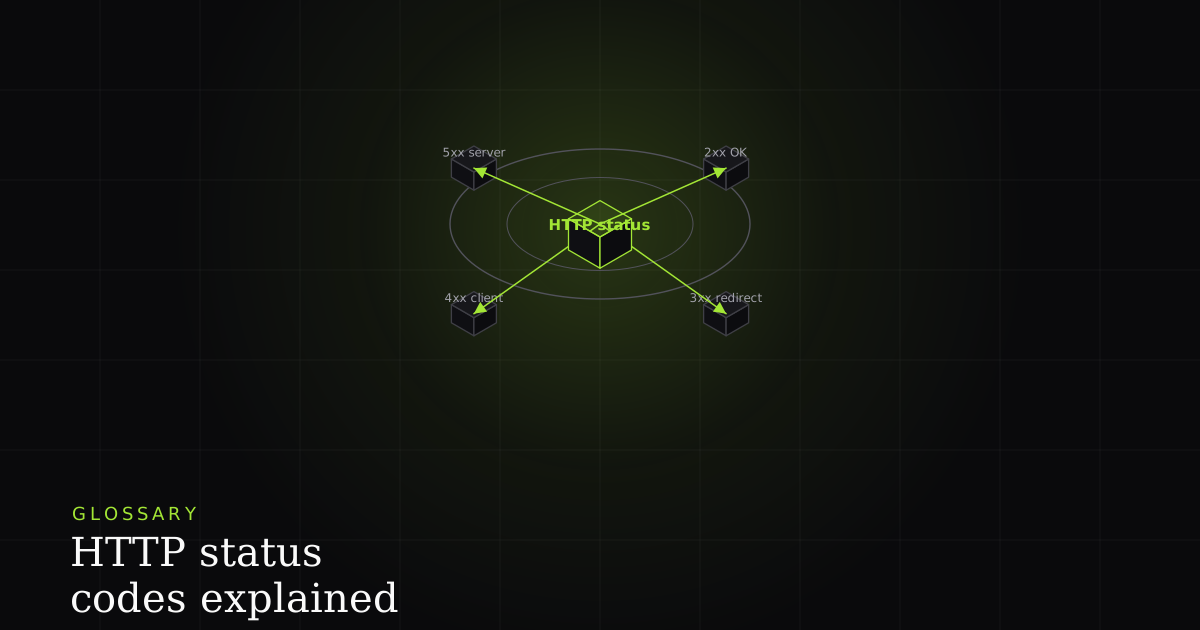
An HTTP status code is a three-digit number a server returns to tell the client the outcome of a request. The first digit sets the class: 1xx informational, 2xx success, 3xx redirection, 4xx client error, and 5xx server error. The class tells you whose fault a failure is.
Every HTTP response begins with a status line, and the first thing on it is the status code: a number like 200, 301, 404, or 500, followed by a short human-readable reason phrase. It is standardized by the IETF in RFC 9110 (HTTP Semantics), which is why a 404 means the same thing whether it comes from an Nginx box, a serverless function, or a browser fetch. The MDN reference lists every registered code, but you rarely need all of them. You need the pattern.
The pattern is the first digit. It partitions all status codes into five classes, and reading that one digit tells you the shape of what happened before you look at anything else. The other two digits refine the specific case within the class. So the practical skill is not memorizing sixty codes. It is knowing what each class means and keeping a dozen or so common codes in your head.
The five classes at a glance
| Class | Meaning | Whose side | Key codes |
|---|---|---|---|
| 1xx | Informational: request received, still processing | n/a | 100 Continue, 101 Switching Protocols |
| 2xx | Success: received, understood, accepted | n/a | 200 OK, 201 Created, 204 No Content |
| 3xx | Redirection: go somewhere else to finish | n/a | 301, 302, 304, 307 |
| 4xx | Client error: the request was wrong | Client / caller | 400, 401, 403, 404, 405, 409, 422, 429 |
| 5xx | Server error: the server failed the request | Server / backend | 500, 502, 503, 504 |
1xx and 2xx: informational and success
1xx (informational) codes are rare in day-to-day work. They signal that the request was received and processing continues. 100 Continue lets a client check the server will accept a large body before sending it, and 101 Switching Protocols is what a WebSocket upgrade returns. You will almost never debug against a 1xx; most stacks handle them transparently.
2xx (success) is what you want to see. 200 OK is the generic success with a response body: a page rendered, an API payload returned. 201 Created confirms that a request (usually a POST) created a new resource, and the response typically points at where it now lives. 204 No Content means the request succeeded but there is deliberately nothing to send back, the standard answer to a DELETE or a save that needs no payload. If you see a 2xx, the request completed; any remaining bug is in how the client interpreted the body, not in the transport.
3xx: redirection, caching, and idempotency
3xx (redirection) means the request is not finished: the client needs to take another step, usually following a new URL. 301 Moved Permanently says the resource has a new home for good, so clients and search engines should update their links; browsers cache it aggressively. 302 Found and 307 Temporary Redirect are temporary. The move is for this response only, so nothing should be cached long-term. The difference between 302 and 307 is subtle but real: 307 guarantees the HTTP method is preserved on the redirect (a POST stays a POST), whereas historic 302 handling often downgraded it to a GET.
The odd one out is 304 Not Modified, which is about caching rather than moving. When a client revalidates a resource it already has (using an ETag or If-Modified-Since header), a 304 tells it 'your cached copy is still good, reuse it' and sends no body, saving bandwidth. Because redirects like 301 are cached, a bad permanent redirect is stubborn: get it wrong and clients keep following the stale target long after you fix the origin. When debugging 3xx, watch the Location header and the cache directives together.
4xx: the client got the request wrong
4xx (client error) is the class that says the request itself was the problem. The server understood you and is refusing, because something about what you sent is wrong. That is a crucial framing: a 4xx points the finger at the caller, so the fix lives in the request.
- 400 Bad Request: the request is malformed (broken JSON, a missing required field, an invalid query parameter). The server can't even parse your intent.
- 401 Unauthorized: you are not authenticated. There's no valid credential (or the token expired), so the server doesn't know who you are.
- 403 Forbidden: you are authenticated but not allowed. The server knows who you are and is refusing anyway. (The 401-vs-403 distinction trips people up constantly; see 401 Unauthorized vs 403 Forbidden.)
- 404 Not Found: the resource doesn't exist at that URL, or the server won't reveal that it does.
- 405 Method Not Allowed: the URL exists but not for that verb (e.g. a
POSTto a read-only endpoint). - 409 Conflict: the request clashes with the current state, like a duplicate create or a stale update.
- 422 Unprocessable Entity: the syntax is valid but the content fails validation rules (well-formed JSON, semantically wrong values).
- 429 Too Many Requests: you've been rate-limited; slow down and honor the
Retry-Afterheader.
5xx: the server failed the request
5xx (server error) flips the blame. The request was acceptable, but the server failed to fulfil it. That means the fix lives on the server, not in what the client sent. Retrying the same request unchanged is often reasonable, because the caller did nothing wrong.
- 500 Internal Server Error is the catch-all: an unhandled exception or bug crashed the request handler. It tells you something broke but not what. You need the logs. (See how to fix a 500 Internal Server Error.)
- 502 Bad Gateway: a server acting as a proxy or gateway got an invalid response from the upstream it depends on. Usually the backend behind the load balancer is down or misbehaving. (See how to fix a 502 Bad Gateway.)
- 503 Service Unavailable: the server is temporarily unable to handle the request (overloaded, or down for maintenance). It's expected to recover, and may send a
Retry-After. - 504 Gateway Timeout: a gateway waited for an upstream response and gave up. The dependency is too slow or unreachable, not necessarily broken.
The heuristic: 4xx fix the request, 5xx fix the server
Here is the payoff that makes the class system worth learning. The moment you see the first digit of a failing response, you know which team owns the bug. A 4xx sends you to the request: check the URL, the method, the auth header, the body, the rate limit. The client is sending something the server rejects. A 5xx sends you to the server: check the application logs, the upstream services, the database, the deploy. The request was fine and the backend fell over. This one split saves more debugging time than any other single fact about HTTP, because it stops you looking on the wrong side of the wire.
How this shows up in a BugMojo bug report
The heuristic only helps if you can actually see the status code, and in a real bug report that number is often the missing piece. A user says 'the page wouldn't save', but was that a 422 because their input failed validation (their side), a 403 because their session lost permission (their side), or a 500 because the save handler threw (your side)? Those three route to completely different fixes, and you cannot tell them apart from the symptom alone.
That is what a captured network request gives you. When BugMojo records a bug, its browser extension captures the failing request with its exact status code and timing attached, so the report shows POST /api/save → 500, not just 'it wouldn't save.' You read the first digit, land on the right side of the 4xx/5xx line instantly, and skip straight to the request or the server logs. If the client is misfiring, that failure like a failed fetch is on the report too. The status code turns a vague complaint into a routed, reproducible bug.
BugMojo captures the failing network request with its exact HTTP status code and timing, so you know instantly whether it's a 4xx to fix in the request or a 5xx to fix on the server. Then it hands the whole bundle to your AI agent over MCP.
Install the extensionFrequently asked questions
Frequently asked questions
Sources
- HTTP response status codes: the full reference for every class and code, MDN Web Docs (2026)
- RFC 9110: HTTP Semantics, the IETF standard defining status codes and their classes, IETF RFC 9110 (2022)
- 404 Not Found: the canonical client-error response, MDN Web Docs (2026)
- 200 OK: the canonical success response, MDN Web Docs (2026)
Get bug-tracking insights, weekly.
Engineering deep-dives, QA playbooks, and honest tool comparisons. No spam. Unsubscribe in one click.