

A Presigned-URL Upload Pipeline for Screenshots (No Client Credentials)
How the BugMojo extension uploads screenshots straight to S3 through short-lived presigned URLs minted server-side, why the browser never sees AWS keys, how content-type and size are constrained, and how the object is verified before it links to a bug.
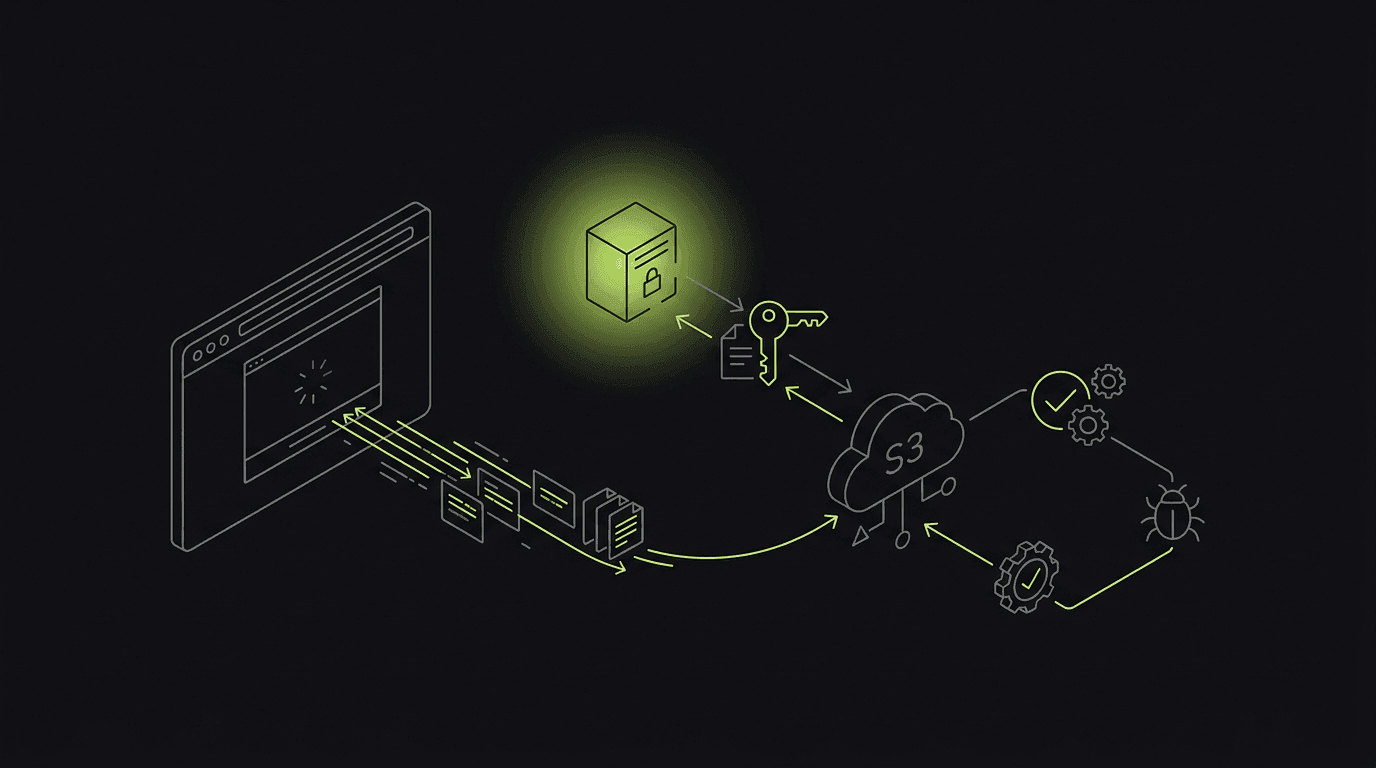
A screenshot is the cheapest, highest-signal artifact in a bug report. It is also the easiest thing to get wrong on the upload path. The tempting shortcut is to bake an AWS access key into the extension and let the browser PutObject directly. Do that and you have shipped a long-lived bucket credential to every user, readable in the network panel or the unpacked bundle. The correct pattern is older than most cloud tutorials: the server signs a short-lived URL, the browser uses it, and the secret key never leaves your infrastructure.
This post walks through the exact pipeline BugMojo uses to move a captured screenshot from a content script into S3 and onto a bug record. We cover why credentials stay server-side, the real difference between presigned PUT and POST, how short the expiry should be, and the two-step server verification that runs before a bug ever links an object. The interesting part is what happens after the bytes land, because that is where most tutorials stop and where the AI-agent angle begins.
Why does the extension never get AWS credentials?
The BugMojo extension never holds AWS credentials. The server signs a short-lived presigned URL scoped to one object key and one upload, then hands only that URL to the browser. A presigned URL is a bearer token limited to the signer's permissions, so the recipient needs no AWS keys. After the client reports success, the server verifies the object before linking it to a bug.
A presigned URL is a bearer token. Per the AWS S3 User Guide, it grants exactly the permissions of the principal who signed it, the recipient needs no AWS credentials of their own, and it remains usable until it expires. That property is the whole point: the server holds the secret key, performs one signing operation, and the browser receives a URL it can PUT bytes to once. If that URL leaks, the blast radius is a single object key for a few minutes, not your entire bucket forever.
Contrast that with embedding a key in the client. Anything in the browser is extractable. A determined user can read the extension's network requests, unpack its bundle, or dump memory. An embedded IAM key is, in practice, a public key the moment you ship it. With presigning, the only thing public is a URL whose signature already encodes the bucket, the key, the HTTP method, and an expiry. Note one consequence documented by AWS: an upload to an existing key replaces the object, and once stored the bucket owner owns it, so your server controls the key namespace, not the client.
// Runs server-side only. AWS creds live in the server environment.
import { S3Client, PutObjectCommand } from "@aws-sdk/client-s3";
import { getSignedUrl } from "@aws-sdk/s3-request-presigner";
import { randomUUID } from "node:crypto";

const s3 = new S3Client({ region: process.env.AWS_REGION });

export async function signScreenshotUpload(bugId: string, contentType: string) {
  // The SERVER owns the key namespace. The client cannot pick the path.
  const key = `bugs/${bugId}/screenshots/${randomUUID()}.png`;

  // Reject anything that is not an image up front.
  if (!/^image\/(png|jpeg|webp)$/.test(contentType)) {
    throw new Error("unsupported content type");
  }

  const cmd = new PutObjectCommand({
    Bucket: process.env.S3_BUCKET,
    Key: key,
    ContentType: contentType,          // signed into the URL
    ChecksumAlgorithm: "SHA256",       // SigV4 integrity check
  });

  // 120s window: an upload takes seconds, not minutes.
  const url = await getSignedUrl(s3, cmd, { expiresIn: 120 });
  return { url, key, expiresIn: 120 };
}
The browser receives { url, key, expiresIn } and nothing else. It does a single fetch(url, { method: 'PUT', body: blob, headers: { 'Content-Type': contentType } }). The Content-Type on that request must match the value signed into the URL, or S3 returns SignatureDoesNotMatch, because the header is part of the canonical request that produced the signature. This is the same media-type declaration MDN describes for any Content-Type header on a PUT or POST body; the difference is that S3 cryptographically pins it.
PUT URL or POST policy: which enforces size and type?
Here is the uncomfortable truth about a presigned PUT URL: it cannot limit upload size. The signature covers the method, key, and headers you signed, but nothing stops a client from streaming a 2 GB body under a valid image/png header. If you need S3 itself to reject oversized or wrong-type files before it stores them, you need a presigned POST policy instead.
Per the Boto3 generate_presigned_post reference, a POST policy carries conditions such as ["content-length-range", min_bytes, max_bytes] to bound the payload size and ["starts-with", "$Content-Type", "image/"] to constrain the MIME type. There is a sharp edge: any field placed in Fields must also be repeated as a condition, or S3 rejects the upload. The same reference notes that generate_presigned_post defaults to a 3600-second (one hour) expiry, which is far longer than a screenshot upload ever needs.
| Feature | AWS keys in browser | Presigned PUT URL | Presigned POST policy |
|---|---|---|---|
| Secret key exposure | Exposed and extractable | Never leaves server | Never leaves server |
| Upload size cap at S3 | None (full bucket access) | No (cannot constrain bytes) | Yes (content-length-range) |
| Content-Type enforcement | None | Signed type; mismatch = SignatureDoesNotMatch | starts-with $Content-Type |
| Blast radius if URL leaks | Whole bucket, long-lived | One key, expires in minutes | One key, plus type/size limits |
| Minting complexity | None (worst tradeoff) | Low (single command) | Higher (fields must repeat as conditions) |
| Verified artifact readable by AI agents over MCP | No path | Yes, after server HeadObject verify | Yes, after server HeadObject verify |
BugMojo signs a PUT URL because the server already knows the key, the content type, and the rough size of a screenshot, and the extension is our own first-party code that pre-validates the blob. We are honest about the tradeoff: a plain PUT URL is genuinely weaker than a POST policy on size enforcement. We compensate with a hard server-side size check after upload, which the next section covers. If you accept screenshots from untrusted third-party clients, prefer the POST policy and let S3 do the rejecting for you.
How long should the upload URL live?
Short. The S3 User Guide allows SigV4 IAM-signed URLs to live up to 7 days (604800 seconds), and URLs generated in the S3 console are capped between 1 minute and 12 hours. None of that matters for a screenshot, which uploads in seconds. A 60-to-300-second window is plenty and shrinks the leak window dramatically.
There is a second expiry you do not control directly: a presigned URL dies the instant its signing credential does. For STS or assumed-role credentials, that is when the session expires, and the default AssumeRole session is one hour. So if your signer runs under a role, an expiresIn of 7 days is a lie; the URL stops working when the role session ends. Mint URLs on demand right before the upload rather than caching a batch of them.
The chart makes the point visually: the AWS ceiling is five orders of magnitude longer than what a screenshot upload requires. Defaults are built for human-shared download links, not machine uploads on a hot path. Pick a window measured in seconds and treat the generous maximums as a trap rather than a target.
Verifying the object and linking it to the bug
After the browser reports the PUT completed, the server issues a HeadObject against the exact key it signed and checks that the object exists, the Content-Type matches, and the size is within bounds. SigV4 uploads also support checksum verification with algorithms including CRC32, CRC32C, SHA-1, SHA-256, and SHA-512. Only after that check passes does the server write the object key into the bug record.
The client's success callback proves nothing. A PUT can return 200 to a flaky connection, a content script can be killed mid-upload, or a malicious client can simply lie. So the upload is not done when the browser says it is; it is done when the server confirms it. After the extension reports success, the server runs HeadObject against the key it signed and validates three things: the object exists, the ContentType is an image, and ContentLength is within bounds. SigV4-signed uploads also support integrity verification via checksums, where SigV4 added CRC-64/NVME, CRC32, CRC32C, SHA-1, SHA-256, and SHA-512 over SigV2's MD5-only support, so you can confirm the stored bytes match what the extension sent.
import { S3Client, HeadObjectCommand } from "@aws-sdk/client-s3";
import { db } from "@bugmojo/db";

const s3 = new S3Client({ region: process.env.AWS_REGION });
const MAX_BYTES = 5 * 1024 * 1024; // 5 MB

export async function verifyAndLink(bugId: string, key: string) {
  // 1. Confirm the object the client claims to have uploaded exists.
  const head = await s3.send(
    new HeadObjectCommand({ Bucket: process.env.S3_BUCKET, Key: key }),
  );

  // 2. Re-validate type and size server-side (a PUT URL cannot).
  const type = head.ContentType ?? "";
  if (!type.startsWith("image/")) throw new Error("not an image");
  if ((head.ContentLength ?? Infinity) > MAX_BYTES) throw new Error("too large");

  // 3. Only now does the key touch the bug record.
  await db.screenshot.create({
    data: { bugId, s3Key: key, contentType: type, bytes: head.ContentLength },
  });

  return { key, verified: true };
}
This two-step verify is the piece most upload tutorials skip, and it is where BugMojo's pipeline earns its keep. Once the object is verified and the key is written to the bug, the artifact becomes addressable by AI agents over the Model Context Protocol. An agent in Claude Code or Cursor can ask the BugMojo MCP server for a bug and receive the verified screenshot, the console logs, and the rrweb replay tied to the same record, then triage it programmatically. The screenshot is not just sitting in a bucket; it is a confirmed, agent-readable input. Competitor and tutorial content on presigned uploads stops at object is in the bucket. Connecting the verified artifact to an agent-readable bug record is the part nobody else ships.
The capture side of this pipeline, where the screenshot blob originates in the service worker, is covered in our writeup on building a bug-capture extension on Manifest V3.
The upload pipeline checklist
Copy this into your PR template and tick every box before you ship a browser-to-S3 upload path:
- No AWS keys in the client. Grep the extension bundle and network traffic for access-key IDs before every release.
- Server owns the key namespace. Generate the object key server-side; never let the client choose the path.
- Sign the Content-Type. Pin
image/png(or your allowed set) into the URL so a mismatch fails withSignatureDoesNotMatch. - Short expiry. Use 60-300 seconds, and remember role/STS sessions can expire sooner than your
expiresIn. - Enforce size where it matters. Use a POST policy with
content-length-rangefor untrusted clients; otherwise hard-checkContentLengthafter upload. - Verify before you link. Run
HeadObject, validate type and size, optionally check a SHA-256 checksum, and only then write the key to the bug. - Mint on demand. Sign one URL per upload right before it is needed; do not cache batches.
Install the BugMojo extension, capture a bug with a screenshot, then connect Claude Code or Cursor to the BugMojo MCP server and ask the agent to pull the bug. You will get the verified screenshot, console logs, and rrweb replay for the same record.
Get the extensionFrequently asked questions
Frequently asked questions
Sources
- Download and upload objects with presigned URLs, Amazon Web Services (S3 User Guide) (2025)
- Uploading objects with presigned URLs, Amazon Web Services (S3 User Guide) (2025)
- generate_presigned_post: Boto3 S3 client reference, Amazon Web Services (Boto3 docs) (2025)
- Content-Type header, MDN Web Docs (Mozilla) (2025)
- Sharing objects with presigned URLs, Amazon Web Services (S3 User Guide) (2025)
Get bug-tracking insights, weekly.
Engineering deep-dives, QA playbooks, and honest tool comparisons. No spam. Unsubscribe in one click.