

Building a Bug Capture Browser Extension on Manifest V3
Engineering lessons from shipping a Chrome MV3 bug-capture extension: service worker death, rrweb buffering, MAIN-world hooks, and PII redaction at the edge.
When we started building the BugMojo capture extension, our first prototype on Manifest V2 worked in a weekend. The Manifest V3 rewrite took three months. Most of that time was not spent writing features. It was spent fighting the service worker lifecycle, working around the removal of blocking webRequest, and figuring out where in the extension's four execution contexts our capture code actually needed to live.
This post is the writeup I wish I had when we started. If you are building anything that needs to observe DOM mutations, console output, and network traffic across page reloads, MV3 will force architectural choices on you that MV2 did not. Let's walk through the ones that mattered.
What makes MV3 hard for bug capture?
Manifest V3 replaces persistent background pages with service workers that Chrome can terminate at any time, typically after 30 seconds of inactivity. For bug-capture extensions that need to buffer DOM mutations, console logs, and network requests across page reloads, the buffer must live in the content script or IndexedDB, not the service worker. This is a fundamental architectural shift from MV2.
The promise of MV3, per the Chrome MV3 Migration Guide, is better security, performance, and privacy. The reality for any extension that needs continuous observation is that Chrome will aggressively shut your background context down whenever it feels like it. For a feature-flag extension or a clipboard tool, that's fine. For a bug recorder, it's a problem you have to design around from day one.
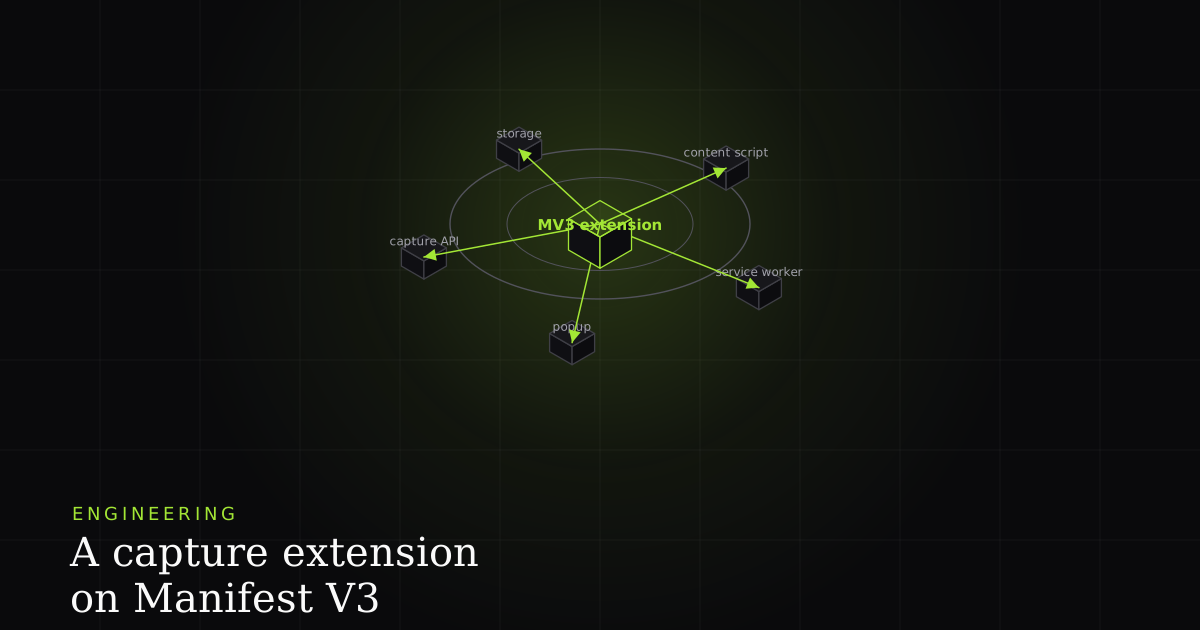
There are four contexts you will end up using: the service worker (background), the content script in the isolated world, an injected script in the MAIN world, and the popup or side panel. Each has different APIs, different lifetimes, and different ways of talking to the others. Knowing which capture lives where is most of the battle. The console intercept goes in MAIN. The rrweb buffer goes in the isolated world. The upload pipeline goes in the SW. The user-facing capture button goes in the popup. Mix these up and you spend a week debugging why your Authorization header is null on production but not on your laptop.
A second issue is that the extension API surface itself shrank. The blocking variant of chrome.webRequest.onBeforeRequest was removed in favor of declarativeNetRequest, which is great for ad blockers but useless if you want to read request bodies. Per the chrome.webRequest API reference, even the observational APIs no longer give you the request body. That single change forced us to inject a MAIN-world script that monkey-patches fetch and XMLHttpRequest, which we will get to below.
How does the service worker lifecycle break long-running capture?
MV3 service workers shut down after roughly 30 seconds of idle time and at hard 5-minute limits on persistent connections, per Chrome's documented lifecycle. Any in-memory JavaScript state is discarded on shutdown. For a bug recorder buffering several minutes of session data, this means treating the service worker as stateless infrastructure and persisting all capture state in the content script plus IndexedDB.
The number that broke our first architecture was 30. Chrome's service worker lifecycle docs document a roughly 30-second idle timeout. We were buffering rrweb events in the SW, batching them, then uploading on user action. That worked beautifully on my dev machine where the SW stayed warm. In production it lost about 40 percent of sessions, because the user would interact with the page for two minutes, then click our capture button, and the SW had been killed and restarted three times in between, each time wiping the buffer.
The first thing to internalize is that the service worker is not your application. It is a message-handling shell that can be hibernated and reanimated at any moment. Treat it like a Lambda function. Anything you want to survive between messages either belongs in a content script, in IndexedDB, or in chrome.storage.session. The latter, by the way, is wiped on browser restart, which is usually what you want for capture buffers but worth knowing.
Here is the minimal SW entry point we ended up with. Note that it stores nothing in module scope, awaits everything, and reads or writes IndexedDB on every message.
// background.ts -- service worker entry
import { handleMessage } from "./router";

chrome.runtime.onInstalled.addListener(async () => {
  await chrome.storage.local.set({ installedAt: Date.now() });
});

chrome.runtime.onMessage.addListener((msg, sender, sendResponse) => {
  // Always return true to keep the message channel alive for async work
  handleMessage(msg, sender)
    .then(sendResponse)
    .catch((err) => sendResponse({ ok: false, error: String(err) }));
  return true;
});

// Self-test: log when the SW boots so you can see how often it dies
console.log("[bg] service worker started at", new Date().toISOString());
That last console.log is more useful than it looks. Open the extension's service worker DevTools and watch how often "service worker started" prints during a normal browsing session. The first time I did this I assumed there was a bug in our logging. There wasn't. The SW had restarted nine times in five minutes.
How should you architect the content script for buffered capture?
A bug-capture content script should maintain a 30-second rolling buffer of rrweb events in memory, flush to IndexedDB on visibility-change and before-unload, and only stream batches to the service worker on user-triggered capture. Per the rrweb documentation, full-snapshot plus incremental events typically run 100-300 KB per minute of activity, well within content-script memory budgets when capped at 30 seconds.
The content script runs in an isolated JavaScript world on every page matching your manifest's content_scripts.matches. It has full DOM access but cannot see the page's own JavaScript variables or its global functions. That isolation is a feature, not a bug. It means our rrweb instance cannot be tampered with by the page's React code, and the page cannot accidentally collide with our globals.
Our content script does one thing well: it runs rrweb, captures DOM mutations, and keeps the last 30 seconds in a ring buffer by default. The 30-second default is empirical. We tested 60, 90, and 120 seconds in production and watched memory and message-passing latency. Beyond 30 seconds, a noisy single-page app started producing buffers in the 8-12 MB range, and the structured-clone serialization across the runtime port became visible to users as a stutter when they clicked our capture button. So 30 seconds is the default, and the longer windows (1 or 2 minutes) are an opt-in setting, bounded by a memory cap, for pages quiet enough to afford them.
// content-script.ts
import { record } from "rrweb";
import { RingBuffer } from "./ring-buffer";

const buffer = new RingBuffer<rrwebEvent>({ maxAgeMs: 30_000 });

const stop = record({
  emit(event) {
    buffer.push(event, event.timestamp);
  },
  // Mask all inputs by default. We unmask explicitly per-field later.
  maskAllInputs: true,
  maskTextSelector: "[data-pii]",
  // Sampling tames React 18 concurrent-mode mutation storms
  sampling: {
    mousemove: 50,
    scroll: 100,
    input: "last",
  },
});

window.addEventListener("visibilitychange", () => {
  if (document.visibilityState === "hidden") {
    void persistToIndexedDb(buffer.snapshot());
  }
});

chrome.runtime.onMessage.addListener((msg, _sender, sendResponse) => {
  if (msg.type === "CAPTURE_NOW") {
    const events = buffer.snapshot();
    sendResponse({ ok: true, eventCount: events.length, events });
  }
});
A few things in that snippet are worth flagging. First, maskAllInputs: true is the safe default. We then unmask intentionally by adding a data-rrweb-unmask attribute on safe fields like search bars. Second, the sampling object is not optional. Without it, a page with a single animated component will produce 1500-2000 mutation events per second and your buffer will fill in three seconds. Third, the visibility-change listener exists because mobile Chrome and Edge fire it before they kill your tab, which is your last chance to persist to IndexedDB.
Ring buffer implementation
A naive Array with splice will dominate your CPU profile within minutes. We use a tiny linked-list-backed structure with O(1) push and O(n) snapshot, where n is bounded by the time window. The whole thing is about 40 lines. The shape is roughly:
// ring-buffer.ts
export class RingBuffer<T> {
  private head: Node<T> | null = null;
  private tail: Node<T> | null = null;
  private size = 0;
  constructor(private opts: { maxAgeMs: number }) {}

  push(value: T, timestamp: number) {
    const node = { value, timestamp, next: null as Node<T> | null };
    if (this.tail) this.tail.next = node;
    this.tail = node;
    this.head ??= node;
    this.size++;
    this.evictOlderThan(timestamp - this.opts.maxAgeMs);
  }

  snapshot(): T[] {
    const out: T[] = [];
    for (let n = this.head; n; n = n.next) out.push(n.value);
    return out;
  }

  private evictOlderThan(cutoff: number) {
    while (this.head && this.head.timestamp < cutoff) {
      this.head = this.head.next;
      this.size--;
    }
    if (!this.head) this.tail = null;
  }
}

type Node<T> = { value: T; timestamp: number; next: Node<T> | null };
How do you capture console logs from the MAIN world?
Content scripts run in an isolated JavaScript world and cannot intercept the page's native console calls or fetch. To capture console output and network bodies, inject a script tag with type=module that runs in the MAIN world, monkey-patches console methods and fetch before page code initializes, and forwards events back via window.postMessage. This pattern is documented in the Chrome MV3 world-isolation guidance.
This is the part that took us the longest to figure out, and the part I see most teams get wrong. The content script's console and window.fetch are not the page's console and window.fetch. They are isolated. So if you write console.log = wrap(console.log) in your content script, you are wrapping your own private console, which the page never touches. Useless for bug capture.
The fix is to inject a <script> element into the page that executes in the MAIN world. In MV3 you do this either via chrome.scripting.executeScript({ world: "MAIN" }) from the SW or, more reliably for ordering, by injecting a script tag at document_start from the content script. The MAIN-world script needs to run before page JavaScript so it can patch console and fetch first.
// content-script.ts (continued) -- inject MAIN-world hook at document_start
const url = chrome.runtime.getURL("main-world-hook.js");
const s = document.createElement("script");
s.src = url;
s.async = false;
(document.head || document.documentElement).appendChild(s);
s.remove();

// Receive events from MAIN world via window.postMessage
window.addEventListener("message", (e) => {
  if (e.source !== window) return;
  if (e.data?.__bugmojo !== true) return;
  buffer.push(e.data.payload, e.data.payload.timestamp);
});
The MAIN-world script itself patches console methods and pushes structured events back. Order matters here. If page JavaScript loads first and stores a reference to console.log before you patch it, you will miss its calls.
// main-world-hook.js -- runs in the page's world
(() => {
  const send = (kind, args) => {
    window.postMessage({
      __bugmojo: true,
      payload: {
        kind,
        ts: Date.now(),
        args: args.map(safeSerialize),
      },
    }, "*");
  };

  ["log", "info", "warn", "error", "debug"].forEach((m) => {
    const orig = console[m];
    console[m] = function patched(...args) {
      try { send(`console.${m}`, args); } catch {}
      return orig.apply(this, args);
    };
  });

  function safeSerialize(v) {
    if (v instanceof Error) return { name: v.name, message: v.message, stack: v.stack };
    if (typeof v === "function") return `[Function ${v.name || "anonymous"}]`;
    try { return JSON.parse(JSON.stringify(v)); } catch { return String(v); }
  }
})();How do you intercept network requests under MV3?
MV3 removed blocking webRequest and never exposed request bodies even in observational mode. To capture full HAR-style network data, monkey-patch fetch and XMLHttpRequest in a MAIN-world injected script. This catches request URL, method, headers, body, response status, response headers, and response body for both fetch and XHR, which together cover essentially all modern app traffic.
The webRequest API in MV3 can still tell you that a request happened and give you its URL, method, and a tiny subset of headers. It cannot give you the request body, the response body, or any header that smells security-sensitive. That is by design. For a bug recorder this is fatal, because the most useful question for a developer reading a bug report is "what did the server return?"
The workaround is the same MAIN-world technique we used for console. Patch window.fetch and the XMLHttpRequest prototype before the page touches them.
// main-world-hook.js (continued)
const origFetch = window.fetch;
window.fetch = async function patchedFetch(input, init) {
  const startedAt = Date.now();
  const req = {
    url: typeof input === "string" ? input : input.url,
    method: (init?.method || "GET").toUpperCase(),
    headers: Object.fromEntries(new Headers(init?.headers || {})),
    body: init?.body ? String(init.body).slice(0, 64_000) : null,
  };

  let res;
  try {
    res = await origFetch.apply(this, arguments);
  } catch (err) {
    window.postMessage({
      __bugmojo: true,
      payload: { kind: "fetch.error", ts: Date.now(), req, error: String(err) },
    }, "*");
    throw err;
  }

  // Clone so we don't consume the body the app needs
  const cloned = res.clone();
  let bodyText = "";
  try { bodyText = (await cloned.text()).slice(0, 64_000); } catch {}

  window.postMessage({
    __bugmojo: true,
    payload: {
      kind: "fetch.response",
      ts: Date.now(),
      durationMs: Date.now() - startedAt,
      req,
      res: {
        status: res.status,
        headers: Object.fromEntries(res.headers.entries()),
        body: bodyText,
      },
    },
  }, "*");

  return res;
};
Three subtleties bit us in production. First, res.clone() is essential because reading the body consumes the stream and the app's own code will get an empty response. Second, cap body capture at something like 64 KB. We saw a single GraphQL query return a 9 MB payload, which serialized through postMessage to the content script in about 800 ms, blocking the main thread. Third, the XHR patch is more work than the fetch patch because XHR is event-driven and stateful. Patch open, send, and the load/error/abort events. The full pattern is well documented in older HAR-capture extensions and is worth borrowing.
In the end we chose not to ship body capture at all. The BugMojo extension records each request's method, URL, status, timing and PII-masked headers, and deliberately leaves request and response bodies out: bodies are where most personal data and secrets live, and status plus timing answers most triage questions. If you build your own recorder, the patch above is how you would add bodies; treat it as a privacy decision, not just an engineering one.
How do you handle PII redaction at the client edge?
PII redaction must run client-side in the extension before any captured payload leaves the browser. This means stripping Authorization and Cookie headers, masking all input values by default and unmasking only opted-in fields, removing query-string secrets like access_token, and dropping known sensitive cookies. Once data hits your servers, redaction is recovery, not prevention. The rrweb maskAllInputs option provides the DOM half of this story.
This is the part where you stop coding and write a list. What is sensitive? In our case the list is: password fields, credit card numbers, OTP codes, government IDs in input values, Authorization headers in any direction, Cookie headers, Set-Cookie headers, ?token= and ?api_key= style query parameters, and the body of any request whose URL contains /auth/ or /login.
The rrweb side is handled by maskAllInputs: true plus the maskTextSelector we set earlier. The network side is a small redaction function applied before the content script forwards a network event to the service worker.
// redact.ts -- runs in the content script before SW handoff
const SECRET_HEADER_NAMES = new Set([
  "authorization", "cookie", "set-cookie", "proxy-authorization",
  "x-api-key", "x-auth-token", "x-csrf-token",
]);

const SECRET_QUERY_KEYS = new Set([
  "token", "access_token", "id_token", "refresh_token", "api_key",
  "password", "otp", "session",
]);

export function redactNetworkEvent(ev: NetworkEvent): NetworkEvent {
  const url = new URL(ev.req.url, window.location.origin);
  for (const key of [...url.searchParams.keys()]) {
    if (SECRET_QUERY_KEYS.has(key.toLowerCase())) {
      url.searchParams.set(key, "[REDACTED]");
    }
  }

  const headers = Object.fromEntries(
    Object.entries(ev.req.headers).map(([k, v]) =>
      SECRET_HEADER_NAMES.has(k.toLowerCase()) ? [k, "[REDACTED]"] : [k, v],
    ),
  );

  const isAuthEndpoint = /\/(auth|login|signup|password)/i.test(url.pathname);
  const body = isAuthEndpoint ? "[REDACTED]" : ev.req.body;

  return { ...ev, req: { ...ev.req, url: url.toString(), headers, body } };
}Common mistakes
These are the failure modes we hit, in roughly the order they cost us the most time:
- Storing capture state in the service worker. The SW gets killed. State vanishes. Move buffers to the content script and IndexedDB.
- Forgetting that content scripts run in an isolated world. Patching
console.login the content script does nothing useful. You have to inject into MAIN. - Using
document_idlefor the MAIN-world hook injection. You miss every synchronous log fired during page boot. Usedocument_start. - Not capping body size on fetch and XHR capture. One 9 MB JSON response can lock the main thread for the better part of a second when it serializes across postMessage.
- Skipping rrweb sampling. A React app with a single animated component fills a 30-second buffer in under five seconds without
sampling.mousemoveandsampling.scroll. - Trusting
chrome.webRequestto give you headers it does not give you. Cookie, Set-Cookie, and Authorization are filtered out. Don't build features that depend on them being there. - Doing PII redaction on the server. By the time the payload reaches your API, the secret has already left the user's browser. Redact in the content script.
- Not testing with the SW DevTools open while idle. You will not see the SW restart count without it, and you will misdiagnose lost-state bugs as logic bugs.
- Using
setIntervalanywhere in the SW. It will not fire reliably. Usechrome.alarms.
Next steps
If you're building a bug-capture extension on MV3, start with the architecture before you write features. Decide which of the four execution contexts every piece of capture data lives in, document the message protocol between them, and write a one-page diagram you can refer back to when something goes sideways at 2 AM. We did this six weeks late and rewrote half the extension as a result.
For a working reference implementation, the BugMojo extension ships the patterns described here, including the rrweb ring buffer, MAIN-world console and fetch hooks, and the PII redaction pipeline. If you want to skip the three months we spent on lifecycle bugs, install it on a test page and watch the network panel as it captures a session. The architecture is the value, not the UI.
Install the BugMojo browser extension on Chrome, reproduce a bug on any page, and inspect the resulting payload. You'll see the rrweb event stream, console output captured from MAIN world, and network requests with method, URL, status, timing and masked headers (no bodies), all redacted client-side before upload.
Install the extensionFrequently asked questions
Frequently asked questions
Sources
- Chrome MV3 Migration Guide, Google (2024)
- rrweb GitHub repository, rrweb-io (2026)
- chrome.webRequest API reference, Google (2025)
- Service worker lifecycle for extensions, Google (2025)
Get bug-tracking insights, weekly.
Engineering deep-dives, QA playbooks, and honest tool comparisons. No spam. Unsubscribe in one click.