

How to Integrate BugMojo with Linear
Connect BugMojo to Linear so every captured bug lands as an issue with the session replay one click away. Here is exactly what maps to which Linear field, the issueCreate mutation behind it, and how to wire two-way status sync.
What this integration does
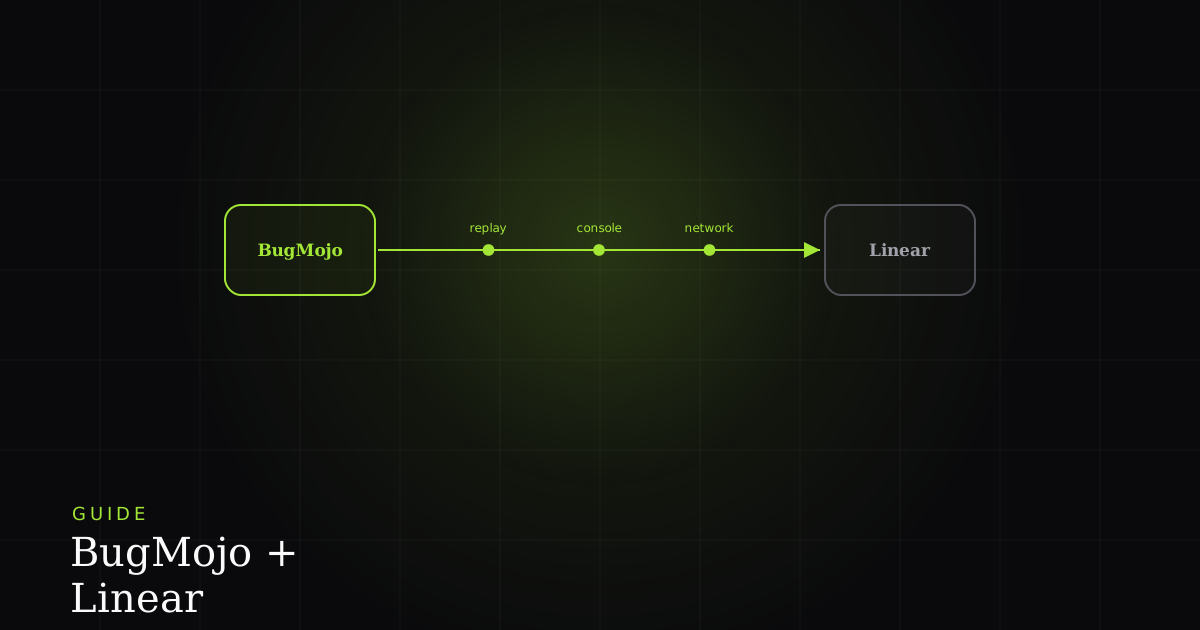
When someone captures a bug with BugMojo, an issue is created in your chosen Linear team with the title, a description carrying the repro steps, and a deep link to the session replay plus console and network context. Map priority, labels, and an assignee too, and add a Linear webhook so status changes sync back.
Bug reports and engineering backlogs usually live in two different tools, and the gap between them is where context dies. A QA engineer files “checkout is broken,” an engineer opens the ticket a day later, and the exact click path, the console error, and the failing network request are all gone. This integration closes that gap: the moment a bug is captured, it appears in Linear as a real issue, and the engineer is one click away from watching the exact rrweb replay that produced it.
Because issues in Linear are team-based, the integration always creates work inside a specific team, so you decide up front whether BugMojo bugs land in your Engineering team, a dedicated Triage team, or somewhere else. Everything past that (priority, labels, assignee, project) is optional mapping you can layer on.
Before you start
You need three things: admin access to BugMojo (Settings → Integrations is admin-only), permission to create issues in the Linear team you're targeting, and two credentials from Linear.
- A personal API key. Linear keys are prefixed
lin_api_and shown only once at creation, so copy it straight into a password manager. Keys authenticate as you, so create the key under a service account if you don't want issue authorship tied to a person. - Your team's
teamId. This is a UUID, not the short key likeENGyou see in issue identifiers. You can read it from Linear's team settings or query it via the API (shown below).
Step-by-step setup
Step 1: Generate a Linear API key
In Linear, open your workspace settings and create a new personal API key (Settings → Account → Security & Access, or the API section). Give it a memorable name like “BugMojo sync” and copy the lin_api_… value immediately. Linear will not show it again.
Step 2: Connect Linear in BugMojo
In BugMojo, open Settings → Integrations → Linear → Connect. Paste the API key, then pick the team (this sets teamId) and a default project where new bugs should land. BugMojo stores the token encrypted at the application layer.
Step 3: Choose which fields sync
Decide whether BugMojo pushes priority, labels, and an assignee. A good default is to push priority plus a bugmojo label, so every synced issue is filterable in Linear. See the field-mapping table below for exactly what maps where.
Step 4: Capture a test bug
Capture a low-priority test bug with the BugMojo extension. Within a few seconds a new issue should appear in the Linear team you selected. Open it, confirm the description contains the repro steps, and click the deep link to verify the replay loads.
Under the hood: the issueCreate mutation
BugMojo talks to Linear through its GraphQL API at https://api.linear.app/graphql, calling the issueCreate mutation. Only teamId and title are required; description (Markdown), priority (an integer, see the scale below), labelIds, and assigneeId are all optional. If you want a fully custom flow, you can replicate the exact call yourself, or drive it through BugMojo's MCP integration so an AI agent files the issue. Here is the shape of that request:
// A BugMojo capture, mapped onto Linear's issueCreate mutation.
const res = await fetch("https://api.linear.app/graphql", {
  method: "POST",
  headers: {
    "Content-Type": "application/json",
    // Personal API key. OAuth apps send "Bearer <token>" instead.
    Authorization: process.env.LINEAR_API_KEY, // lin_api_xxxxxxxx
  },
  body: JSON.stringify({
    query: `
      mutation IssueCreate($input: IssueCreateInput!) {
        issueCreate(input: $input) {
          success
          issue { id identifier url }
        }
      }`,
    variables: {
      input: {
        teamId: "9cfb482a-81e3-4154-b5b9-2c805e70a02a", // required (UUID)
        title: "Checkout: 'Place order' button dead on Safari 17",
        // Repro steps + replay/console deep links live in the description:
        description:
          "**Steps**\n1. Add item to cart\n2. Click Place order\n\n" +
          "[Session replay](https://www.bugmojo.com/r/abc123) · " +
          "[Console + network](https://www.bugmojo.com/r/abc123#logs)",
        priority: 2,                 // 0 None, 1 Urgent, 2 High, 3 Medium, 4 Low
        labelIds: ["<bugmojo-label-uuid>"],
        assigneeId: "<optional-user-uuid>",
      },
    },
  }),
});
const { data } = await res.json();
console.log(data.issueCreate.issue.url); // -> https://linear.app/…/issue/ENG-482Field mapping: BugMojo → Linear
This is how a captured bug is projected onto IssueCreateInput. Field names are exact where Linear defines them; the mapping of which BugMojo value fills each field is illustrative and configurable in Settings → Integrations → Linear.
| Feature | Linear API field | Type / example | Required? |
|---|---|---|---|
| Bug summary → title | title | String | ✓ |
| Target team → teamId | teamId | UUID | ✓ |
| Repro steps + replay/console links → description | description | Markdown string | No |
| Severity → priority | priority | Int 0 to 4 | No |
| Tags incl. 'bugmojo' → labels | labelIds | [UUID] | No |
| Owner → assignee | assigneeId | UUID | No |
| Default project → project | projectId | UUID | No |
| Initial workflow state → status | stateId | UUID | No |
Two-way status sync with webhooks
Pushing bugs into Linear needs only the API key. Getting status back (so closing an issue in Linear marks the BugMojo capture resolved) needs a Linear webhook. Linear sends HTTP push notifications whenever data is created or updated; you subscribe to Issue events and point them at your BugMojo endpoint. Linear's own integration guides walk through the same pattern.
Each delivery carries a Linear-Signature header: a hex-encoded HMAC-SHA256 of the raw body, signed with the webhook's signing secret. Verify it against the raw request body (not a re-serialized JSON object) using a timing-safe comparison, and check the webhookTimestamp is within about a minute to guard against replays. For an Issue update, the payload's data object holds the new state and an updatedFrom object holds the previous values. That diff is what BugMojo uses to detect a Todo → In Progress → Done transition and update the capture.
Troubleshooting
Bugs aren't appearing at all. Confirm the connection is healthy under Settings → Integrations → Linear → Status, verify the target team and project, and read the most recent entry in the integration Logs. Sync is one-way only. BugMojo → Linear works without webhooks; updates flowing back require the webhook subscription and a reachable endpoint. A signature-verification failure will silently drop events, so log rejected deliveries while you set it up.
Caveats: when this isn't the right fit
This integration is built around Linear's team-first model, so it shines for product engineering teams already living in Linear. It's a weaker fit in a few cases. If your organisation standardises on Jira or GitHub Issues, use those guides instead. A Linear team is a hard prerequisite here. If you need the full replay, console, and network trace embedded inside the tracker rather than linked, that isn't how this works by design: those artefacts stay in BugMojo behind authentication and Linear gets a deep link. And if you rely on personal API keys, remember they authenticate as an individual. For shared, auditable automation, prefer an OAuth app or a dedicated service account so issue authorship and rate-limit quota aren't tied to one person who might offboard.
For compliance-sensitive teams this split is a feature: searchable bug metadata lives in your audit-logged Linear workspace, while sensitive capture data stays in BugMojo and never traverses a third party.
Next steps
- Try BugMojo free: install the extension and capture a replay in one click.
- Explore other integrations: Slack, GitHub Issues, Jira, Cursor, Claude Code.
- Read the MCP guide: let AI coding agents file and read bugs directly.
Install the free BugMojo extension, capture a replay + console + network trace in one click, and sync it to your Linear team automatically.
Install the extensionFrequently asked questions
Frequently asked questions
Sources
- Linear Developers: GraphQL API getting started, Linear (2026)
- Linear Developers: Webhooks, Linear (2026)
- Linear Developers: Rate limiting, Linear (2026)
- Linear: Integration guides (webhooks scenario), Linear (GitHub) (2025)
- BugMojo: product site, BugMojo (2026)
Get bug-tracking insights, weekly.
Engineering deep-dives, QA playbooks, and honest tool comparisons. No spam. Unsubscribe in one click.