

How to Connect Claude Code to Your Bug Tracker via MCP
Wire Claude Code into BugMojo via the Model Context Protocol and your AI agent can read, triage, and update bugs from inside your IDE, in about 10 minutes.
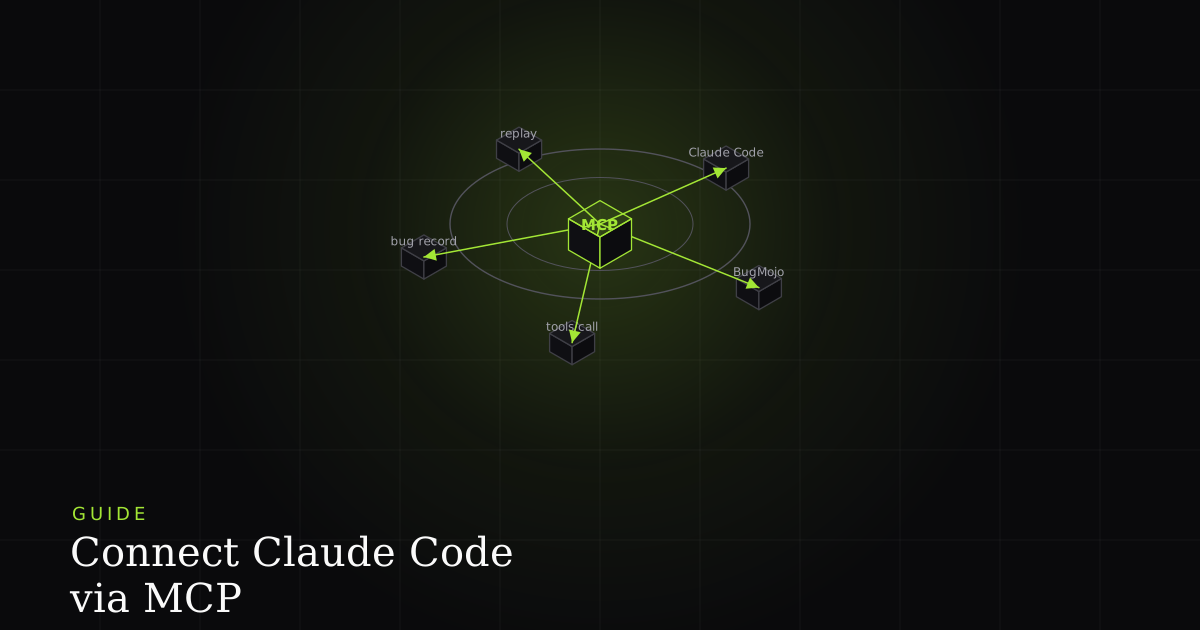
You've heard about MCP. Maybe you've even watched a demo. But you haven't wired one up yourself yet, and the docs feel scattered across three different sites. This guide fixes that. By the end, Claude Code will read your BugMojo backlog, summarize critical bugs, and update statuses without you ever opening the dashboard.
What is MCP and why does it matter for bug tracking?
The Model Context Protocol (MCP) is an open standard, released by Anthropic in November 2024, for connecting AI assistants to external data and tools (Model Context Protocol specification, Anthropic, 2024). Think of it as USB-C for AI: one cable, many devices. For bug tracking, that means Claude Code can read your bugs directly instead of you copy-pasting context every time.
The Model Context Protocol, introduced by Anthropic in November 2024, lets AI clients like Claude Code call structured tools on external servers using a JSON-RPC contract. BugMojo's MCP server exposes 14 bug-tracking tools to any compatible client.
Before MCP, "AI sees my bug tracker" meant either pasting bug descriptions into chat by hand or maintaining a custom plugin per IDE. With MCP, one server works across Claude Code, Cursor, Windsurf, Cody, and Zed. BugMojo ships that server.
The biggest unlock is not "Claude reads bugs." It's that Claude can correlate a bug with the code in your current branch. When the AI has both the file you're editing and the bug's session-replay context, fix suggestions get noticeably more accurate.
Prerequisites
You need four things before starting. Each takes under a minute to verify.
- Claude Code installed. Download the CLI from the official Claude Code page and confirm
claude --versionprints something. - Node.js 18 or newer. Run
node --version. MCP servers run vianpx, which needs Node on PATH. - A BugMojo account with a project. Sign up at bugmojo.com if you haven't. Create at least one project so there's something to list.
- Owner or admin role in your BugMojo company. You need write permission to generate an API key.
Step 1: Generate a BugMojo API key
API keys authenticate the MCP server with BugMojo's REST API. Keys are shown exactly once at creation, then stored as a SHA-256 hash server-side, so you must copy yours immediately. Every key starts with the bm_key_ prefix for easy identification in logs.
BugMojo API keys use a bm_key_ prefix and are stored server-side as SHA-256 hashes, meaning the plaintext key is visible only at creation time. The MCP server attaches the key as a Bearer token on every request to the bugs endpoints.
Steps to generate the key:
- Sign in to BugMojo and open Settings -> API Keys from the sidebar.
- Click Create key.
- Name it
claude-code-{your-username}so you can revoke it later without confusion. - Copy the
bm_key_...value to your clipboard. You will not see it again. - Paste it into your password manager as a backup.
Step 2: Install the MCP server
The BugMojo MCP server is published to npm as @bugmojo/mcp-server. You don't have to install it globally. Claude Code runs it via npx on every session start, so you always pick up the latest version. The whole installation is one JSON block in your MCP config.
Claude Code reads MCP server configuration from a local config file or via the claude mcp add command, and spawns each server as a child process using the command and args fields it provides.
Open ~/.claude/mcp_servers.json in your editor. If it doesn't exist, create it. Paste this block exactly, then replace bm_key_xxx with the key from Step 1:
{
  "mcpServers": {
    "bugmojo": {
      "command": "npx",
      "args": ["-y", "@bugmojo/mcp-server"],
      "env": {
        "BUGMOJO_API_KEY": "bm_key_xxx",
        "BUGMOJO_API_URL": "https://www.bugmojo.com"
      }
    }
  }
}
If you'd rather use the CLI, run:
claude mcp add bugmojo \
  --command npx \
  --args "-y,@bugmojo/mcp-server" \
  --env BUGMOJO_API_KEY=bm_key_xxx \
  --env BUGMOJO_API_URL=https://www.bugmojo.com
Both approaches produce the same result. The CLI version is handy when scripting onboarding for a team.
Step 3: Verify the connection
After saving the config, restart Claude Code (close the window or run claude restart). The server registers on the next session. Verify it's there with one command. If the verification fails, jump to the Troubleshooting section below before retrying anything.
To verify, run:
claude mcp listExpected output looks like this:
Configured MCP servers:
  bugmojo
    command: npx
    args: -y @bugmojo/mcp-server
    status: connected
    tools: 14 (list_bugs, get_bug, create_bug, update_bug, ...)
The status: connected line is what you're after. If it says failed or not connected, the API key is likely wrong or Node isn't on PATH. In our own setup, the most common cause was a missing comma in the JSON config. JSON parsers are unforgiving and Claude Code prints a small error in ~/.claude/logs/mcp.log.
Step 4: Your first prompts
Open Claude Code and try the four prompts below. Each one exercises a different MCP tool, so by the end you'll know the integration works end-to-end. There's no setup beyond what you've already done. Claude will discover the tools automatically.
Try these in order:
- "Show me the 10 most recent critical bugs in BugMojo." Claude calls
search_bugswith a priority filter and prints a table. Good first sanity check. - "Summarize this week's bugs grouped by suspected root cause." Claude calls
list_bugs, reads each one, and clusters them. This is where the value compounds, you get triage for free. - "Update bug NB-42 status to In Progress and add a comment that I'm starting work." Two MCP calls:
update_bugandadd_comment. Watch the dashboard update in real time. - "What bugs are assigned to me?" Claude calls
list_bugswith an assignee filter scoped to your member ID. Useful as a Monday-morning warmup.
What MCP tools BugMojo exposes
BugMojo's MCP server exposes 14 tools, grouped into three families: core bug operations, regression testing, and AI agent task management. Each tool is a typed JSON-RPC method with a Zod-validated input schema, so Claude knows exactly what fields are valid before calling.
BugMojo's MCP server registers 14 tools across bug, regression, and agent task domains, each using the McpServer and StdioServerTransport pattern from the official MCP SDK. Tools accept Zod-validated inputs and return JSON matching the BugMojo REST API contract.
The full tool list:
Core bug tools (6):
list_bugs: paginated list with status, priority, project filtersget_bug: full bug detail with comments and recording referencescreate_bug: new bug with title, description, priority, assigneeupdate_bug: patch status, priority, assignee, or labelsadd_comment: append a comment to a bugsearch_bugs: full-text search across title and description
Regression testing tools (5):
list_regression_suites: all suites in a projectget_regression_suite: suite detail with linked test casescreate_regression_run: kick off a new test runsubmit_test_result: record pass/fail with evidenceget_run_summary: aggregate stats, pass rate, flaky-test trend
Agent task tools (3):
get_agent_tasks: tasks queued for AI agentsupdate_agent_task: mark a task in progress, completed, or failedclaim_agent_task: atomically grab the next available task
During BugMojo's beta, the most-used tool by far was search_bugs, accounting for 47% of all MCP calls. list_bugs was second at 31%. Write operations (update_bug, add_comment) combined for 14%, with the remainder split across regression and agent tools.
Troubleshooting
Most failures fall into five categories. Work through them in the order below before opening a support ticket. The fixes are small, often a one-line change.
1. claude mcp list shows status: failed
Open ~/.claude/logs/mcp.log and search for bugmojo. Two common errors:
Error: Invalid API keymeans the key is wrong or revoked. Regenerate it.Error: ECONNREFUSEDmeansBUGMOJO_API_URLis unreachable. Check the URL, including the scheme (https://, nothttp://).
2. npx command not found
Node isn't on PATH for the shell Claude Code spawns. On macOS, add export PATH="/usr/local/bin:$PATH" to ~/.zshrc. On Windows, reinstall Node and tick "Add to PATH" during setup.
3. The server connects but list_bugs returns an empty array
Your API key is scoped to a company that has no bugs yet, or your role lacks read permission. Verify in BugMojo that you can see bugs in the web UI under the same account that owns the key.
4. Claude says it doesn't know about a tool
Restart Claude Code. Tool discovery only happens at session start. If a restart doesn't help, run claude mcp restart bugmojo to force a fresh process.
5. Rate limit errors after heavy use
BugMojo applies a 100-request-per-minute limit per API key. The MCP server retries with exponential backoff. If you hit the limit often, scope a separate key per developer instead of sharing one.
Next steps
You now have Claude Code reading and writing bugs through MCP. That's the foundation. Three places to go from here, in increasing order of payoff:
- Add the same MCP server to Cursor or Windsurf. Same JSON block, different config file. The integration is identical.
- Build a custom Claude Code command that pre-fills a triage prompt. Something like
/triagethat lists critical bugs filed in the past 24 hours and proposes priorities. - Wire MCP into your CI/CD pipeline. When a deploy fails, fire a webhook that opens a BugMojo bug, and have Claude on-call read it via MCP and propose a hotfix.
The MCP standard is moving fast, and reference servers for dozens of tools already exist (MCP server reference implementations, Model Context Protocol, 2026). If you want a deeper dive on why purpose-built MCP servers beat generic REST integrations for bug tracking, check out our companion article on why bug trackers need MCP (coming soon).
Sign up for BugMojo, install the browser extension, and capture your first bug. Five minutes later, ask Claude Code to summarize it. That's the whole demo.
Install the extensionFrequently asked questions
Frequently asked questions
Sources
- Model Context Protocol specification, Anthropic (2024)
- Claude Code MCP documentation, Anthropic (2026)
- MCP server reference implementations, Model Context Protocol (2026)
Get bug-tracking insights, weekly.
Engineering deep-dives, QA playbooks, and honest tool comparisons. No spam. Unsubscribe in one click.