

What Is Exploratory Testing? (A Practical Guide)
Exploratory testing is simultaneous learning, test design, and test execution: the tester explores the app and lets each result shape the next test, instead of following a script. Here is how it works, when to use it, and why its improvised bugs are so hard to reproduce.
Definition
Exploratory testing is an approach in which a tester learns the software, designs tests, and executes them at the same time, actively exploring the application and using each result to shape the next test, rather than following a pre-written script. The tester's skill and attention are the test design.
The phrase was coined by Cem Kaner and developed by testers like James Bach, who describes it as 'simultaneous learning, test design, and test execution.' The ISTQB glossary frames it as testing in which the tester designs and runs tests based on their knowledge, exploration, and the results of prior tests. Read those two definitions together and the core idea is the same: there is no separate 'write the tests, then run the tests' phase. The learning, the designing, and the doing all happen in one continuous loop, and the loop steers itself.
That is the whole distinction from scripted testing, where someone writes test cases up front (steps, inputs, expected results) and a tester (or a machine) executes them exactly as written. Scripted testing is repeatable and auditable: anyone can run the script and get the same coverage. Exploratory testing is adaptive: the tester changes course the instant the software does something interesting. Neither is 'better.' Scripted testing answers 'do the known requirements still hold?' Exploratory testing answers 'what did we never think to check?' Mature teams run both, and use each for what it is good at.
How exploratory testing works
Left unmanaged, 'just go explore' turns into aimless clicking. The discipline that fixes this is session-based test management (SBTM), introduced by Jonathan and James Bach. The unit of work is a session: an uninterrupted, time-boxed block (usually 60 to 120 minutes) dedicated to testing. Each session is framed by a charter: a short mission statement that names the area or risk to explore, such as 'explore the checkout flow with invalid discount codes to discover pricing errors.' The charter gives focus without prescribing steps, so the tester stays free to follow what they find.
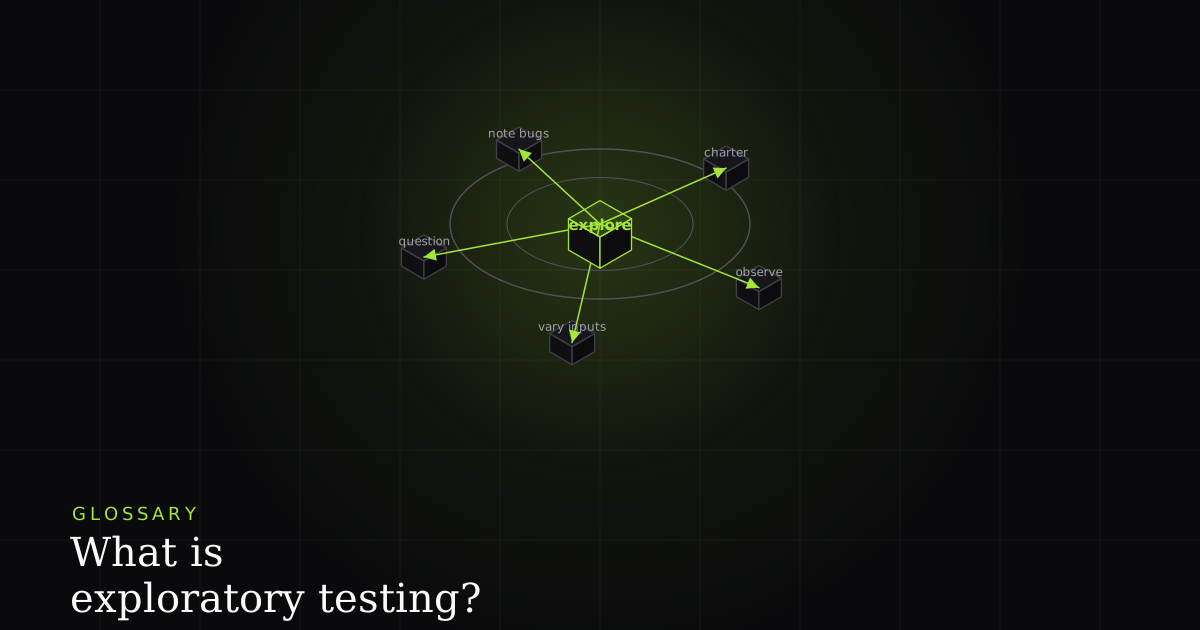
Inside the session the tester works a tight loop: vary the inputs and the path (unexpected values, back-button, double-submit, odd orderings), observe what the app does, question it ('what if the token expires mid-flow? what if this field accepts emoji?'), and record anything surprising: bugs, questions, and new areas worth a future charter. The output of a session is not a pass/fail checklist but a short debrief: what was covered, what bugs turned up, and where to look next.
One quiet question sits under every observation: how do I decide this is a bug? Testers answer it with oracles and heuristics, rules of thumb for recognizing a problem. An oracle might be a spec, a comparable product, a consistency rule ('this button behaves differently here than everywhere else'), or plain user expectation ('a person would never guess to do that'). Heuristics like 'boundaries are dangerous' or 'anything that can be left blank will be' point attention toward where bugs hide. This is the skill the approach depends on: exploration without oracles is just clicking around.
What it is good at, and what it is not
Exploratory testing earns its place because it finds the bugs scripts miss. A script only ever checks what its author already thought of; an attentive human wandering off the happy path catches the surprising ones: the state you reach by combining three features nobody combined before, the usability and UX problems that are technically 'working as designed' but confusing, and the edge cases at the boundaries of every input. It is also the fastest way to get real feedback on a new or rapidly changing feature, before the requirements have settled enough to write stable test cases against.
What it is not built for is repeatable regression coverage. Re-checking the same critical paths on every single release, identically, forever, is exactly the job you want a machine to do. See test automation vs. manual testing for where that line falls. It is also a weak fit when you need a formal audit trail proving that a specific, pre-approved set of steps was executed for compliance. Because sessions are improvised, two runs are never identical, which is a feature for discovery and a problem for provable, reproducible coverage.
Who runs exploratory sessions, and when
Anyone who can pay close attention and reason about risk can do it: dedicated QA testers most often, but also developers reviewing their own work, product managers sanity-checking a build, and designers walking real flows. On the calendar it fits naturally during early feature development (before formal cases exist), after a big refactor (to probe for damage the automated suite does not cover), before a release as a final human sweep, and while investigating a vague bug report where you have to reproduce a problem nobody has pinned down. It complements a test plan rather than replacing it: the plan says what to cover, and exploratory sessions are one of the techniques that cover it.
Best practices
A handful of habits separate structured exploration from aimless poking. Write a charter for every session so the mission is explicit and reviewable. Timebox it: a fixed block keeps focus and makes the work estimable and reportable. Take notes as you go, not afterward: capture the path you took, the inputs you used, and the moment something looked wrong, because you will not remember it in an hour. Pair up when you can. Two people exploring together (one driving, one thinking aloud) catch far more than one, and the running commentary becomes a record in itself. Finally, debrief: a five-minute review of what was covered and found turns a private session into shared team knowledge.
The reproduction problem, and where BugMojo fits
This is the on-brand hook, and it is a real one. The reason exploratory bugs slip away is that the evidence lives in your head (the sequence of actions, the odd value you typed, the request that came back wrong), and human memory is a lossy recorder. Most bug reports that come out of an exploratory session are missing the exact thing that makes them reproducible: the concrete steps and the state the app was in when it broke.
Capturing the session removes the reconstruction entirely. BugMojo's browser extension records the exploratory path as you take it: an rrweb session replay of every click and input, plus the console output and the network requests behind the failure. So when a surprising bug appears at click thirty, you do not have to remember how you got there: the replay is the repro, and the console and network capture show the state that triggered it. Every improvised path becomes reproducible without you rebuilding it from memory, which is exactly what an exploratory approach needs, because its best bugs are the ones you could never script in advance.
BugMojo captures your exploratory path with an rrweb replay, console, and network, so the surprising bug thirty clicks deep is reproducible without reconstructing your steps from memory.
Install the extensionFrequently asked questions
Frequently asked questions
Sources
- Exploratory testing: ISTQB Glossary definition, ISTQB (International Software Testing Qualifications Board) (2026)
- Exploratory testing: overview, history, and session-based management, Wikipedia (2026)
- Exploratory Testing Explained: James Bach on simultaneous learning, design, and execution, James Bach (Satisfice) (2026)
- ISTQB Glossary: standard software testing terminology, ISTQB (International Software Testing Qualifications Board) (2026)
Get bug-tracking insights, weekly.
Engineering deep-dives, QA playbooks, and honest tool comparisons. No spam. Unsubscribe in one click.