

Manual QA Testing Checklist: 40 Checks Before You Ship
Forty pre-ship checks across functional, cross-browser, responsive, accessibility, performance, and error states — grouped as ordered lists, with the five most-missed flagged and tied to WCAG and Core Web Vitals thresholds.
 Manvi9 min read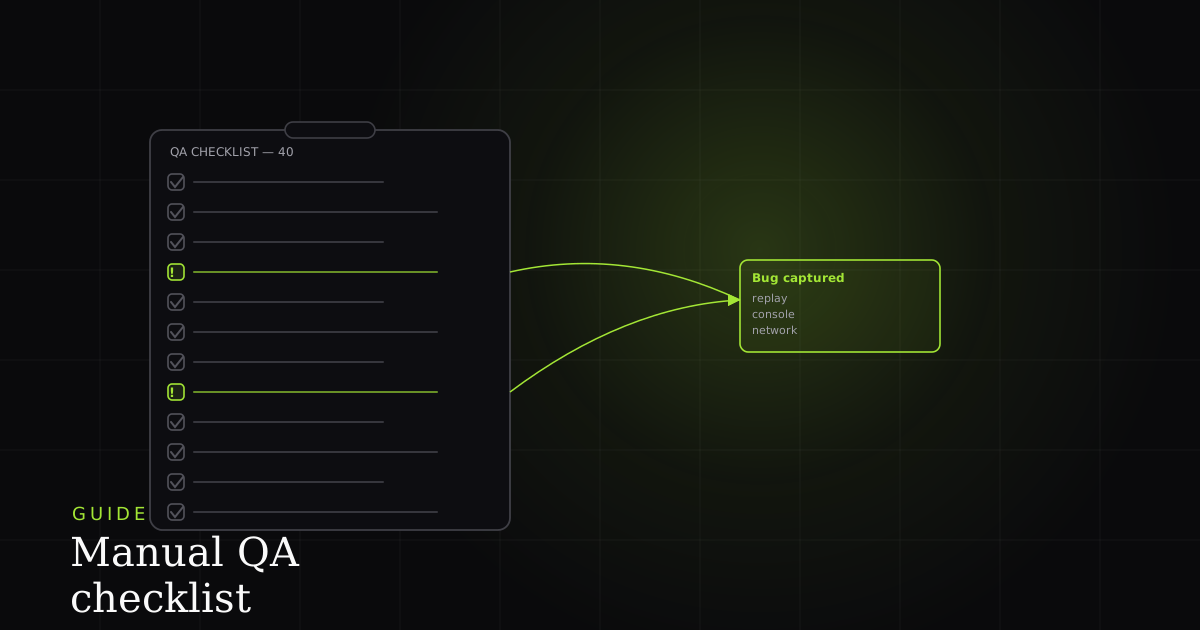
Most teams ship with a checklist that lives in someone's head. It covers the happy path, maybe a second browser, and stops there. The gaps are predictable: the layout that overflows at 320px, the button you can reach with a mouse but not a keyboard, the empty state nobody designed because the test data was always seeded. None of those show up when you click through the feature the way you built it.
This is a flat, ordered, 40-point pass you run before a release. It is grouped into six buckets so you can split it across people or time-box each section. Where a check has a hard pass/fail number from WCAG 2.2 or Core Web Vitals, the number is in the list. The five checks that get skipped most are flagged up front. And because a manual pass is only as useful as the bug reports it produces, the last section closes the loop: turning a failed check into one-click, agent-readable evidence.
What goes on a 40-point pre-ship QA checklist?
A pre-ship manual QA checklist spans six buckets: 10 functional checks, 5 cross-browser, 6 responsive, 8 accessibility, 5 performance, and 6 error-state checks. The accessibility and performance items carry hard thresholds — 4.5:1 text contrast, 24x24px targets, LCP under 2.5s, CLS under 0.1, INP under 200ms — so a release either passes the number or it does not.
Run the buckets in this order. Functional first, because a broken happy path makes the rest moot. Then the cross-cutting passes — cross-browser and responsive — followed by accessibility and performance, which carry the objective thresholds. Error states last, because they are the ones fatigue tends to skip, so they get a fresh section rather than the tail end of another one.
Functional (10)
- Primary happy path completes end to end with realistic data.
- Every form submits with valid input and persists correctly.
- Required-field validation blocks empty or malformed submissions.
- Inline error messages are specific, near the field, and readable.
- Success / confirmation states fire after every create, update, and delete.
- Destructive actions confirm first (delete, archive, irreversible changes).
- Pagination and sort work, including the last page and the boundary row.
- Search returns results and handles the no-results case gracefully.
- File upload enforces type and size limits and rejects bad files clearly.
- Session and auth flows — login, logout, and session expiry — all behave.
Cross-browser (5)
- Latest Chrome.
- Latest Firefox.
- Latest Safari (the engine most likely to differ on CSS and forms).
- Latest Edge.
- One older or mobile engine — mobile Safari or an older Chrome — for the long tail.
Responsive (6)
- 320px small phone — the narrowest realistic viewport, and the one that overflows.
- Common phone (about 390px) in portrait.
- Tablet portrait (about 768px).
- Tablet landscape (about 1024px).
- Laptop (about 1280px).
- Large desktop (1440px and up) — and confirm no horizontal scroll at any width.
Accessibility (8)
- Keyboard-only Tab order follows the visual layout (no mouse).
- Visible focus indicator on every interactive element.
- No keyboard traps — focus never gets stuck in a loop.
- Text contrast ≥ 4.5:1 for normal text (3:1 for large text).
- Interactive targets ≥ 24×24 CSS px (WCAG 2.2 SC 2.5.8).
- Alt text on every meaningful image; decorative images marked empty.
- Form labels are programmatically associated with their inputs.
- Screen-reader pass on the core flow (VoiceOver or NVDA).
Performance (5)
- LCP ≤ 2.5s at the 75th percentile (largest content paints fast).
- CLS ≤ 0.1 — nothing jumps as the page loads.
- INP ≤ 200ms — clicks and typing feel instant.
- No console errors or warnings on the core flow.
- Images compressed and lazy-loaded below the fold.
Error states (6)
- 404 page is branded, helpful, and offers a way back.
- 500 / server error degrades gracefully without leaking a stack trace.
- Offline / network failure is handled (a fetch fails, the app recovers).
- Empty states are designed — first run, no data, filtered to nothing.
- Slow-network spinner or skeleton appears; the UI never looks frozen.
- prefers-reduced-motion is respected — animation backs off when requested.
The five checks that get missed most
The 40 are not equally likely to slip. Audits keep surfacing the same five gaps, and the reason is structural: each one is invisible when you test a feature the way you built it. You used a mouse, a laptop-width window, and seeded data, so the keyboard path, the 320px layout, and the empty state never came up.
1. Color contrast. This is the most-missed check by a wide margin. The WebAIM Million 2024 report scanned the top one million home pages and found low-contrast text on 81.0% of them, averaging 34.5 distinct low-contrast instances per page. WCAG 2.2 SC 1.4.3 sets the floor at 4.5:1 for normal text and 3:1 for large text (18pt regular or 14pt bold). Run a contrast checker over your palette once and you fix a whole class of failures.
2. The 320px viewport. A layout that looks fine on a 1280px laptop frequently overflows horizontally on a small phone. Test at 320px explicitly; it is the width where padding, fixed columns, and long words break first.
3. Visible keyboard focus. web.dev's manual accessibility guide names the fix as the first test: set the mouse aside and Tab through the page. The guide notes that roughly a quarter of digital accessibility issues relate to a lack of keyboard support, and calls out the :focus { outline: none; } rule as the pattern to remove. If you cannot see where focus is, neither can a keyboard user.
4. Empty and error states. QA usually runs against seeded data, so the first-run, no-data, and filtered-to-nothing screens never render during testing. They are the screens a brand-new user sees first.
5. INP responsiveness. Interaction to Next Paint only surfaces when you actually click and type. It became an official Core Web Vital on 12 March 2024, replacing First Input Delay, and it measures the latency of the slowest interactions across a visit. A static page-load check will never catch it.
The thresholds you actually pass or fail against
Most of the 40 are judgment calls. A handful are not — they have published numbers, and a release either clears them or it does not. Keep these on a card so the accessibility and performance buckets stop being subjective. The Core Web Vitals figures are measured at the 75th percentile of real field page loads, not on your laptop on a fast connection.
# Hard pass/fail numbers for the accessibility + performance buckets.
accessibility:
  text_contrast_normal: ">= 4.5:1"   # WCAG 2.2 SC 1.4.3
  text_contrast_large:  ">= 3:1"     # 18pt regular or 14pt bold
  target_size_min:      "24x24 CSS px" # WCAG 2.2 SC 2.5.8 (new in 2.2)

core_web_vitals:        # 75th percentile of field loads
  LCP: { good: "<= 2.5s", poor: "> 4s" }
  CLS: { good: "<= 0.1",  poor: "> 0.25" }
  INP: { good: "<= 200ms", poor: "> 500ms" }  # official CWV since 2024-03-12

# Anything in the 'poor' band should block the release until fixed.
Two notes on the accessibility numbers. The 24×24 CSS pixel target rule from SC 2.5.8 measures the hit area, not the visible icon, and is new in WCAG 2.2 — so a tiny icon with generous padding can still pass. And the contrast ratio is measured against the text's background, so a button label on a gradient needs checking at its worst point.
Capture each failed check in one click
Here is the part most checklist articles skip. Finding a failure is half the job; the other half is reporting it so it actually gets fixed. The default workflow is slow: a check fails, and you stop to write reproduction steps, take a screenshot, copy the console error, and note the browser and viewport. Do that 40 times and the reporting costs more than the testing.
BugMojo collapses that into one click. When a check fails, the browser extension captures an rrweb session replay of exactly what you did, plus console logs, network requests, and a screenshot, and attaches them to a bug. Each failed checklist item becomes a fully-evidenced report in seconds — no transcription. And because BugMojo exposes an MCP server, an AI coding agent like Claude Code or Cursor can read the replay and logs directly and start triaging, instead of waiting for a human to turn the failure into a ticket.
| Feature | Manual + spreadsheet | Prod error monitor | BugMojo |
|---|---|---|---|
| Drives the 40-point manual pass | ✓ | — | ✓ |
| Failed check captured in one click (replay + console + network + screenshot) | — | auto, prod only | ✓ |
| Records the exact browser, viewport, and repro steps automatically | by hand | ✓ | ✓ |
| Mature production error monitoring & alerting at scale | — | ✓ | early |
| Deep issue-tracker administration (workflows, SLAs, permissions) | — | partial | via integrations |
| Failed check exposed to an AI agent over MCP | — | — | ✓ |
| Agent reads the replay and triages the failure | — | — | ✓ |
A checklist tells you what failed. Captured evidence tells the developer — or the agent — how to fix it.BugMojo QA
Frequently asked questions
Frequently asked questions
Sources
- WCAG 2.2 — Understanding Success Criterion 1.4.3: Contrast (Minimum) (W3C WAI) — W3C Web Accessibility Initiative (2023)
- WCAG 2.2 — Understanding Success Criterion 2.5.8: Target Size (Minimum) (W3C WAI) — W3C Web Accessibility Initiative (2026-05-11)
- Largest Contentful Paint (LCP) — web.dev — Google web.dev (2024)
- Cumulative Layout Shift (CLS) — web.dev — Google web.dev (2023-04-12)
- Interaction to Next Paint (INP) — web.dev — Google web.dev (2025-09-02)
- Manual accessibility testing — web.dev Learn Accessibility — Google web.dev (2024)
- The WebAIM Million — 2024 report on the accessibility of the top 1,000,000 home pages — WebAIM (Utah State University) (2024)
- prefers-reduced-motion CSS media feature — MDN Web Docs — MDN Web Docs (Mozilla) (2024)
Get bug-tracking insights, weekly.
Engineering deep-dives, QA playbooks, and honest tool comparisons. No spam — unsubscribe in one click.