

What Is a Heisenbug? (And How to Catch One)
A heisenbug is a bug that changes its behavior or disappears the moment you try to observe it. Here is why that happens, the mechanisms behind the vanishing act, and how to catch one without collapsing it.
Definition
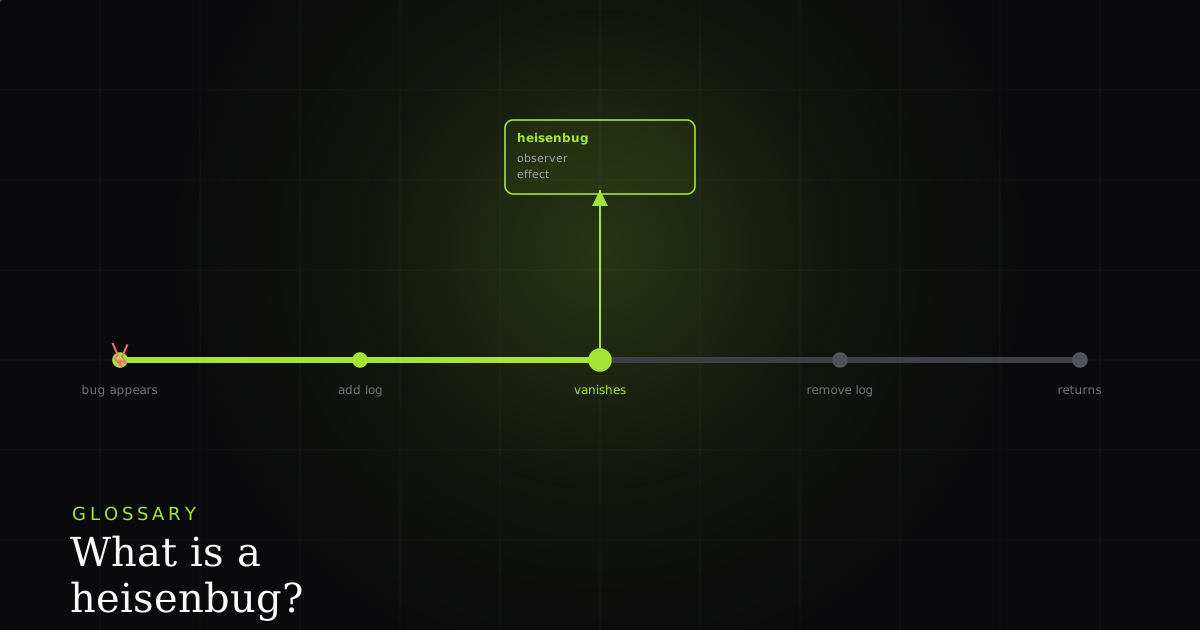
A heisenbug is a software bug that changes its behavior or disappears when you try to observe it. The name puns on the Heisenberg uncertainty principle: the act of measuring alters the result. Debugging tools shift timing, memory, or execution order just enough to hide the fault.
The word is a joke that turned into jargon. A heisenbug is named after physicist Werner Heisenberg, whose uncertainty principle is popularly (if loosely) summarized as 'the act of observing a system changes it.' Programmers borrowed the idea to describe a maddening class of defect: a bug that is real and reproducible right up until you try to look at it, at which point it politely vanishes. Add a console.log, and the crash stops. Remove the log, and it comes back. The bug appears to be shy.
It is not shy. It is timing- or state-sensitive, and your act of observing changed the timing or the state. That is the whole definition, and it is worth stating precisely because it inverts your instincts. With an ordinary bug, more instrumentation gets you closer to the truth. With a heisenbug, more instrumentation pushes the truth further away. The physics analogy is close enough to be useful: the observer effect describes how measuring a system necessarily disturbs it, and a heisenbug is that principle applied to a running program.
Why it happens: the observation changes the program
The key thing to internalize is that your debugging tools are not passive windows onto the program; they are edits to it. Every probe you insert has a cost in time, memory, or scheduling, and for a bug that lives inside a narrow window, that cost is enough to move the window. Here are the mechanisms that produce heisenbugs, roughly in order of how often you will hit them.
A log or debugger changes timing enough to hide a race condition. This is the classic. A race condition depends on the exact interleaving of two or more concurrent operations: which thread reads the shared variable first, whether the network response arrives before or after the component unmounts. MDN defines a race condition as a situation where the system's behavior depends on the sequence or timing of uncontrollable events. Adding a console.log forces synchronous I/O and buffer flushing that can shift one thread by milliseconds, and that is often enough to change who wins the race. Suddenly the 'correct' ordering happens every time, and the bug is 'gone.'
A debugger pauses execution and masks a concurrency issue. Breakpoints are worse than logs for this, because pausing one thread while others keep running (or stopping the world entirely) completely rewrites the concurrency picture. Code that was genuinely parallel becomes effectively serialized while you single-step through it, so the data race you were hunting cannot occur under the very tool you are using to hunt it. You watch the variables, everything looks fine, you detach, and the crash returns on the next run.
Uninitialized memory that happens to be zeroed in a debug build. In many languages a variable read before it is written contains whatever garbage was previously in that memory. Debug builds often zero-fill memory (and add guard bytes), so the uninitialized read silently returns 0 and behaves 'correctly.' Compile in release mode, where memory is left as-is, and the same read returns garbage that crashes or corrupts state. The bug exists in both builds; only one of them lets you see it.
Compiler optimizations differ between debug and release. Optimizing compilers reorder instructions, keep values in registers instead of memory, inline functions, and elide 'redundant' reads. All of it is legal under the language's memory model, and all of it is invisible in an unoptimized debug build. A bug that only manifests under -O2 instruction reordering will refuse to reproduce the moment you switch to -O0 to attach your debugger. Same source, different machine code, different bug surface.
Probe effects: logging changes buffering and flushing. Even setting concurrency aside, the mere act of writing output has side effects. A log statement can force a stream to flush, change how a buffer fills, alter memory pressure and garbage-collection timing, or serialize access to a resource that was previously contended. The general term for this in performance and systems work is the probe effect: the instrument perturbs the measurement. A heisenbug is what happens when the probe effect is large enough to cross the threshold between 'fails' and 'passes.'
Why heisenbugs are among the hardest bugs
Most debugging is a search, and the search normally converges: you add a log, learn something, add a more specific log, and narrow in. Heisenbugs break that loop because instrumentation is anti-convergent: every probe you add to learn more makes the bug less likely to appear. You are being asked to study something that ceases to exist under study. That is why they earn a special name and a reputation: they resist the exact reflex a good engineer has, which is 'let me add some visibility and watch it happen.'
They are also demoralizing in a way ordinary bugs are not, because the failure looks intermittent and 'unreproducible,' which invites the worst outcomes: the ticket gets closed as cannot reproduce, or someone adds the log 'to catch it next time,' the bug hides, everyone concludes it is fixed, and it resurfaces in production a week later. The heisenbug's tendency to appear flaky is what lets it survive triage. It is not that the bug is rare; it is that your net has holes shaped exactly like the fish.
How to catch one anyway
You cannot beat a heisenbug by looking harder with the same tools. You beat it by changing how you observe, so that observing costs almost nothing. Five practical moves, in order:
1. Use low-overhead observation: capture, don't pause. The single most important shift is from interactive, pausing tools (breakpoints, single-stepping) to passive recording. If you can capture what the program did and replay it afterward, you never stop the threads, never serialize the concurrency, and never insert the millisecond delay that hides the race. Record-and-replay preserves the timing you are trying to study instead of destroying it.
2. Make logging always-on, not reactive. If instrumentation is a permanent, lightweight fixture of the build (structured logs, ring buffers, tracing that ships in production), then the instrumented build is the build the bug lives in. You are not perturbing anything by adding a probe, because the probe was always there. Reactively adding a heavy log the moment you suspect a bug is what creates the perturbation; a constant, cheap log does not.
3. Reach for sanitizers and race detectors. Purpose-built tools like ThreadSanitizer (TSan), Helgrind, and language-level race detectors are designed to find timing and memory faults with minimal or well-characterized perturbation, often by instrumenting at build time and reasoning about the happens-before relationships rather than relying on the bug to fire during a manual session. They are the closest thing to a microscope that does not disturb the specimen.
4. Reproduce under load. A heisenbug lives in a narrow timing window; realistic concurrency and stress widen that window and raise the odds it fires. Running the failing path under parallel load, with contention on the same resources it hits in production, turns a one-in-ten-thousand event into something you can trigger on demand, without adding a single log line.
5. Preserve the exact environment. Because debug builds, optimization levels, and hardware all change the bug surface, reproduce with the same build flags, the same -O level, the same runtime, and ideally the same machine class as where it failed. A release-only bug simply will not appear in a debug build, so 'I couldn't reproduce it locally' often just means 'I changed the environment that the bug depended on.'
Those five moves share one property: none of them ask the program to behave differently while you watch. That is the entire strategy against a heisenbug. For the adjacent problem of tests that fail intermittently for these same reasons, see what a flaky test is and the deeper playbook on killing 'cannot reproduce' bugs. And because most heisenbug reports die from missing context, it is worth knowing what most bug reports are missing in the first place.
How BugMojo fits: observe without collapsing it
This is where the physics analogy stops being cute and starts being actionable. The reason a heisenbug collapses is that you inserted a probe (a log, a breakpoint) that altered the timing. BugMojo's browser extension records what actually happened using an rrweb session replay, capturing the DOM, console, and network activity as a recording, without you stopping the page to insert anything. You are not pausing execution, not adding reactive log lines, not switching to a debug build. The observation is passive, so it does not move the timing window the bug depends on.
The practical payoff: you observe the heisenbug without collapsing it. Instead of asking a user to reproduce a flaky failure while you attach a debugger (the exact act that hides it), you get the recorded session from the run where it actually fired, with the console output and the network response that fed the race, and you scrub back through it afterward. The bug already happened; you are studying the recording, not perturbing the live system. That is the difference between a measurement that destroys the phenomenon and one that preserves it.
BugMojo records the failing session (DOM replay, console, and network) as it actually happened, so you observe the bug without inserting a probe that alters the timing. No reactive logs, no debugger pause, no vanishing act.
Install the extensionFrequently asked questions
Frequently asked questions
Sources
- Heisenbug: a software bug that alters its behavior when studied, Wikipedia (2026)
- Race condition: Glossary, MDN Web Docs (2026)
- Unusual software bug: Bohrbug, mandelbug, schrödinbug and the -bug family, Wikipedia (2026)
- Observer effect (physics): measurement disturbs the system observed, Wikipedia (2026)
Get bug-tracking insights, weekly.
Engineering deep-dives, QA playbooks, and honest tool comparisons. No spam. Unsubscribe in one click.