

Common TypeScript Errors (and How to Fix Them)
A field guide to the compiler errors every TypeScript developer meets (TS2307, TS2339, TS2345, TS2322, TS7006, and the 'possibly null' family) with the error text, what it actually means, and the broken-to-fixed code for each.
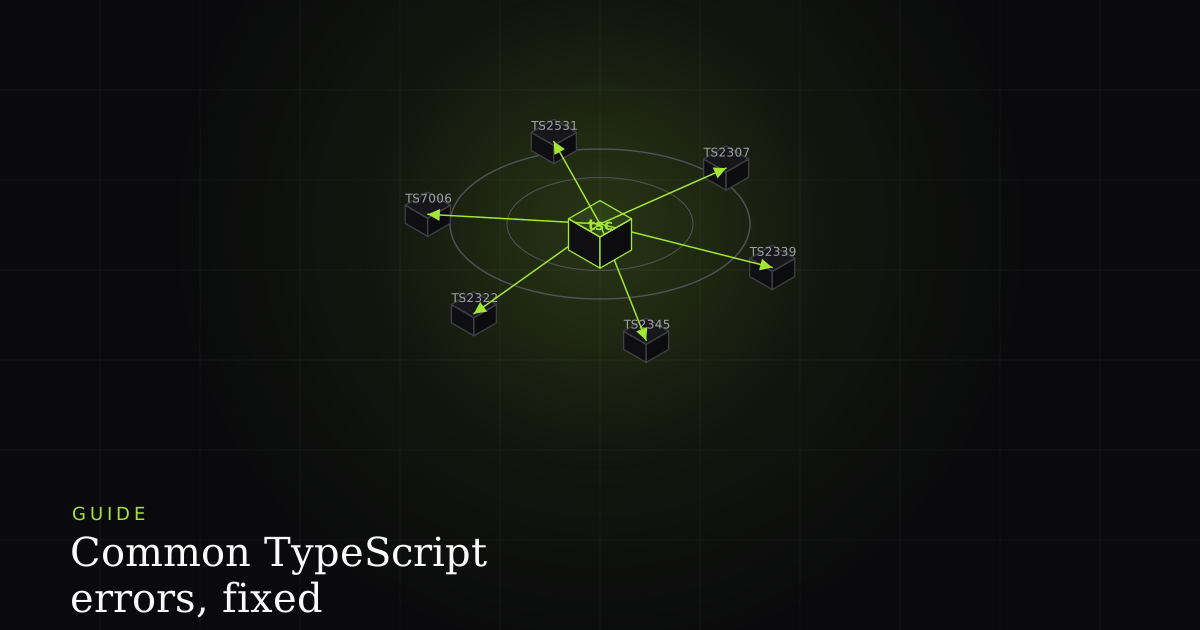
TypeScript's error messages have a reputation for being long and intimidating, but the truth is friendlier: the vast majority of them are a small set of recurring codes, and once you can recognise each one on sight, fixing it becomes mechanical. This is a field guide to the errors you'll actually hit: the error text as tsc prints it, what it's really telling you, and the change that resolves it. Each one gets its own short section so you can jump straight to the code you're staring at.
First, how to read a TypeScript error
Read the whole message, not just the first line. TypeScript nests sub-errors that pinpoint which part of a type failed to match, and the real cause is often two or three lines down. Then search the error code (the TSxxxx number), because the code is stable across every project while the type names in the message are specific to yours.
When an assignment between two big object types fails, TypeScript doesn't just say "these don't match." It drills in: Type 'A' is not assignable to type 'B'. Types of property 'items' are incompatible. Type 'string' is not assignable to type 'number'. That last line is the actual bug. Skimming to the first line and giving up is the single most common reason developers find TypeScript frustrating. The number at the front (TS2322 here) is your search key; the nested lines are your diagnosis.
TS2307: Cannot find module 'x' or its corresponding type declarations
This one is about resolution, not types. TypeScript tried to follow an import and couldn't find either the module or a declaration file describing it. There are three distinct causes hiding behind one message. First: the package simply isn't installed. Check package.json and node_modules. Second: the package is installed but ships no types, so you need the community-maintained @types package. Third: it's a local file or path alias, and the path is wrong or your tsconfig paths/moduleResolution settings don't match how the import resolves.
// Broken: TS2307 — no types for a JS-only package
import confetti from 'canvas-confetti';
// Cannot find module 'canvas-confetti' or its
// corresponding type declarations.

// Fix A: install the community types (dev dependency)
//   pnpm add -D @types/canvas-confetti

// Fix B: a wrong local path / alias
import { formatDate } from '@/lib/date'; // TS2307 if paths misconfigured

// tsconfig.json — make the alias resolvable
{
  "compilerOptions": {
    "moduleResolution": "bundler",
    "baseUrl": ".",
    "paths": { "@/*": ["./src/*"] }
  }
}
TS2339: Property 'x' does not exist on type 'Y'
The compiler's static type for a value doesn't include the property you reached for. The property might genuinely exist at runtime. TypeScript is only saying it can't prove that from the type in front of it. Two common shapes: the type is a union (or something broader) and you need to narrow it with a type guard before the property is available; or the interface is simply missing a field the data really has, and the honest fix is to add it. Reaching for as any to silence it is how a real gap becomes a runtime crash later.
type Shape =
  | { kind: 'circle'; radius: number }
  | { kind: 'square'; side: number };

// Broken: `radius` only exists on one member of the union
function area(s: Shape) {
  return Math.PI * s.radius ** 2;
  // TS2339: Property 'radius' does not exist on type 'Shape'.
}

// Fix: narrow with a type guard so the property is available
function areaFixed(s: Shape) {
  if (s.kind === 'circle') return Math.PI * s.radius ** 2;
  return s.side ** 2;
}
TS2345 & TS2322: the two assignability errors
These are the same idea in two positions. TS2345 (Argument of type 'A' is not assignable to parameter of type 'B') fires when you pass a value into a function whose parameter expects something else. TS2322 (Type 'A' is not assignable to type 'B') is the general assignability error: it fires on a variable assignment, a return value, a JSX prop, anywhere a value flows into a typed slot. Both come down to structural typing: TypeScript checks whether the shape of A satisfies everything B requires. When it doesn't, read the nested lines to find the exact property or member that clashes.
function setVolume(level: number) { /* ... */ }

// Broken: TS2345 — passing the wrong argument type
const input: string = '11';
setVolume(input);
// Argument of type 'string' is not assignable to
// parameter of type 'number'.
setVolume(Number(input)); // Fixed: convert at the boundary

// Broken: TS2322 — assigning the wrong value type
type Status = 'open' | 'closed';
let state: Status = 'pending';
// Type '"pending"' is not assignable to type 'Status'.
let stateFixed: Status = 'open'; // Fixed: use a valid member
TS7006: Parameter 'x' implicitly has an 'any' type
This is noImplicitAny doing its job. When TypeScript can't infer a parameter's type and you haven't annotated it, it would fall back to any, which turns off type checking for that value entirely. Rather than let that happen silently, the compiler asks you to be explicit. The fix is almost always just to add the type. If the value really can be anything, prefer unknown over any so you're forced to narrow it before use. See any vs unknown for why that distinction matters.
// Broken: TS7006 — `event` has no inferable type
button.addEventListener('click', function (event) {
  // Parameter 'event' implicitly has an 'any' type.
});

// Fix: annotate the parameter
button.addEventListener('click', (event: MouseEvent) => {
  event.preventDefault();
});

// Broken: a callback param with no context
const upper = names.map(n => n.toUpperCase());
// If `names: any[]`, `n` is implicitly any — type the array:
const names: string[] = [];
TS2531 / TS18048 / TS2532: possibly null or undefined
This family comes from strictNullChecks, and it's the most valuable set of errors TypeScript gives you. With strict null checks on, null and undefined are their own types, distinct from everything else, so the compiler tracks when a value might be missing and stops you from touching it until you've ruled that out. TS2531 is Object is possibly 'null', TS18048 is 'x' is possibly 'undefined', and TS2532 is Object is possibly 'undefined' on element access (indexing something that might not be there). The fix is always the same move: narrow, chain, or default.
const el = document.querySelector('#save'); // HTMLElement | null

// Broken: TS2531 — Object is possibly 'null'.
el.addEventListener('click', save);

// Fix 1: narrow with a guard
if (el) el.addEventListener('click', save);

// Fix 2: optional chaining when it's genuinely optional
el?.addEventListener('click', save);

// TS18048 / TS2532 — element access that might be undefined
const first = users[0];      // User | undefined
const name = first.name;      // TS18048: possibly 'undefined'
const nameOk = first?.name ?? 'Guest'; // Fixed: chain + default

// "Type 'string | undefined' is not assignable to type 'string'"
function greet(name: string) {}
const maybe: string | undefined = users[0]?.name;
greet(maybe);                 // TS2345 — undefined not allowed
greet(maybe ?? 'Guest');      // Fixed: collapse to a plain string
The three themes behind almost all of them
Once you've seen these a few times, the individual codes stop feeling like separate problems. Nearly all of them fall out of three ideas. Learn these and you can generalise to errors this guide doesn't list.
- Strict mode.
strict: truebundlesnoImplicitAny,strictNullChecks, and more. It's what turns silent gaps (an untyped parameter, a value that might be null) into visible errors. TS7006 and the whole possibly-null family exist only because strict mode is on, and you want it on. - Narrowing. Much of TypeScript is proving what a value is before you use it. A union type, a
T | null, anunknown: the compiler won't let you use the specific capabilities until your control flow (a guard, atypeofcheck, an equality test) narrows it down. TS2339 and the possibly-null errors are narrowing errors in disguise. - Structural typing. TypeScript matches types by shape, not by name. Two types are compatible if one has everything the other requires. The assignability errors (TS2345, TS2322) are the compiler comparing shapes and reporting the first field that doesn't fit.
Why strict mode is worth the friction
Every one of these errors is a small tax at your desk that buys you a large refund at runtime. The clearest example is the possibly-null family: a huge share of "Cannot read properties of undefined" crashes (one of the most common runtime errors in all of JavaScript) are caught by strictNullChecks before the code ever ships. The bug that would have been a red console line for a real user becomes a squiggle in your editor instead. That trade is almost always worth it, which is why strict: true is the recommended default for new projects.
The catch is that types only protect you where they're accurate. If you type an API response as { user: User } when the endpoint can actually omit user, the compiler stops complaining but the runtime bug remains. This is the boundary where TypeScript's guarantees end: it reasons about the types you declare, not the JSON that actually arrives. Keeping declarations honest, ideally with a runtime validator at the network edge, is what keeps strict mode from becoming false confidence. For the bigger picture on what the type layer does and doesn't buy you, see TypeScript vs JavaScript.
Where TypeScript stops and runtime bugs begin
TypeScript catches type errors at compile time, and that's genuinely powerful: most of what's in this guide never reaches a user. But the compiler only sees the types you wrote. The bugs that slip through are the ones the types can't see: an API returning a shape that doesn't match its declaration, an any escape hatch that switched checking off, a value validated as unknown and then narrowed wrong. Those become runtime bugs, and runtime bugs still need a reproduction before you can fix them.
TypeScript can't see the API response that didn't match your types. Install the free BugMojo extension to capture the exact session (replay, console, and network) when a runtime bug slips past the compiler.
Install the free extensionFrequently asked questions
Frequently asked questions
Sources
- Everyday Types: the TypeScript handbook's tour of the primitive and object types the compiler reasons about, TypeScript (2026)
- Narrowing: how type guards, truthiness checks, and control flow let the compiler refine a type to a narrower one, TypeScript (2026)
- tsconfig strict: the strict family, including noImplicitAny and strictNullChecks, that surfaces these errors, TypeScript (2026)
- Object Types: how interfaces, optional properties, and structural typing define object shapes, TypeScript (2026)
Get bug-tracking insights, weekly.
Engineering deep-dives, QA playbooks, and honest tool comparisons. No spam. Unsubscribe in one click.