

How rrweb Works: A Deep Dive into Browser Session Recording
A 2026 engineering deep dive into rrweb: how the open-source library serializes the DOM, streams mutations, and rebuilds a scrubbable, inspectable session replay without recording a single pixel.
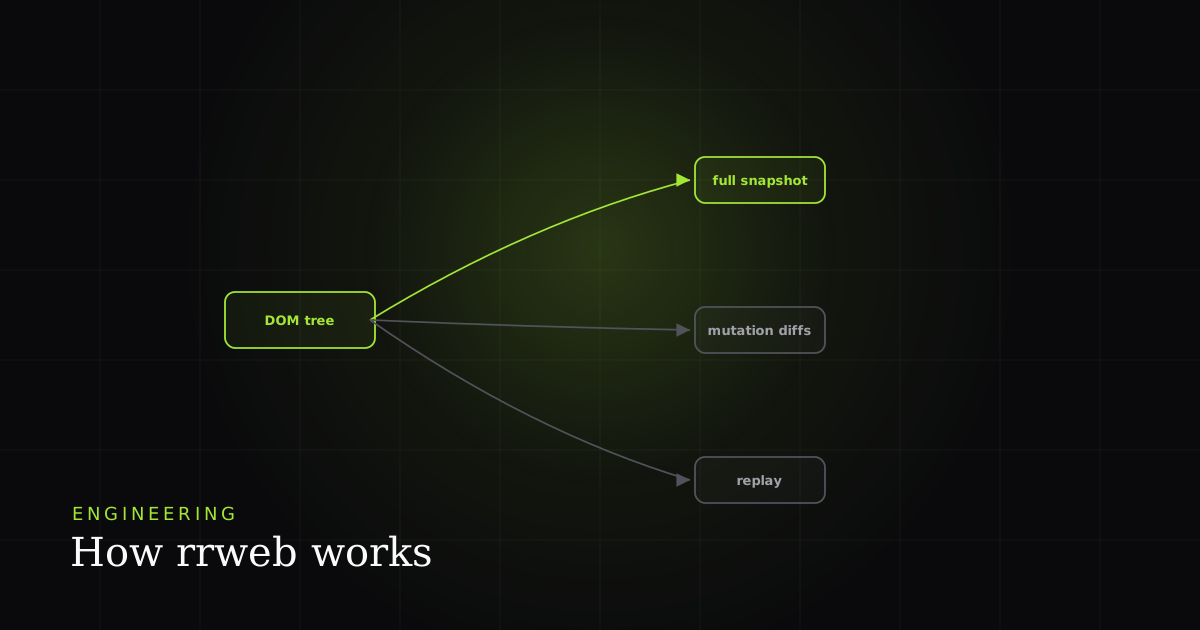
Short answer: rrweb is an open-source TypeScript library that records and replays the web by serializing the DOM once, then streaming every subsequent change as a compact, timestamped delta. There is no screen capture and no MediaRecorder. On playback it rebuilds that JSON tree into a live iframe and re-applies the deltas on a virtual clock, reproducing exactly what the user saw (down to hover states and focus rings) while remaining fully inspectable. This deep dive walks the whole record → transport → replay pipeline, then covers the privacy hooks and the honest caveats.
What rrweb actually records
rrweb emits typed events: FullSnapshot (the serialized initial DOM tree), IncrementalSnapshot (mutations, input, scroll, mouse, selection, viewport, media, canvas), Meta (start URL and viewport), Custom (your app's own markers), and Plugin (canvas, fonts, shadow DOM). Every event carries a millisecond timestamp so the replay timer is monotonic.
A recording is a flat array of JSON events. The first is a single FullSnapshot; everything after it is an IncrementalSnapshot that references the DOM only by node id. Each incremental event carries a source discriminator (0 mutation, 1 mouse move, 2 mouse interaction, 3 scroll, 5 input, 7 media interaction, 10 canvas), so the replay can dispatch it to the right handler. As the rrweb project puts it, the snapshot converts the DOM and its state into a serializable structure, and rebuilding turns that structure back into a corresponding DOM.
Getting a recorder running is deliberately small. You call record() with an emit callback and store whatever it hands you. The library does not assume a transport, so you batch and ship the events however you like:
import { record } from 'rrweb';

const events: eventWithTime[] = [];

const stop = record({
  emit(event) {
    events.push(event);          // buffer, then POST in batches
  },
  maskAllInputs: true,           // redact every input value in-browser
  blockClass: 'rr-block',        // omit these elements entirely
  maskTextClass: 'rr-mask',      // replace this text with asterisks
  sampling: { mousemove: 50 },   // one mouse sample per 50ms
  checkoutEveryNms: 30_000,      // periodic full snapshot every 30s
});

// later, e.g. on unload:
// stop?.();  navigator.sendBeacon('/ingest', JSON.stringify(events));
The checkoutEveryNms (and its sibling checkoutEveryNth) option is worth understanding: rrweb uses an incremental-snapshot chain, but it periodically emits a fresh FullSnapshot marked isCheckout, per the official guide. That lets a player start mid-stream from the nearest checkpoint instead of replaying from second zero, and it bounds how far a single corrupted delta can poison a session.
// A single incremental mutation event (source: 0)
type IncrementalMutationData = {
  source: 0;
  texts: Array<{ id: number; value: string }>;
  attributes: Array<{ id: number; attributes: Record<string, string | null> }>;
  removes: Array<{ parentId: number; id: number }>;
  adds: Array<{ parentId: number; nextId: number | null; node: SerializedNode }>;
};
Note the shape: adds carries a nextId (the sibling the new node sits before), so the replay can re-insert at the right position even when the rest of the parent's children shift. removes carry only parentId and id; deletion is by identity, not by position.
The full-snapshot serializer
The serializer walks the document recursively, assigns every node an incrementing numeric id, and emits a JSON tree of typed nodes (Document, Element, Text, Comment). The rrweb docs state it plainly: the goal is to keep an id → Node mapping that is exactly the same on the recording and replay sides, so incremental events only need to record the id.
The id is the whole trick. Because both sides maintain the identical mapping and both update it as nodes are created and destroyed, a mutation event can say “set attribute class on node 4271” and the replayer knows exactly which real element that is. This is documented in rrweb's serialization design doc, which describes maintaining “the id -> Node mapping that is exactly the same over time on both the recording and replay side.”
type SerializedNode = {
  type: NodeType;          // Document | Element | Text | Comment | ...
  id: number;              // assigned by rrweb-snapshot at serialize time
  tagName?: string;        // for elements
  attributes?: Record<string, string>;
  childNodes?: SerializedNode[];
  textContent?: string;    // for text nodes
};
Several non-standard transforms happen during serialization so the replay is self-contained and inert. Per the serialization doc: <script> tags are turned into <noscript> placeholders so recorded code never re-executes; live form values are captured as attributes so an input reflects what the user had typed; relative URLs are rewritten to absolute so images and assets resolve from a different origin at playback; and external stylesheets are parsed and inlined so CSS is available even if the original host is unreachable during replay. Canvas and video are stateful in ways the DOM tree cannot express, so they are handed to dedicated plugins rather than serialized as markup.
MutationObserver: capturing changes incrementally
After the snapshot, rrweb attaches a MutationObserver with subtree: true, childList: true, attributes: true, and characterData: true. Per MDN, at least one of childList, attributes, or characterData must be true or observe() throws a TypeError, and the callback fires on the microtask queue, so rrweb serializes a batch, not one event per change.
The MutationObserver API is the engine for structural capture. Its observe() method takes a config where subtree: true extends every other watched property to the entire tree rooted at the target, which is exactly what rrweb needs to see adds and removes deep inside nested React fragments. Crucially, MDN notes the observer “fires its callback on the microtask queue,” so it does not wait a full event-loop turn. rrweb rides that batching: it collects touched nodes in a Set and serializes each affected subtree once per microtask tick.
The batching is not a micro-optimization; it is what makes recording viable. Typing five characters into a controlled React input can fire dozens of individual mutations as child components re-render. Without coalescing, that becomes 30+ events for five keystrokes. With microtask batching, it collapses to one delta per affected subtree per task. That is the difference between a recorder you can ship and one that melts the main thread.
Capturing what the DOM doesn't observe
MutationObserver only sees structure. Input values, scroll offsets, mouse coordinates, viewport resizes, text selection, and media seeks are captured with lightweight listeners on document and window, each written to its own event source. Input handling is the subtle one: a single document-level input listener records the new value, the node id, and the input type. If the field is masked, the value is replaced with same-length asterisks before serialization, so the replay still shows visible typing without the real characters.
Mouse and scroll are throttled (the sampling.mousemove option, default around 50ms) so you emit a handful of samples per second rather than one per pixel. That resolution is well below human perception for cursor motion, so replays feel continuous while the payload stays small.
Replay: rebuilding the DOM on a virtual timeline
The Replayer feeds events through a Timer that fires them at their recorded timestamps. It rebuilds the FullSnapshot into a sandboxed iframe, then mutates that live DOM with each IncrementalSnapshot. Because the replay is real DOM (not a video), you can open DevTools inside the iframe and inspect any element at any frame.
On playback the Replayer rebuilds the serialized tree inside an isolated <iframe> so the reconstructed page cannot leak styles or globals into the surrounding tool, and vice versa. A virtual clock then dispatches events at their original offsets; scrubbing is just moving that clock and re-deriving state from the nearest checkpoint. Options like speed, skipInactive (jump idle gaps), and UNSAFE_replayCanvas tune playback, per the guide. The payoff, as the rrweb docs put it, is a result “visually identical to what the user saw” that is still “inspectable in DevTools because it is real DOM, not a video.”
Why DOM replay beats video (and where it doesn't)
The reconstruct-the-DOM approach is now the default across the industry precisely because of these properties. PostHog and OpenReplay both capture the DOM rather than pixels, and OpenReplay's guide frames DOM mutations as “the frames that make up the replay.” The comparison below is the practical trade-off between the three ways teams try to reproduce a bug.
| Feature | DOM replay (rrweb) | Screen video | Console / network logs |
|---|---|---|---|
| Typical payload / minute | small (KB-scale, gzipped) | large (MB-scale) | small |
| Inspect elements & computed styles at any frame | ✓ | No | No |
| Searchable / diffable text content | ✓ | No | ✓ |
| Deterministic scrub / seek timeline | ✓ | ✓ | No |
| Reproduces exact visual state | ✓ | ✓ | No |
| Captures canvas / WebGL / video pixels | plugin, sampled | ✓ | No |
| Works inside cross-origin iframes | No | ✓ | n/a |
The upshot: DOM replay wins on size, searchability, and inspectability, which is why it dominates for engineering debugging. Video still wins in exactly the places the DOM cannot see: cross-origin iframes, native canvas/WebGL rendering, and DRM'd media. Logs remain the cheapest signal but reconstruct nothing visual on their own. Most mature tools ship rrweb replay plus console and network capture so you get the visual timeline and the underlying signals together.
Privacy hooks: redaction before data leaves the browser
Masking runs client-side, so sensitive values are never transported. Inputs are masked by default; blockClass elements are replaced with a same-size box; maskTextClass swaps text for asterisks. PostHog and OpenReplay both confirm the transformation happens in the browser, so operators never receive the raw values.
Because redaction is part of serialization, it is a genuine privacy boundary rather than a display filter. PostHog's privacy docs state that masked data “is never sent over the network,” that input elements are masked by default because they so often hold emails or passwords, and that a blocked element is “replaced with a block of the same size” on playback. OpenReplay is equally explicit: sanitized elements “never leave your user's browser,” and emails in text are obscured by default. The practical rule for any deployment is to mask broadly and opt specific fields back in, not the reverse. Because the redacted value is substituted before it enters the event array, there is no second copy on a server to leak. The raw string simply never exists outside the tab. That property is what lets teams run session replay on authenticated, PII-heavy internal apps without shipping regulated data off the device, and it is why masking configuration is worth treating as a security review, not a display preference.
Honest caveats: where rrweb has blind spots
- Cross-origin iframes. Same-origin JavaScript cannot read a cross-origin frame, so rrweb records an empty box. Only same-origin iframes reconstruct.
- Canvas and WebGL. These are captured by a sampling plugin, not the DOM serializer. PostHog notes canvas can contain PII and is not captured automatically; when enabled it is sampled at roughly 4 frames per second, so fast animations can look choppy.
- Media pixels.
<video>content is not pixel-captured; the element and its seek events are recorded, not the frames. - Dynamically injected stylesheets. CSS added via
CSSOMmethods that bypass DOM text may not serialize cleanly and can need the stylesheet-mutation source to stay faithful. - Storage & retention. Deltas are small but unbounded over long sessions; without periodic checkouts and a rolling buffer, memory and payload grow. Use
checkoutEveryNmsand ship in batches. - Not a full platform. rrweb is a library, not a product: you own transport, storage, indexing, and the UI around it. OpenReplay notes rrweb is a foundational tool many analytics and error tools build on, not an out-of-the-box service.
rrweb in a real bug-tracking workflow
If you are building on rrweb directly, the authoritative code lives at github.com/rrweb-io/rrweb: the rrweb-snapshot package holds the serializer and the record module holds the MutationObserver wiring. rrweb is also the recording layer under many production tools, so the mechanics here are the same across every session-replay tool.
BugMojo uses rrweb DOM session recording inside its browser extension for Chrome, Edge and other Chromium browsers. A single capture bundles the rrweb session with console logs, network requests, and a screenshot, and PII redaction runs client-side before anything leaves the browser, which is the exact masking boundary described above. Captures can be assigned to a human teammate or handed to an AI coding agent through MCP, so the same inspectable timeline an engineer scrubs is also the context an agent reads.
BugMojo's extension records the rrweb DOM session, console, and network together, with client-side PII redaction, and ships it straight into your bug workflow.
Install BugMojoFrequently asked questions
Frequently asked questions
Sources
- rrweb: record and replay the web (GitHub), rrweb-io (2026)
- rrweb serialization design doc, rrweb-io (2026)
- rrweb guide (record & replay options), rrweb-io (2026)
- MutationObserver: MDN Web Docs, MDN (2026)
- MutationObserver.observe(): MDN Web Docs, MDN (2026)
- Session replay & canvas recording docs, PostHog (2026)
- Session replay privacy controls, PostHog (2026)
- The Complete Session Replay Guide, OpenReplay (2026)
- rrweb project site, rrweb.io (2026)
Get bug-tracking insights, weekly.
Engineering deep-dives, QA playbooks, and honest tool comparisons. No spam. Unsubscribe in one click.