

What Is Session Replay? A Plain-English Definition for Debugging
Despite the name, session replay is not a video. It records the page's DOM and every change to it, then rebuilds the page on playback. Here is what that means and why a replay reconstructs state instead of re-running your code.
 Hrishikesh Baidya6 min read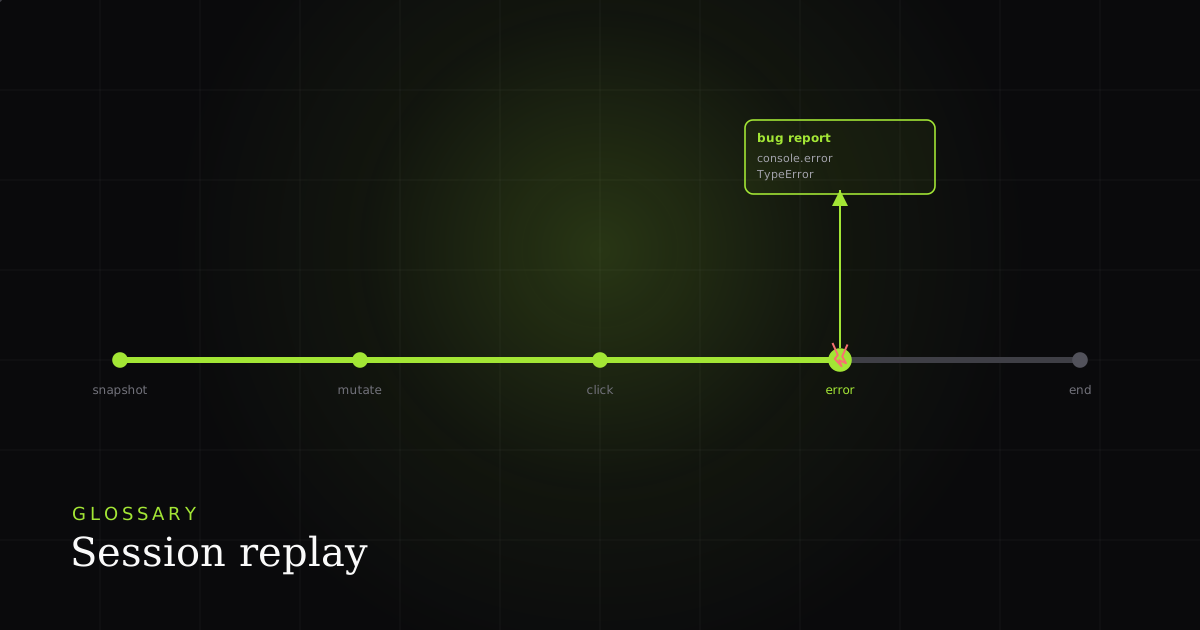
Definition
Session replay records a page's DOM, not its pixels: one full snapshot at the start, then every later change as a serialized diff. A player re-applies those changes in order to rebuild the page, so you watch a faithful reconstruction of what the user saw — never a video.
The name is the single biggest source of confusion, so start with the load-bearing fact. Sentry, which ships one of the most-used implementations, states it plainly in its Session Replay FAQ: it is ‘not a screen recording, but rather a recording of the web browser’s DOM… not an actual video, but instead a reconstruction of the web page as the user saw it.’ You will see the same technique called session recording or DOM recording. The mechanism is identical, and it is what separates this category from screen capture.
Why it matters
The distinction is not pedantic — it changes everything you can do with the recording. A screen capture is a flat stream of pixels: you can watch it, but you cannot search the text, inspect an element, read the markup, or strip a sensitive field after the fact. A replay is the page's structure, so the playback is real HTML you can open in DevTools, hover, and select. That is also why a replay is far smaller than equivalent video, and why it can be redacted before it leaves the browser instead of blurred afterward.
Mechanically, every replay is two phases. First, a single serialized snapshot of the DOM — CSS rules and current form values included — taken when the session starts. The open-source rrweb library (MIT-licensed, the engine under most replay tools) does exactly this, then switches to phase two: incremental diffs emitted by the browser's MutationObserver every time a node is added, removed, or changed. The recording is therefore one big tree plus a thin stream of timestamped deltas, not a frame buffer. That is the entire anatomy behind every replay you have ever scrubbed.
The most important property follows from how playback works: the recorded page's JavaScript is never executed again. As the rrweb author writes in the serialization deep-dive, ‘all JavaScript in the originally recorded page should not be executed on replay’ — script tags become inert placeholders, and the player simply re-applies the recorded DOM mutations in order. This is why a replay reconstructs state rather than re-running it: there are no fresh API calls, no new timers, no side effects. You see the precise state the user saw, deterministically, every time you play it.

Because the recording is structured, it is also redactable at the source — a property a video can never have. rrweb masks password inputs by default and exposes .rr-block (replays the element as a same-size placeholder), .rr-mask (replaces text with asterisks), .rr-ignore, and a maskAllInputs option, per the rrweb guide. Sentry's SDK goes further out of the box: its privacy docs say it masks all text content with * and blocks every media element (img, svg, video, object, picture, embed, map, audio) on the client before anything is sent. The sensitive characters never reach a server, because masking happens in the browser.
How this shows up in a real BugMojo bug report
Here is where the framing usually goes wrong, and where BugMojo fits. Every top result treats a replay as an analytics artifact: an always-on recorder samples a slice of production traffic so a human can scrub aggregate behavior later. Sentry's documented defaults make the sampling explicit — replaysSessionSampleRate 0.1 records about 10% of all sessions, and replaysOnErrorSampleRate 1.0 records 100% of error sessions. That is the right design for ‘what are users doing across the fleet,’ but it answers a different question than ‘why did this exact bug happen and how do I reproduce it.’
BugMojo is built for the second question, so the capture model is inverted: on-demand, one session equals one report. A person hits a bug, the browser extension captures that single session, and the rrweb replay rides along inside the report next to the things you actually debug with — the console output (where the error logged), the network requests that fed the bad data, and a screenshot. LogRocket's own docs describe the same one-timeline ideal of DOM playback plus console and network in a single view; BugMojo's twist is that the timeline is a deliberately captured bug report, not a sampled production stream.
The payoff is the part nobody else ships. Because the replay is structured DOM events — not pixels — and it arrives bundled with the console and network data, the whole report is machine-readable. The BugMojo MCP server exposes that report to an AI coding agent (Claude Code, Cursor). The Model Context Protocol is an open standard that gives LLMs ‘a standardized way to connect… with the context they need,’ carried over JSON-RPC 2.0. So an agent fetches the report, reads the error and the failed request, and uses the replay's reproduction path to triage or draft a fix — no human pasting a recording into a chat window. For the human workflow around this, see how to debug with a session replay.
| Feature | Capability | BugMojo | Always-on prod replay (Sentry / LogRocket) |
|---|---|---|---|
| Records the DOM, not video (rrweb-style) | — | ✓ | ✓ |
| Capture model | — | On-demand: 1 session = 1 report | Sampled production traffic |
| Replay bundled with console + network in one bug report | — | ✓ | Analytics view |
| Client-side PII redaction before data leaves the page | — | ✓ | ✓ |
| Replay + report handed to an AI agent over MCP | — | ✓ | — |
| Always-on sampling across all production sessions | — | — | ✓ |
| Mature production error-monitoring + aggregate dashboards | — | — | ✓ |
Frequently asked questions
Frequently asked questions
Sources
- Session Replay FAQ — 'Session Replay is not a screen recording, but rather a recording of the web browsers DOM... not an actual video, but instead a reconstruction of the web page as the user saw it' — Sentry (2025-08-06)
- Set Up Session Replay — default sampling: replaysSessionSampleRate 0.1 (10% of sessions) and replaysOnErrorSampleRate 1.0 (100% on error) — Sentry (2026)
- Session Replay Privacy — SDK masks all text with * and blocks media elements (img, svg, video, object, picture, embed, map, audio) on the client before data is sent — Sentry (2026)
- rrweb — record and replay the web (full DOM snapshot + incremental MutationObserver mutations; MIT license) — rrweb-io / GitHub (2026-06-03)
- rrweb guide.md — privacy controls: .rr-block placeholder, .rr-mask, .rr-ignore, password inputs masked by default, maskAllInputs option — rrweb-io / GitHub (2026)
- How does session replay work, Part 1: Serialization (by rrweb author) — 'All JavaScript in the originally recorded page should not be executed on replay'; DOM serialized to a JSON tree with unique node ids — DEV Community (rrweb author) (2020-10-22)
- Specification (2025-11-25) — 'MCP is an open protocol... a standardized way to connect LLMs with the context they need'; uses JSON-RPC 2.0; exposes Resources, Prompts, Tools — Model Context Protocol (2025-11-25)
- LogRocket Session Replay docs — DOM playback plus console logs, network requests (headers/body/status/duration), and state tracking in one timeline — LogRocket (2026)
Get bug-tracking insights, weekly.
Engineering deep-dives, QA playbooks, and honest tool comparisons. No spam — unsubscribe in one click.