

What Is a Stack Trace? How to Read One and Find the Root Cause
A stack trace is the call path your program took up to the moment it failed. Here is how to read one top to bottom, find the first line in your own code, and turn a location into a fix.
Definition
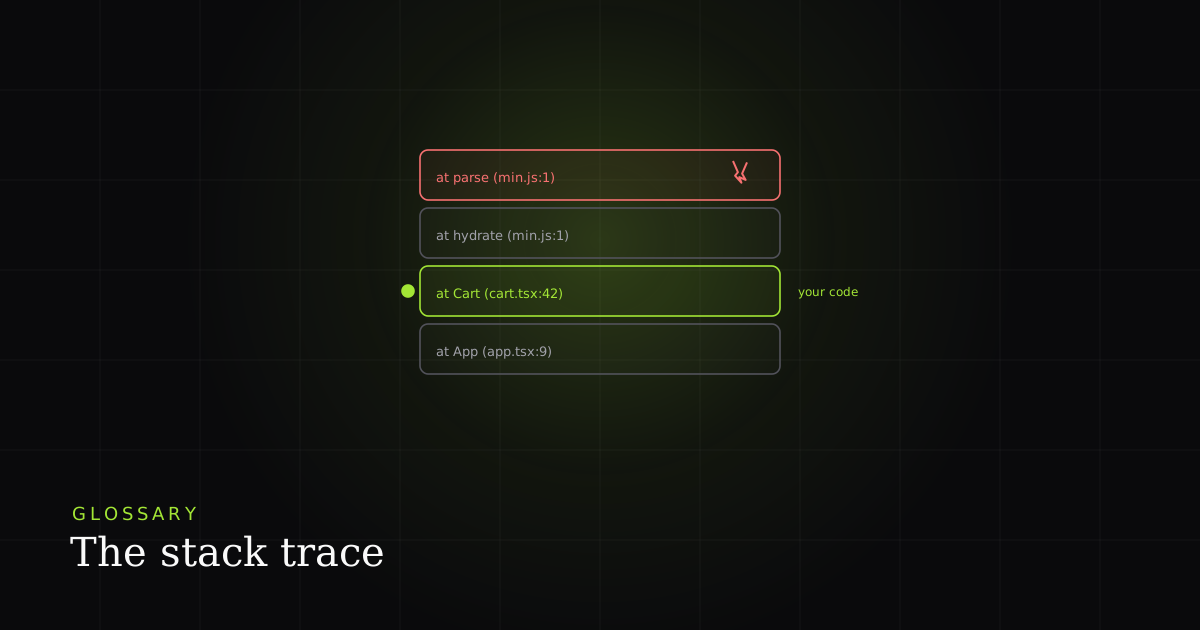
A stack trace is a snapshot of the chain of function calls that were active when a program threw an error. Each line, called a frame, names one paused call with its file, line number, and function. Read together, the frames show the exact path execution took to the failure.
You will also see it called a traceback (Python), a backtrace (C/gdb), or just the stack. Wikipedia defines it as "a report of the active stack frames at a certain point in time during the execution of a program", most often printed when an exception is raised. The mechanism is identical across all these names: the trace is a picture of the call stack at one instant.
How a stack trace is produced
Every running program keeps a call stack: a last-in, first-out pile of frames, one per function call that has started but not yet returned. When main() calls renderCart() which calls getLineTotal(), the runtime pushes a frame each time, so the stack now holds three frames with getLineTotal on top. Each frame stores where to resume and, in most runtimes, the file and line of the call.
When one of those calls throws and nothing catches it, the runtime unwinds the stack, popping frames while looking for a handler. If it reaches the bottom without finding one, the program captures the frames that were open and prints them: that print-out is the stack trace. In JavaScript, this snapshot is taken the moment an Error object is constructed (not when it is thrown), which is why Node.js documents that a trace "extends only to either the beginning of synchronous code execution, or the number of frames given by Error.stackTraceLimit, whichever is smaller." V8 also exposes Error.captureStackTrace(target, constructorOpt), which writes a .stack string onto any object and can omit every frame at or above constructorOpt. That is the trick libraries use to hide their own wrapper frames from your trace.
How to read a trace, frame by frame
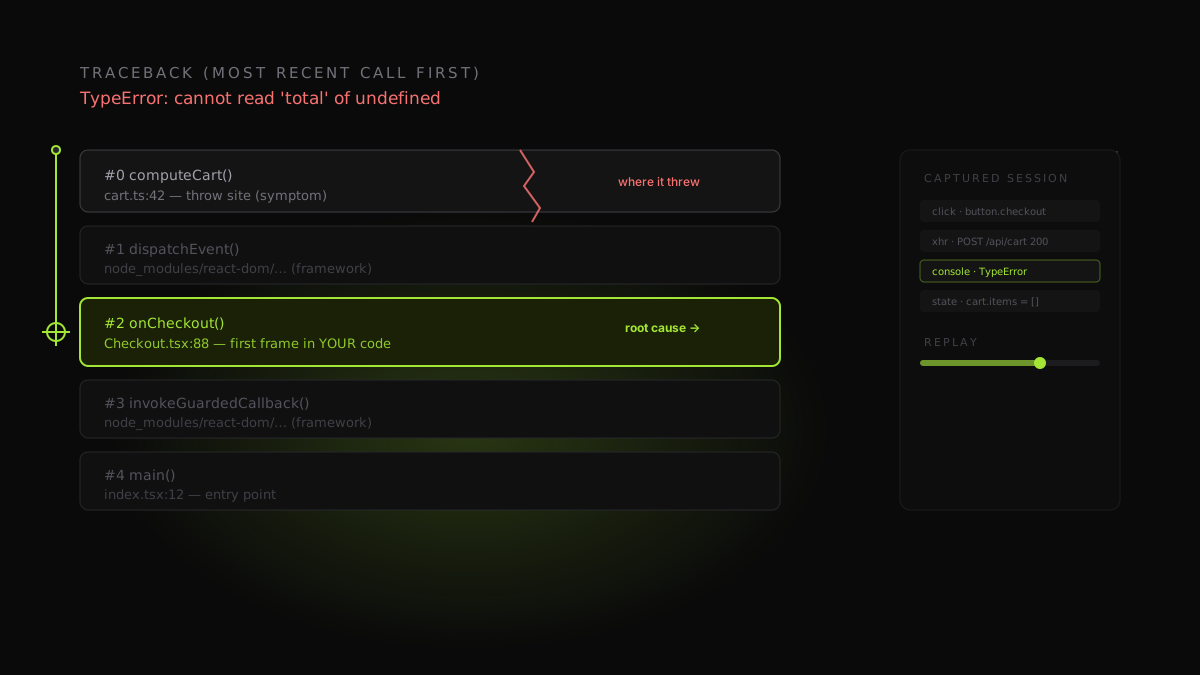
Here is a real V8 (Chrome/Node) trace from a checkout page. The first line is the error; every at … line below it is one frame, newest first.
TypeError: Cannot read properties of undefined (reading 'price')
    at getLineTotal (checkout.js:88:31)      ← threw here (symptom)
    at Array.map (<anonymous>)                ← engine-internal frame
    at renderCart (checkout.js:64:28)         ← first frame in YOUR code
    at handleCartLoaded (checkout.js:41:5)
    at async loadCart (checkout.js:29:18)     ← async boundary
Read it as four facts per frame: the function name, the file, the line, and the column (checkout.js:88:31 means line 88, column 31; the column pins the exact expression on a busy line). The top frame, getLineTotal, is where the runtime actually failed, but it may just be where a bad value was used. Skip the <anonymous> and library frames and land on renderCart at line 64: the first frame in your own code, and usually where the story starts. The bottom async frame tells you the call originally came through an awaited promise, not a straight-line call.
One caution the specs are blunt about: the string itself is explicitly non-standard. MDN warns that "each JavaScript engine uses its own format," so the same crash reads at getLineTotal (checkout.js:88:31) in V8 but getLineTotal@checkout.js:88:31 in Firefox (SpiderMonkey) and Safari (JavaScriptCore). Never parse a trace by hoping the shape is portable. Use the engine's structured API when you can. V8 exposes the trace as an array of CallSite objects with methods like getFileName(), getLineNumber(), getColumnNumber(), and isAsync(), so a tool reads fields instead of regexing free-form text.
How traces differ across languages and runtimes
The idea is universal; the printout is not. The biggest difference is direction. A Python traceback prints under Traceback (most recent call last):, so the entry point is at the top and the failing line is at the bottom. You read downward. Java, Ruby, and most JavaScript engines print most-recent-first, so the failing frame is at the top. The per-frame format shifts too: Python writes File "app.py", line 88, in checkout and often includes the source line; the JVM writes at com.app.Checkout.total(Checkout.java:88). Once you know which end is the failure, every trace reads the same way: start at the throw site, walk toward your own code.
| Feature | Language / runtime | Failing frame is… | Per-frame format |
|---|---|---|---|
| Python (traceback) | No | at the bottom (most recent last) | File "app.py", line 88, in fn |
| JavaScript / V8 (Chrome, Node) | No | at the top (most recent first) | at fn (file.js:88:31) |
| JavaScript / Firefox, Safari | No | at the top | fn@file.js:88:31 |
| Java (JVM) | No | at the top | at com.app.Fn(File.java:88) |
| Ruby | No | at the top | file.rb:88:in `fn' |
Source maps: reading minified production traces
In development a trace points at checkout.js:88:31. In production the same crash reads main.a1b2c3.js:1:24500, because your bundler renamed every function and squeezed the app onto a few enormous lines. That location is real but unreadable, which is what source maps fix. A source map is a JSON file your bundler (Webpack, Vite, esbuild, Rollup) emits alongside the build; it records, for every generated line and column, the original file, line, column, and name it came from. As MDN describes, the tooling reads a //# sourceMappingURL=main.js.map comment at the end of the bundle to find and load the map, then "maps the processed code back to your original source" so DevTools (and error monitors) re-symbolicate each frame into the file and function you actually wrote. The practical rule: generate source maps on every production build and keep them somewhere your debugger or monitoring tool can reach, or a production trace stays a coordinate you cannot open.
Async stack traces and honest caveats
Asynchronous code is where traces get lossy. Historically, when an error surfaced inside a setTimeout callback or a resolved promise, the stack only went back to the event-loop tick that ran the callback. The code that scheduled it had already returned and popped off the stack, leaving a bare, near-useless trace. Modern V8 stitches this back together with zero-cost async stack traces: across await points it links the continuation to the async function that queued it, and the structured API flags those frames via CallSite.isAsync() (plus isPromiseAll() and getPromiseIndex() for Promise.all/Promise.any). It is a real improvement, but not magic: gaps still appear across some callback boundaries and older engines.
Three honest caveats keep a trace from being a complete answer. First, traces are truncated by design: V8 keeps the topmost 10 frames by default via Error.stackTraceLimit, and Node.js inherits that default of 10, so deep recursion or long async chains fall off the bottom unless you raise it (set it to Infinity in development). Second, minification destroys names and lines without a source map, as above. Third, and the one no trace can solve: a trace is a location, never the state. It names where a value was undefined, not why. That is why 'works on my machine' bugs survive a perfectly clean trace, and it is expensive: in the 2024 Stack Overflow Developer Survey, 66% of developers said they spend more time fixing AI-generated code that is 'almost right, but not quite,' and 45% named debugging that almost-right code a top frustration.
How this shows up in a real BugMojo bug report
The trace is the highest-signal artifact in debugging because it answers what failed and how the program got there in one glance, and it is increasingly an agent input, not just a human one. As of April 2026, GitHub Copilot on the web 'recognizes stack traces more reliably' and runs a 'structured root-cause analysis using the stack trace plus your repository's code context.' But an agent parsing a trace still hits the same wall a human does: the trace names the location, not the state that produced it.
That is where BugMojo fits. In a BugMojo report the stack trace does not arrive alone. The browser extension captures the failure with its surrounding context (an rrweb session replay, the console output where the trace was logged, and the network request that fed the bad data, with PII redacted client-side before anything leaves the browser), so the frame at checkout.js:88 sits next to the exact POST /api/cart response that returned an empty cart. Then the BugMojo MCP server hands that whole bundle to an AI agent (Claude Code, Cursor). The agent reads the trace and the state that produced it. That is the difference between 'the bug is near line 88' and 'the bug is the unguarded cart.items[0].price access on line 88, triggered by the empty-cart response in this replay.'
| Feature | Capability | BugMojo | Prod error monitor (Sentry/BugSnag) |
|---|---|---|---|
| Stack trace attached to the report | No | ✓ | ✓ |
| rrweb session replay around the failure | No | ✓ | No |
| Console + network captured with the trace | No | ✓ | Breadcrumbs |
| Trace handed to an AI agent over MCP | No | ✓ | No |
| Aggregate uncaught exceptions across a fleet | No | No | ✓ |
| Stack trace + breadcrumbs at production scale | No | No | ✓ |
BugMojo captures the stack trace alongside an rrweb replay, console, and network, then hands the whole bundle to Claude Code or Cursor over MCP, so your agent reads the trace and the state behind it.
Install the extensionFrequently asked questions
Frequently asked questions
Sources
- traceback: Print or retrieve a stack traceback (official Python docs), Python Software Foundation (2026)
- Error.prototype.stack: non-standard, engine-specific format (MDN Web Docs), MDN / Mozilla (2026)
- Stack Trace API: Error.stackTraceLimit, CallSite objects, captureStackTrace (V8 docs), V8 / Google (2025)
- Errors: error.stack, Error.captureStackTrace, Error.stackTraceLimit (Node.js docs), OpenJS Foundation / Node.js (2026)
- Stack trace: definition, backtrace, unwinding the call stack (Wikipedia), Wikipedia (2026)
- Use a source map: map processed code back to original source (MDN Web Docs), MDN / Mozilla (2025)
- Better debugging with GitHub Copilot on the web: stack-trace-aware root-cause analysis, GitHub (2026-04-23)
- AI: 2024 Stack Overflow Developer Survey (almost-right code, debugging frustration), Stack Overflow (2024)
Get bug-tracking insights, weekly.
Engineering deep-dives, QA playbooks, and honest tool comparisons. No spam. Unsubscribe in one click.