

Bug Severity vs Priority: A Decision Framework That Ends the Argument
A practical framework separating bug severity (how bad it is) from priority (when to fix it), with the four quadrants, a decision matrix, ownership rules, per-level SLAs, and the honest caveats.
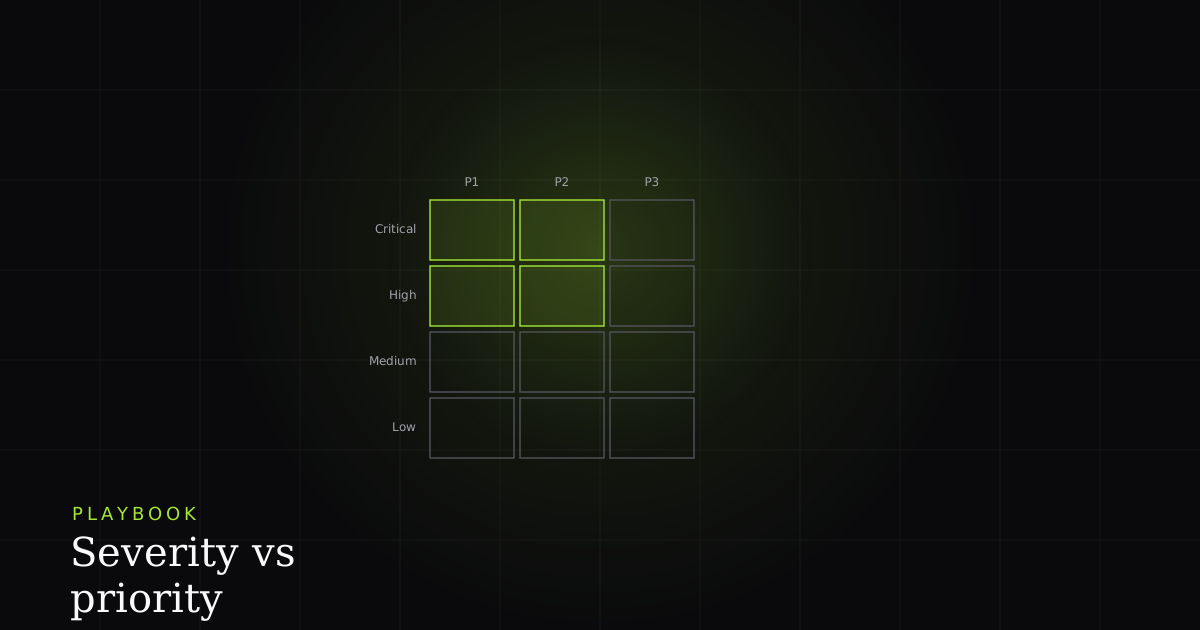
The single rule that ends every triage argument
Severity describes the bug; priority describes the schedule. Stop debating them in the same sentence. A CRITICAL bug can be P3 if it only affects a feature you are retiring. A LOW-severity bug can be P0 if it ships in a CEO demo at 2pm. Separating the two axes resolves most triage disagreements before they start.
Almost every stuck triage conversation is really two questions collapsed into one. "Is this a P1?" bundles a technical judgement (how broken is it?) with a business judgement (when does the schedule allow a fix?). As soon as you split them, the disagreement moves to whichever axis actually contains it. Usually it is priority, which is a negotiation, not a fact. Atlassian frames the same split as impact versus urgency: severity is objective, priority is subjective.
Severity: what is broken (the technical axis)
The ISTQB glossary defines severity as "the degree of impact that a defect has on the development or operation of a component or system." It is a technical assessment, independent of business value or how many users are affected. Use four labels with concrete behavioral definitions, not numeric scales, which drift over time.
The four severity labels and what they mean:
- CRITICAL: Data loss, security exposure, or the whole application is down for a class of users (all paying customers, all mobile users, all users in a region). Examples: customer data deleted on save, an auth bypass, checkout returning 500 for every user. This is the QA "blocker/critical" band that Software Testing Help describes as stopping the user (or the tester) from proceeding at all.
- HIGH: A major feature is broken with no workaround. Most users who hit it cannot complete their primary task. Examples: a key form fails to submit, search returns no results, the billing page will not load.
- MEDIUM: A feature is broken or behaves wrong, but a reasonable workaround exists. Examples: a dashboard chart loads slowly, a non-critical setting does not persist, the menu collapses on a rare device.
- LOW: Cosmetic issues, typos, minor inconveniences. Examples: misaligned text, weak color contrast on a non-critical button, the wrong icon in a tooltip.
Note the invariant: severity is independent of how many users see it. A bug that affects 1% of users but deletes their data is still CRITICAL. A bug that mildly annoys 100% of users is MEDIUM at best. And severity is stable: the ISTQB view is that the same defect discovered the day before release is exactly as severe as it was a month earlier; only the urgency of fixing it changes.
Priority: when (and whether) we fix it
Priority is a scheduling decision made during triage. Unlike severity, it folds in business context: who is affected, what release is shipping, and what else the team has committed to. ISTQB defines priority as "the level of (business) importance assigned to an item." Priorities change as conditions change; severity rarely does.
The four priority labels:
- P0: Stop the world. Drop everything in progress. The fix ships within hours, typically the same day. Reserve this for true emergencies.
- P1: This sprint. The bug is on the active sprint board, an owner is assigned, and it ships in the next release.
- P2: This quarter. Sized into a future sprint within roughly twelve weeks. No owner yet, but a rough estimate exists.
- P3: Backlog. Acknowledged but not scheduled. It may get fixed opportunistically when an engineer is already in that code; it may never get fixed if priorities shift.
A useful test: if you cannot say "we will fix this by date X," it is P3. P0 through P2 each carry a commitment; P3 explicitly does not. Atlassian's own tooling models priority as the output of two inputs: impact and urgency. Impact measures the effect on business processes; urgency measures how quickly that effect bites. A high-impact bug can carry low urgency ("the revenue report is wrong, but nobody reads it until quarter-end"), which is exactly why priority is not just severity wearing a different hat.
Why the two axes are independent: the four quadrants
Because severity is technical and priority is business, every combination is possible. The four corners are the ones worth memorizing: high-sev/high-pri, high-sev/low-pri, low-sev/high-pri, and low-sev/low-pri. Each corner has a clean real-world example, and none of them is a contradiction.
High severity, high priority: the obvious one. Checkout returns a 500 for every user during business hours. It is CRITICAL (revenue is broken for everyone) and P0 (every minute costs money). No argument here; the axes agree, and this is the quadrant people wrongly assume is the only "real" bug.
High severity, low priority: the deprecated feature. A bug causes data loss inside a feature you announced you are shutting down next month. Severity is CRITICAL: data is being destroyed. Priority is P3: the fix is not worth the effort against a feature that is about to be deleted anyway. Collapsing the axes here would force you to either under-rate a genuine data-loss defect or waste a sprint on doomed code.
Low severity, high priority: the CEO demo. A typo sits in the headline of the page your CEO is about to present to the board. It is objectively cosmetic (LOW severity) but the visibility is asymmetric, so it is P0 and gets fixed in the next hour. The homepage-logo case that every QA reference cites is this exact quadrant: trivial impact, urgent fix.
Low severity, low priority: the honest backlog. A tooltip shows the wrong icon on a settings page nobody complains about. LOW severity, P3 priority. This quadrant is where most reported bugs actually live, and pretending otherwise (by inflating everything to HIGH) is what destroys your triage signal.
The severity × priority decision matrix
The full severity × priority grid has sixteen cells. Most teams live in five or six of them; the rest are possible but rare. Use the matrix as a sanity check. If the assigned priority looks wrong for the severity, ask why, and the answer usually surfaces a business constraint that was not yet on the table.
| Feature | Severity | P0 (Now) | P1 (Sprint) | P2 (Quarter) | P3 (Backlog) |
|---|---|---|---|---|---|
| CRITICAL | Data loss · security · outage | Default. Always. | Only with mitigation (feature flag off, etc.) | Never (escalate instead) | Only if feature is being deleted |
| HIGH | Major feature broken | Demo / press launch happening | Default | Acceptable if mitigation deployed | Rare (feature deprecated?) |
| MEDIUM | Workaround exists | Almost never | If quick to fix | Default | Acceptable |
| LOW | Cosmetic / typos | CEO demo. That is the only case. | Only if "good first issue" | If batched with other LOWs | Default |
Who owns which axis
Ownership is the part teams skip, and it is where the discipline actually lives. QA (or the reporter) owns severity. It is a technical description of what is broken, and the person closest to the reproduction is best placed to assign it. Product (with engineering) owns priority. It is a scheduling decision that requires knowing the roadmap, the release calendar, and the cost of waiting. Every mainstream QA reference lands on this same division: the QA engineer determines severity, while priority is decided in consultation with the manager or product owner.
The practical payoff of naming owners is that it removes the two most common triage pathologies. Engineers stop quietly down-rating severity to avoid work ("it's only MEDIUM") because severity is not theirs to negotiate. And product stops re-labeling something CRITICAL to jump the queue, because bumping priority is the honest lever and it is theirs to pull in the open. Google's SRE practice makes the same move in incident response: every action item gets an explicit owner and an explicit priority, so nothing important is both urgent and unassigned.
Assigning consistently: rubrics and SLAs
Labels are only worth anything if two people assign them the same way. Two mechanisms make that happen. First, a rubric that reduces each severity level to a yes/no question: "Is data lost or exposed? → CRITICAL. Is a primary task blocked with no workaround? → HIGH. Is there a workaround? → MEDIUM. Is it cosmetic? → LOW." A rubric turns a subjective number into a decision tree anyone can walk. Second, an SLA per priority so the labels carry a time commitment rather than a vibe. Without SLAs, P0/P1/P2 are just adjectives.
# Time-to-fix commitments per priority. Put this in your runbook.
priority:
  P0:  { ack: "15 min", fix_shipped: "4 hours",  pages: true }
  P1:  { ack: "1 business day", fix_shipped: "1 sprint" }
  P2:  { ack: "1 week", fix_shipped: "1 quarter" }
  P3:  { ack: "triaged only", fix_shipped: "no commitment" }

# Severity is a rubric, not a schedule — no time attached.
severity:
  CRITICAL: "data loss, security exposure, or outage for a user class"
  HIGH:     "major feature broken, no workaround"
  MEDIUM:   "broken but a reasonable workaround exists"
  LOW:      "cosmetic / typo / minor inconvenience"
When a bug graduates into a production incident, this same rubric is what SRE teams apply under pressure. PagerDuty defines SEV-1 as a critical issue that warrants public notification, SEV-2 as a critical issue actively impacting many customers, and SEV-3 as a minor or stability issue needing immediate attention. That is the same technical ladder, just named for the on-call world. Two of their operating rules travel back into ordinary bug triage cleanly: if you are unsure which level it is, treat it as the higher one, and review the severity call during the postmortem rather than arguing it while the fire is burning.
How to handle the disagreement in triage
When triage stalls on a bug, the disagreement is almost always about priority, not severity. Split the conversation into two steps: agree on severity first (a technical fact), then negotiate priority (a business decision). Most arguments dissolve in the second step once everyone has signed off on the first.
The four-step protocol:
- State the severity first. "I see this as HIGH because the form is broken and there is no workaround."
- Get explicit agreement on severity before anyone mentions priority. Offer three moves: agree, raise (CRITICAL), or lower (MEDIUM). Settle it on technical grounds only.
- Then set priority with business context. Who is affected? Is there release pressure? What is the cost of waiting a sprint?
- Document the reasoning in the ticket. Six months from now, "why was this P2?" should be answerable from the ticket alone.
Caveats: where this framework breaks down
- Label inflation. The default failure mode. When shipping fast feels urgent, everything creeps toward CRITICAL/P0 and the scale flattens to a single value. Audit your distribution quarterly. If more than a handful of bugs are CRITICAL, the bar has slipped.
- Gaming the axes. Because priority controls scheduling, people learn to inflate severity to force a fix. Naming owners (QA sets severity, product sets priority) is the structural defense; leaving both to "whoever files the ticket" invites the gaming.
- One-size rubrics. A four-level scale that fits a consumer web app may be too coarse for a medical device or a payments core, where regulatory and safety impact deserve their own severity dimension. Adopt the standard scale first, then add a dimension only when a real class of bugs does not fit, not preemptively.
- Severity theatre. Elaborate matrices do not help if nobody enforces the SLAs. A P0 with no shipped fix in four hours is not a P0; it is a P2 wearing a costume.
- A third axis rarely earns its keep. ITIL-style models compute priority from severity plus urgency, and that extra field gets argued over more than it helps most product teams. Two axes are usually enough; add complexity only when the pain is concrete.
Where BugMojo fits
The hardest part of assigning severity honestly is that the person triaging often was not there when the bug happened. "Is this really CRITICAL, or did the reporter just have a bad day?" is a question you cannot answer from a one-line title. This is the gap captured evidence closes. Because the BugMojo browser extension records the rrweb DOM session, console logs, network requests, and a screenshot at the moment of capture (with PII redacted client-side before anything leaves the browser), the severity call is made against the actual reproduction, not a secondhand description. You can see whether the request 500'd, whether data failed to save, whether every user path hits it or just one. Severity stops being a guess and becomes a reading of the evidence.
That objectivity matters most for the polymorphic assignee model, where a bug can be routed to a human member or an AI coding agent through MCP. An agent picking up a ticket has no institutional memory to lean on: it works from what is written and attached. A severity label backed by a replay and a network log is something an agent can act on; a severity label backed by a hunch is not.
Next steps
- Adopt the four-level severity rubric verbatim. Do not customize until you have used it for three months.
- Write the priority SLAs into your team runbook: "P0 fix shipped in 4 hours. P1 in one sprint. P2 in one quarter. P3 no commitment."
- Name the owners explicitly (QA sets severity, product sets priority) and hold the line when someone tries to negotiate the wrong axis.
- Audit your severity distribution every quarter. If CRITICAL is common, retighten the definitions rather than retraining people.
Try BugMojo free to capture bug reports with the session replay, console, and network evidence that makes severity a reading, not a guess. No separate triage spreadsheet required.
Install the extensionFrequently asked questions
Frequently asked questions
Sources
- ISTQB Glossary: Severity, ISTQB (2024)
- Understanding incident severity levels, Atlassian (2025)
- Severity Levels (PagerDuty Incident Response), PagerDuty (2025)
- Defect Severity and Priority in Testing, Software Testing Help (2025)
- Managing Incidents (Site Reliability Engineering), Google SRE (2024)
- Atlassian Jira priority documentation, Atlassian (2025)
Get bug-tracking insights, weekly.
Engineering deep-dives, QA playbooks, and honest tool comparisons. No spam. Unsubscribe in one click.