

Capturing Console and Network Without an SDK: How an Extension Sees Everything
A Manifest V3 Chrome extension can capture console output and network traffic with zero SDK in the app — by injecting into the page's MAIN world and wrapping fetch, XHR, and console at runtime. Here is the exact capture surface, grounded in Chrome's own docs.
 Hrishikesh Baidya8 min read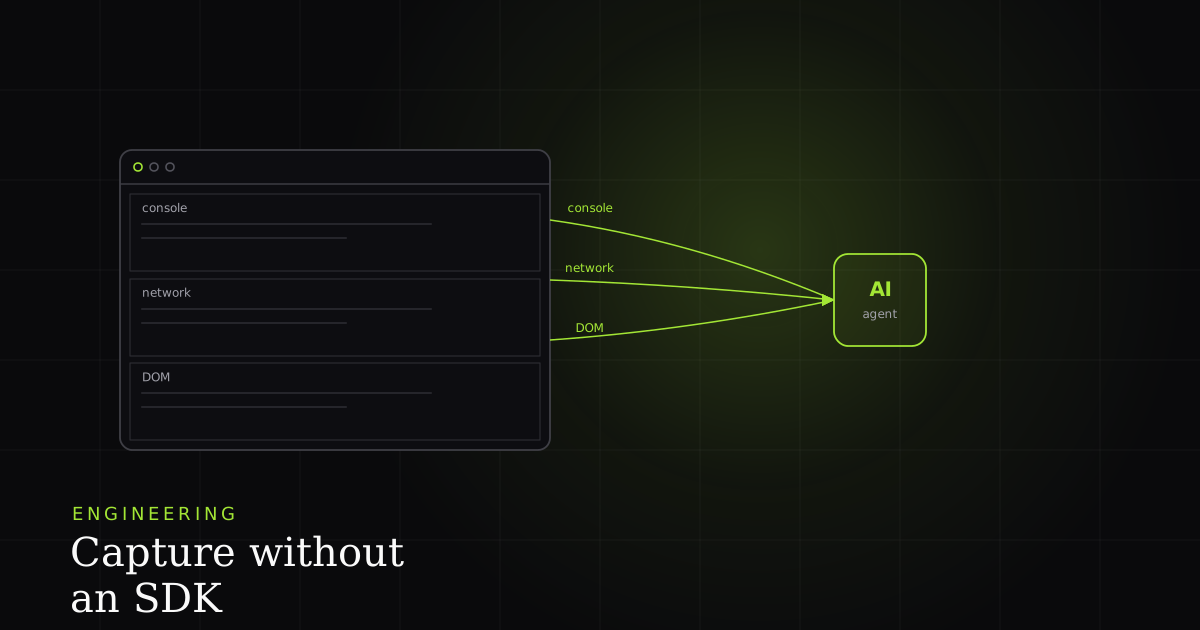
You want to file a bug report that includes the failing network request, the console error, and a replay of what the user did — without asking the app team to install anything. No SDK, no npm install, no redeploy. A browser extension can do this because it instruments a build it does not own, at runtime, from outside the application bundle.
The catch is that "capture the console" and "capture fetch" are deceptively hard under Manifest V3. The naive approach — a content script that wraps console.log — captures nothing the page emits. This article walks the exact surface that works, and grounds each constraint in the precise Chrome documentation sentence that explains it.
How does an extension capture console and network with no SDK?
The extension injects a script into the page's MAIN world at document start. That script wraps the five native console methods and monkey-patches window.fetch and XMLHttpRequest to record requests, responses, and logs. rrweb captures the DOM separately in the content script. Nothing is compiled into the app; the instrumentation is added at runtime from the extension.
Why a content script can't just wrap console.log
Content scripts feel like they run "in the page," but they do not share the page's JavaScript objects. Chrome's documentation defines a content script's isolated world as "a private execution environment that isn't accessible to the page," and states plainly that "JavaScript variables in an extension's content scripts are not visible to the host page." The corollary runs both ways: the console and fetch your content script sees are its own private copies, not the objects the application calls.
So if you write console.log = wrap(console.log) in a content script, you have wrapped a console nobody else uses. The page keeps calling its own. You capture zero application output. This single fact is why the entire capture architecture pivots on world boundaries.
The fix: inject into the MAIN world at document_start
To reach the page's real console and fetch, you inject into the MAIN world — the same execution environment as the host page's own JavaScript. The chrome.scripting reference documents world: "MAIN" as "the main world of the DOM, which is the execution environment shared with the host page's JavaScript." executeScript defaults to ISOLATED, so you set MAIN explicitly. Timing matters as much as world: register at document_start so your wrappers replace the natives before any page or third-party script calls them. Patch late and you miss everything that fired during load.
{
  "manifest_version": 3,
  "content_scripts": [
    {
      "matches": ["<all_urls>"],
      "js": ["hook.js"],
      "run_at": "document_start",
      "world": "MAIN"
    },
    {
      "matches": ["<all_urls>"],
      "js": ["content.js"],
      "run_at": "document_start",
      "world": "ISOLATED"
    }
  ]
}// 1) Wrap the five console levels the page actually calls.
for (const level of ['log', 'info', 'warn', 'error', 'debug']) {
const native = console[level].bind(console);
console[level] = (...args) => {
postToContentScript({ kind: 'console', level, args: serialize(args), ts: Date.now() });
native(...args); // preserve normal behavior
};
}
// 2) Patch fetch — clone the response so the page still reads the body.
const nativeFetch = window.fetch;
window.fetch = async (input, init) => {
const started = Date.now();
const res = await nativeFetch(input, init);
const body = await res.clone().text().catch(() => ''); // res.clone() is mandatory
postToContentScript({
kind: 'network', method: (init?.method) || 'GET',
url: String(input), status: res.status,
reqHeaders: redact(init?.headers), respBody: cap(body, 64 * 1024), // 64KB cap
durationMs: Date.now() - started,
});
return res; // hand the untouched response back to the app
};
// 3) XMLHttpRequest still ships in plenty of apps — patch open/send too.
const open = XMLHttpRequest.prototype.open;
XMLHttpRequest.prototype.open = function (method, url, ...rest) {
this.__capture = { method, url: String(url) };
return open.call(this, method, url, ...rest);
};Three details make this production-safe rather than a demo. res.clone() is mandatory — a Response body is a one-shot stream, so reading it without cloning would starve the application of its own data. The 64KB body cap keeps a single large payload from blowing up the event buffer. And the MAIN-world hook posts to the ISOLATED content script (via window.postMessage or a shared CustomEvent), because only the content script can talk to the extension's background service worker — the MAIN world cannot reach chrome.* APIs.
Why not chrome.webRequest or the DevTools HAR?
Two Chrome APIs look like they should hand you network data for free. Both fall short for body capture, and the docs say so.
Under Manifest V3 the blocking webRequestBlocking permission is no longer available to most extensions; Chrome steers interception toward declarativeNetRequest, which matches rules rather than offering runtime inspection — and it cannot read request or response bodies at all. So webRequest can tell you a request happened and give you headers in observational mode, but not the JSON payload you need to reproduce a bug.
The chrome.devtools.network surface returns HAR, but its reference states plainly that "request content is not provided as part of HAR for efficiency reasons" — response bodies require a separate getContent() call per entry, and that only works while DevTools is attached to the tab. You cannot ship a capture product that demands every user keep DevTools open. That is why dependable request and response body capture lands back on monkey-patching fetch and XHR in the MAIN world.
| Feature | MAIN-world patch (BugMojo) | declarativeNetRequest / webRequest | DevTools HAR (getContent) |
|---|---|---|---|
| Captures full request + response bodies | Yes (res.clone(), capped) | No — bodies never exposed | Per-entry getContent(), DevTools must be open |
| Captures console output (5 levels) | Yes — wraps native console | No | No (network only) |
| Works without DevTools attached | Yes | Yes | No |
| Requires app to ship an SDK | No | No | No |
| Always-on, fleet-wide production monitoring | No — on-demand, per-machine | No | No |
| Emits MCP / AI-agent-readable bug context | Yes — rrweb + logs + network over MCP | No | No |
Read the matrix honestly. BugMojo loses the always-on production monitoring row outright — an extension only runs where a human installed it and pressed capture. It cannot watch every real user, cannot see server-side errors, and cannot record a mobile app or a backend job. Where it wins is the combination no always-on tool gives a developer for free: full bodies, console, DOM replay, zero app changes, and a structured surface an AI agent can read.
rrweb fills the third stream: the DOM
Console and network tell you what failed; the DOM replay shows what the user saw. rrweb's one-line mandate is "record and replay the web." It serializes the DOM and records incremental mutations by timestamp rather than capturing video, which is what lets the extension reconstruct a session from a few hundred KB of events instead of a multi-megabyte screen recording. rrweb runs in the content script (it needs the live DOM, not the page's JS objects), so it sits naturally on the ISOLATED side of the world boundary while the console/network hook lives in MAIN.
Redact PII before the buffer leaves the browser
Breadth is the extension's superpower and its liability. Because the MAIN-world hook sits in front of every fetch and every console call, it sees things the app's own logger would never record — third-party script traffic, Authorization and Cookie headers, bearer tokens in query strings, and personal data in response bodies. The rule is simple and non-negotiable: redact client-side, in the content script, before the buffer is uploaded. Server-side redaction is theater — by the time the secret reaches your server, it has already crossed the wire.
From capture surface to agent-readable context
The three streams — rrweb DOM, console log buffer, network requests — plus screenshots are only as useful as what reads them. BugMojo exposes them through an MCP server so an AI coding agent like Claude Code or Cursor connects over the Model Context Protocol and reads the bug as structured context: the failing request with status and body, the console error with its stack, the repro steps. The capture surface and the agent-readable surface are the same data. That is the gap between a screenshot a human pastes into a ticket and a bug an agent can triage and act on directly.
Frequently asked questions
Frequently asked questions
Sources
- Chrome for Developers — Content scripts (isolated world) — Google (2025)
- Chrome for Developers — chrome.scripting API (world: MAIN/ISOLATED) — Google (2025)
- Chrome for Developers — chrome.webRequest API reference — Google (2025)
- Chrome for Developers — chrome.devtools.network API reference — Google (2025)
- rrweb — record and replay the web (GitHub) — rrweb-io (2026)
- MDN Web Docs — console API — Mozilla (2025)
Get bug-tracking insights, weekly.
Engineering deep-dives, QA playbooks, and honest tool comparisons. No spam — unsubscribe in one click.